web
You’re offline. This is a read only version of the page.
close
Skip to main content

Announcements

No record found.

News and Announcements icon
Community site session details

Community site session details

Session Id :
Microsoft Dynamics AX (Archived)

Issue with Data Distribution (Retail)

(0) ShareShare
ReportReport
Posted on by 2,259

Hi all,

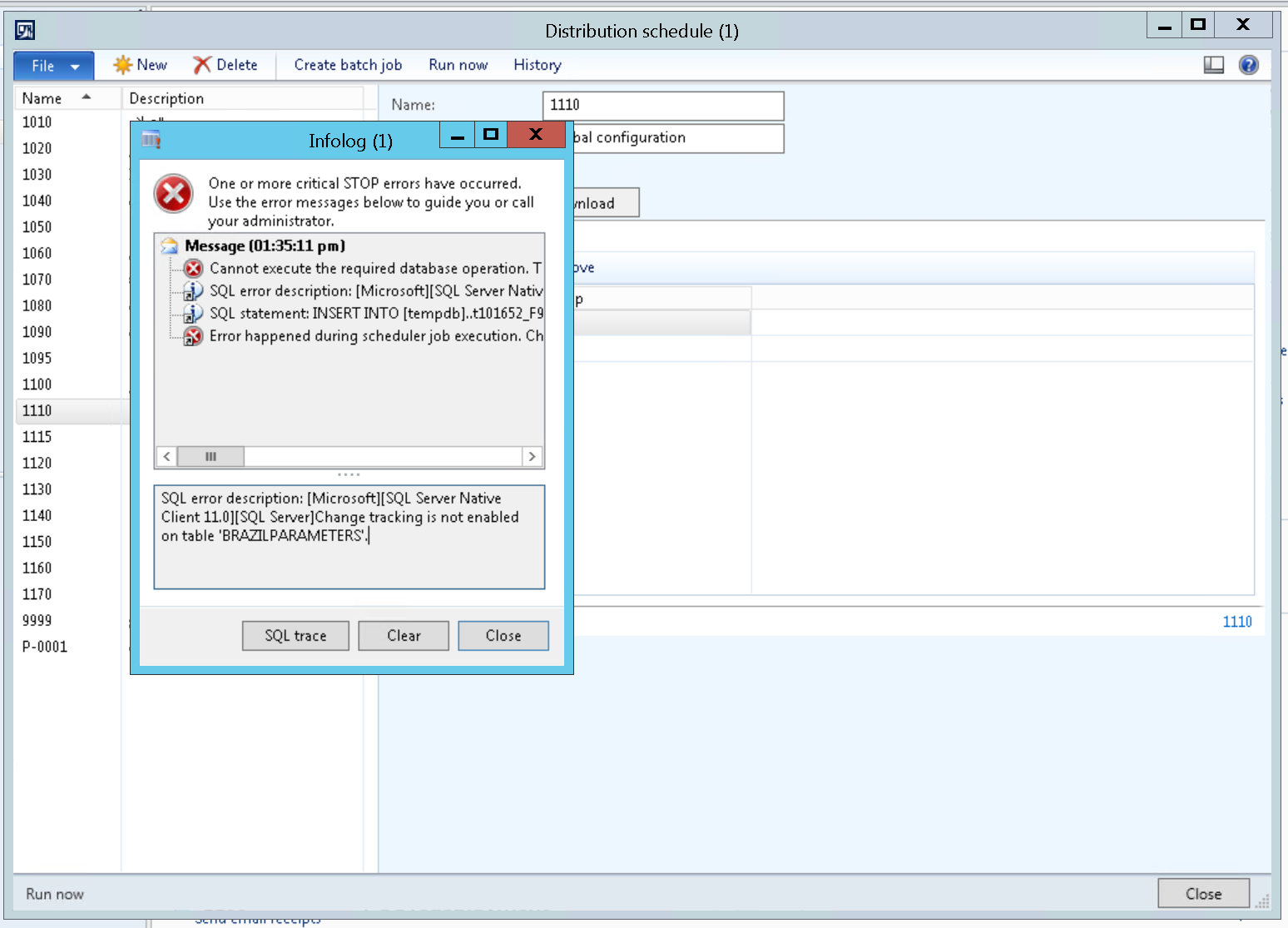
we are facing an error when we try to distribute any Job from Distribution schedule in Retail.

the error says that we have to enable the changing tracking for specific table,

so after enabling it in SQL Server, same error shows with different table.

can anyone please help with this,

is there any other way instead of changing in SQL Server one by one
5488.12345.PNG

we are in AX 2012 R3 CU 12

thanks in advanced

*This post is locked for comments

I have the same question (0)
  • Verified answer
    Rodolfo Recalde Profile Picture
    on at

    Hi Wasim,

    Change Tracking Table option is enabled in the Generate Classes process.

    Check:

    (A) Retail > Setup > Retail Scheduler > Retail Channel Schema 

    (B) Select  Retail Version

    (C) Click in Generate Classes

    (D) Class RetailCDXCodeGen, method run, has subprocess for change tracking.

    (E) Class RetailCDXChangeTranckingAux , method enableChangeTracking, alter table in SQL SERVER.


    Change_5F00_Tracking-_5F00_DAX_5F00_RECALDE.png

    Figure 1


    Maybe it's a problem related to your environment, or even, related to a configuration key / module not enable. I'm assuming this, by the table you submitted in error (BrazilParameters) Maybe microsoft did not handle all the exceptions (debugging the process you can find the reason). In this case, the option would be to remove the table to the  schedule from the schedule job or manually, enable change tracking it the database.


    I Hope this Helps!

    Regards,

    Rodolfo Recalde

  • w.sallam Profile Picture
    2,259 on at

    Thanks a lot Rodolfo

    this solved this issue completely,

Under review

Thank you for your reply! To ensure a great experience for everyone, your content is awaiting approval by our Community Managers. Please check back later.

Helpful resources

Quick Links

Introducing the 2026 Season 1 community Super Users

Congratulations to our 2026 Super Stars!

Meet the Microsoft Dynamics 365 Contact Center Champions

We are thrilled to have these Champions in our Community!

Congratulations to the March Top 10 Community Leaders

These are the community rock stars!

Leaderboard > 🔒一 Microsoft Dynamics AX (Archived)

#1
CP04-islander Profile Picture

CP04-islander 39

#2
Michel ROY Profile Picture

Michel ROY 14

#3
imran ul haq Profile Picture

imran ul haq 8

Last 30 days Overall leaderboard

Featured topics

Product updates

Dynamics 365 release plans
