web
You’re offline. This is a read only version of the page.
close
Skip to main content

Notifications

Announcements

No record found.

Community site session details

Community site session details

Session Id :
Microsoft Dynamics CRM (Archived)

Subgrid not showing table when made visible

(0) ShareShare
ReportReport
Posted on by 35

Hi all,

I'm using Microsoft Dynamics® CRM 2016(8.1.1.1005) (DB 8.1.1.1005).

I have a form which contains some fields and a subgrid.

When the form loads, I check if a field has some data.

If it has no data, then I hide the subgrid. If it has data, then I show the subgrid.

When the user changes the field's value, I call a JavaScript function which hides/shows the subgrid based on the field's data.

However, when the subgrid is made visible, it's label appears, but the table does not. I have attached a screenshot below of what I see.
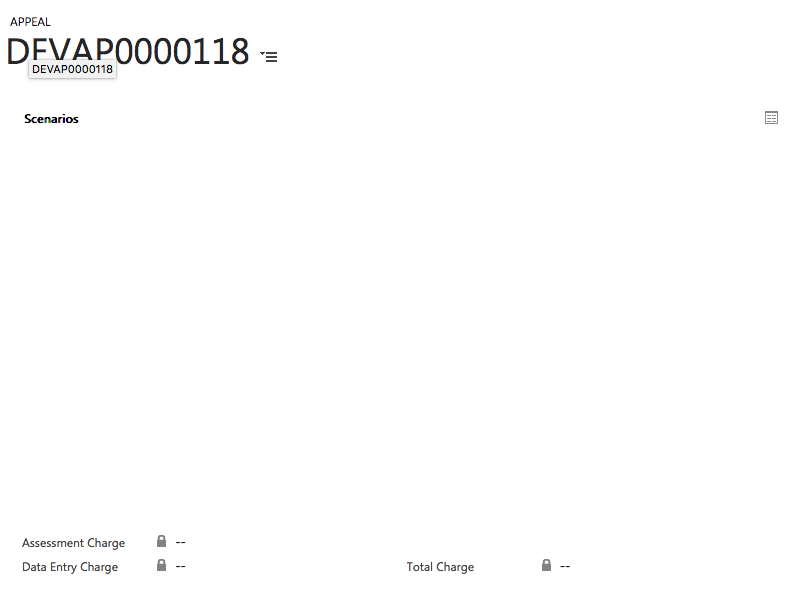
Screen-Shot-2018_2D00_03_2D00_27-at-14.37.15.png

Does anyone know why this is happening? Is it a bug with CRM?

When I refresh the page (manually, not through JavaScript) it loads the table. See screenshot below:
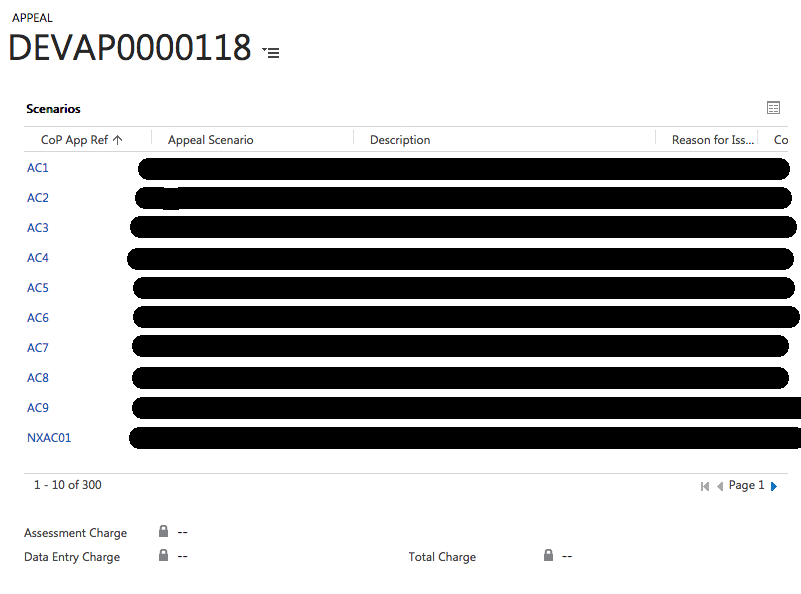
Screen-Shot-2018_2D00_03_2D00_27-at-14.40.16.png

*This post is locked for comments

I have the same question (0)
  • Aric Levin - MVP Profile Picture
    30,190 Moderator on at

    That is possible. I have seen many issues with hiding/showing subgrid directly.

    Try putting the subgrid on a section by itself and then just hiding and showing the section.

    Hope this helps.

  • JamesNWarner Profile Picture
    35 on at

    Hiding and showing the section causes exactly the same issue.

  • Suggested answer
    gdas Profile Picture
    50,091 Moderator on at

    Hi ,

    Seems the subgrid controls not loaded properly first time and thats why its showing blank. I did many times the subgrid in a form section ,but its strange that its not working.

    You may add your subgrid inside  a TAB and make sure the TAB should be expand mode , and show hide the TAB only.

    Just to make sure that when the page load happen the subgrid control should load in the form so you may add a set timeout when you are hiding first time.

    Hope this helps.

Under review

Thank you for your reply! To ensure a great experience for everyone, your content is awaiting approval by our Community Managers. Please check back later.

Helpful resources

Quick Links

Responsible AI policies

As AI tools become more common, we’re introducing a Responsible AI Use…

Neeraj Kumar – Community Spotlight

We are honored to recognize Neeraj Kumar as our Community Spotlight honoree for…

Leaderboard > 🔒一 Microsoft Dynamics CRM (Archived)

#1
SA-08121319-0 Profile Picture

SA-08121319-0 4

#1
Calum MacFarlane Profile Picture

Calum MacFarlane 4

#3
Alex Fun Wei Jie Profile Picture

Alex Fun Wei Jie 2

Last 30 days Overall leaderboard

Featured topics

Product updates

Dynamics 365 release plans



