Hello All!
I am trying to limit the optionset values inside of a Create form in my Dynamics 365 Portal based on the user that is logged in. I am able to get the following JavaScript code to work in my Organization CRM by loading a JavaScript web resource to a form (picture below) and checking the "Pass execution context as first parameter", but this will do nothing when I load the same form in my D365 Portal.
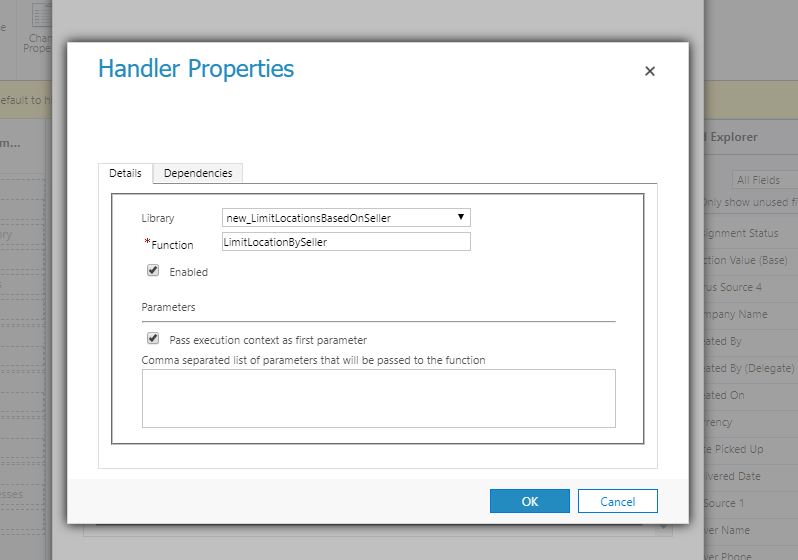
JS Code:
function LimitLocationBySeller(executionContext) {
var formContext = executionContext.getFormContext();
formContext.getControl('new_location').removeOption('100000005');
}
After researching online, I don't think this is working because I am not passing in the ExecutionContext into the Portal form. This is easy to do in a regular form since I just need to check the "Pass execution context as first parameter" box, but how do reference the ExecutionContext in the portal? I am currently adding the JS to the "Custom Javascript" field on the Entity Form I want this to occur on (pictured below). I would appreciate any help on this!
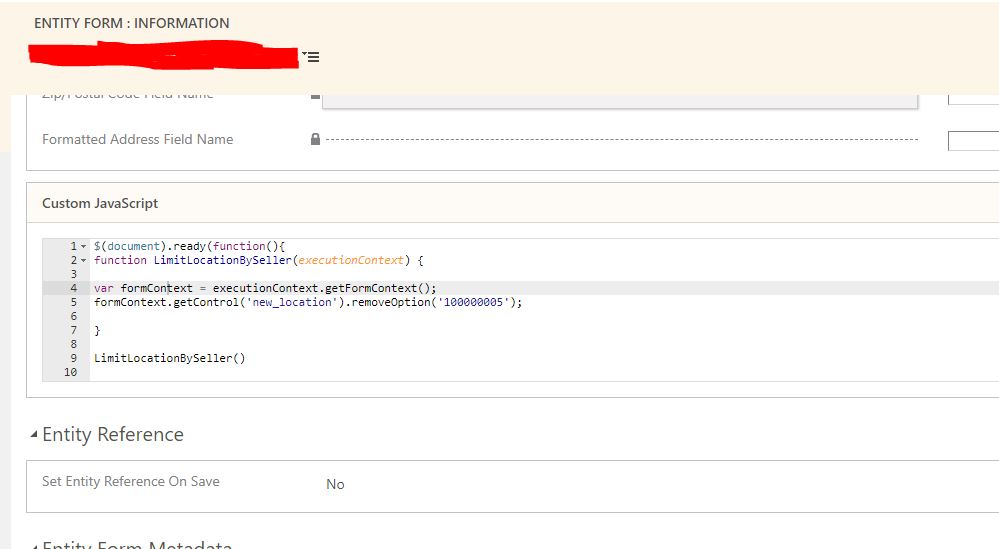
Thank you everyone!


