web
You’re offline. This is a read only version of the page.
close
Skip to main content

Announcements

No record found.

News and Announcements icon
Community site session details

Community site session details

Session Id :
Microsoft Dynamics AX (Archived)

Open model file (.axModel) with notepad is not showing information related to objects

(0) ShareShare
ReportReport
Posted on by 1,093

I wanted to check how the AX objects are organised in the model file. If i open the model file with notepad i cannot see any information regards to AOT object particularly present in that model.
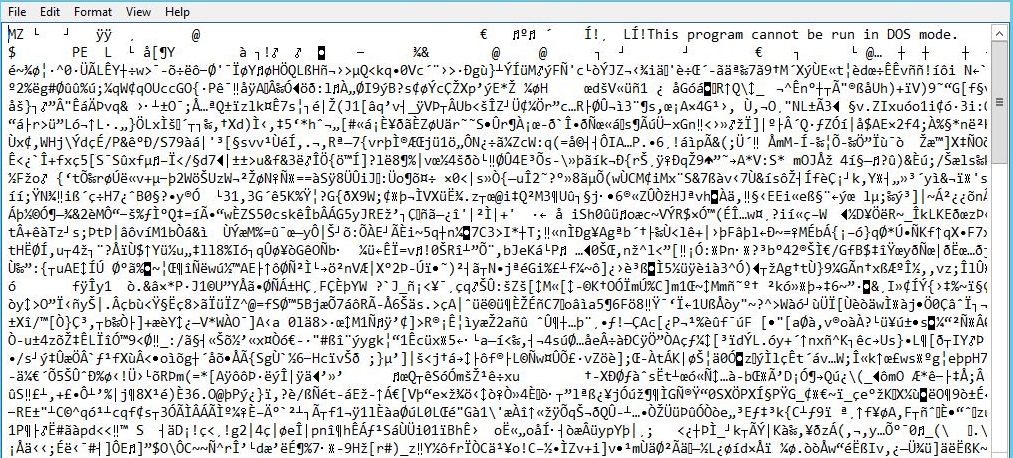
ModelNotePad.JPG

If i open xpo with notepad I can see all the information related to objects. is there any way I can preview the objects information while opening with system installed programs ? 

I have gone through the below link but I don't want to convert to XPO from model file. 

https://community.dynamics.com/ax/f/33/t/120127  

*This post is locked for comments

I have the same question (0)
  • Community Member Profile Picture
    on at

    Guruprasanna,

    You can use the below steps to get the list of elements in your .axmodel file in .csv file:

    1. Open Management shell
    2. Check if the path is PS C :\>
    3. Execute the following cmd:

    $elements = (Get-AXModel -File "the path of your model file" -Details).Elements

    And press enter.

    4. Then  execute the following cmd:

    $elements | Export-CSV "Any drive:\folder name\your filename.csv" –NoTypeInformation

    5. And press enter. You can find your .csv file

    Please verify this answer, if it helped you!!!

  • Martin Dráb Profile Picture
    239,124 Most Valuable Professional on at

    .axmodel simply isn't a text file, therefore using a text editor won't help you. It's a compiled .NET assembly and you should use either axutil or Powershell commandlets to work with it.

  • Guruprasanna Profile Picture
    1,093 on at

    Thanks Marten and Jaya Ranjan,

    @Jaya Ranjan I have tried your solution, exported csv file contains the object list with layer but I wanted similar as xpo file.

    Thanks in advance

    Guru

  • Martin Dráb Profile Picture
    239,124 Most Valuable Professional on at

    If you want an .xpo file, export an .xpo file. The model file is a completely different thing.

Under review

Thank you for your reply! To ensure a great experience for everyone, your content is awaiting approval by our Community Managers. Please check back later.

Helpful resources

Quick Links

Introducing the 2026 Season 1 community Super Users

Congratulations to our 2026 Super Stars!

Meet the Microsoft Dynamics 365 Contact Center Champions

We are thrilled to have these Champions in our Community!

Congratulations to the March Top 10 Community Leaders

These are the community rock stars!

Leaderboard > 🔒一 Microsoft Dynamics AX (Archived)

#1
CP04-islander Profile Picture

CP04-islander 16

#2
GiacomoRovai Profile Picture

GiacomoRovai 4

#3
Douglas Noel Profile Picture

Douglas Noel 2

Last 30 days Overall leaderboard

Featured topics

Product updates

Dynamics 365 release plans
