Hi Lee,
Two ways you can add custom javascript to the portal.
1.Go Portal management app.
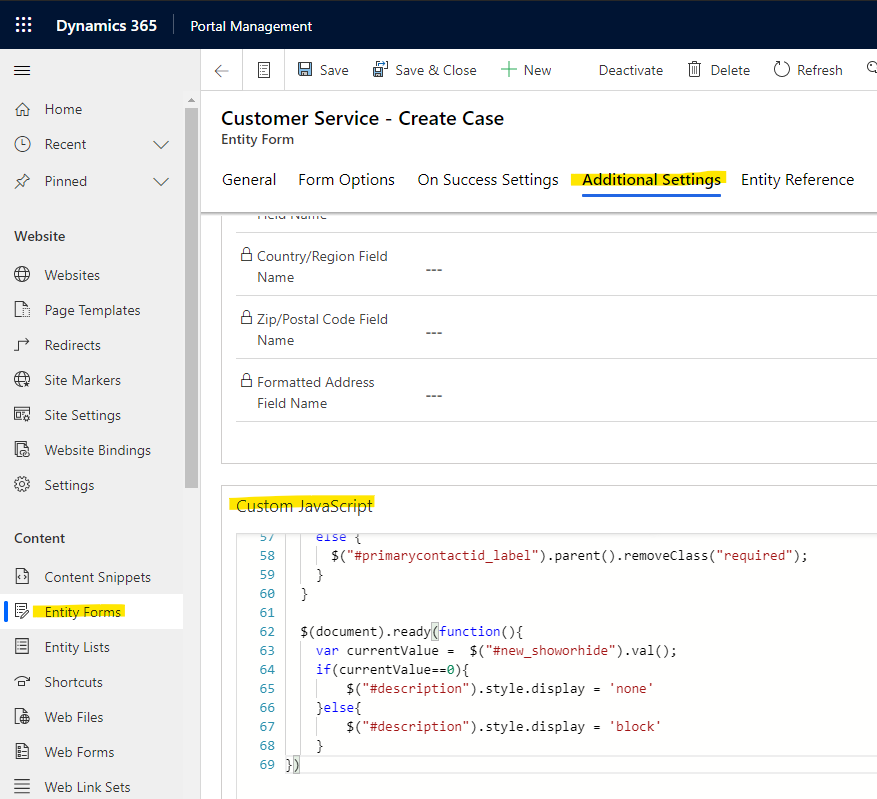
Navigate to entity forms to open one you need, and move to 'Additional Setting' tab, then you can add js code to 'Custom Javascript' section.
2.Edit portal by administrator.
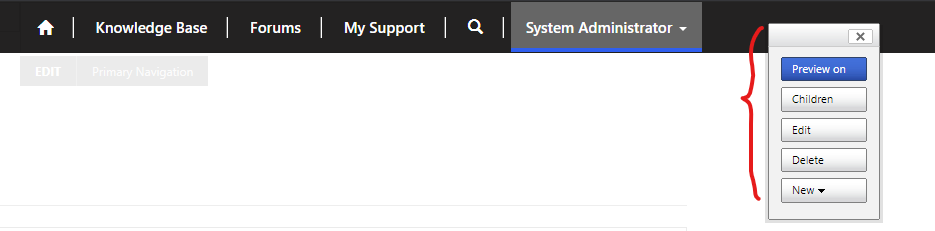
You need login the portal with administrator, you will view pane in the top of the page.
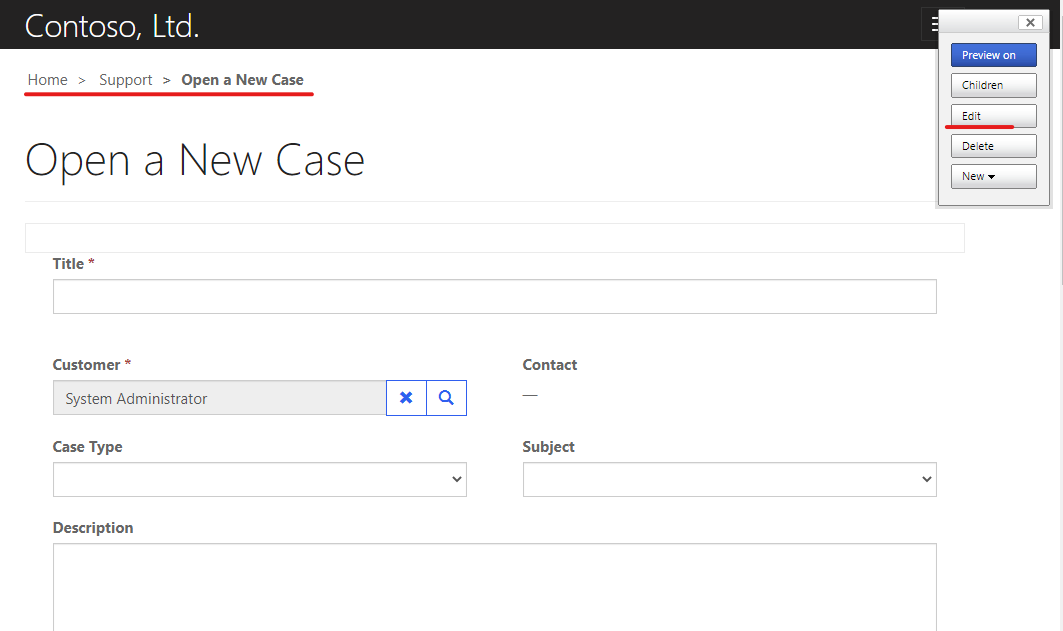
you can open the page you need, then click 'Edit' button.
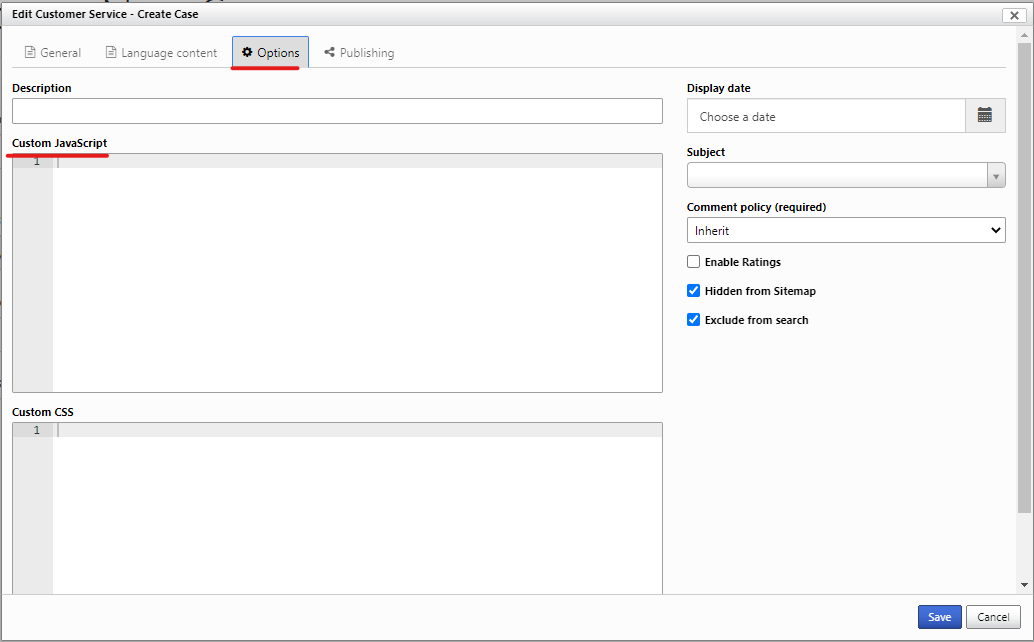
One dialog will open, you can add js ode under 'Options' tab.
Regards,
Leah Ju
Please mark as verified if the answer is helpful. Welcome to join hot discussions in Dynamics 365 Forums.





