web
You’re offline. This is a read only version of the page.
close
Skip to main content

Announcements

No record found.

News and Announcements icon
Community site session details

Community site session details

Session Id :
Microsoft Dynamics AX (Archived)

Changing value from Real to Int

(0) ShareShare
ReportReport
Posted on by 3,110

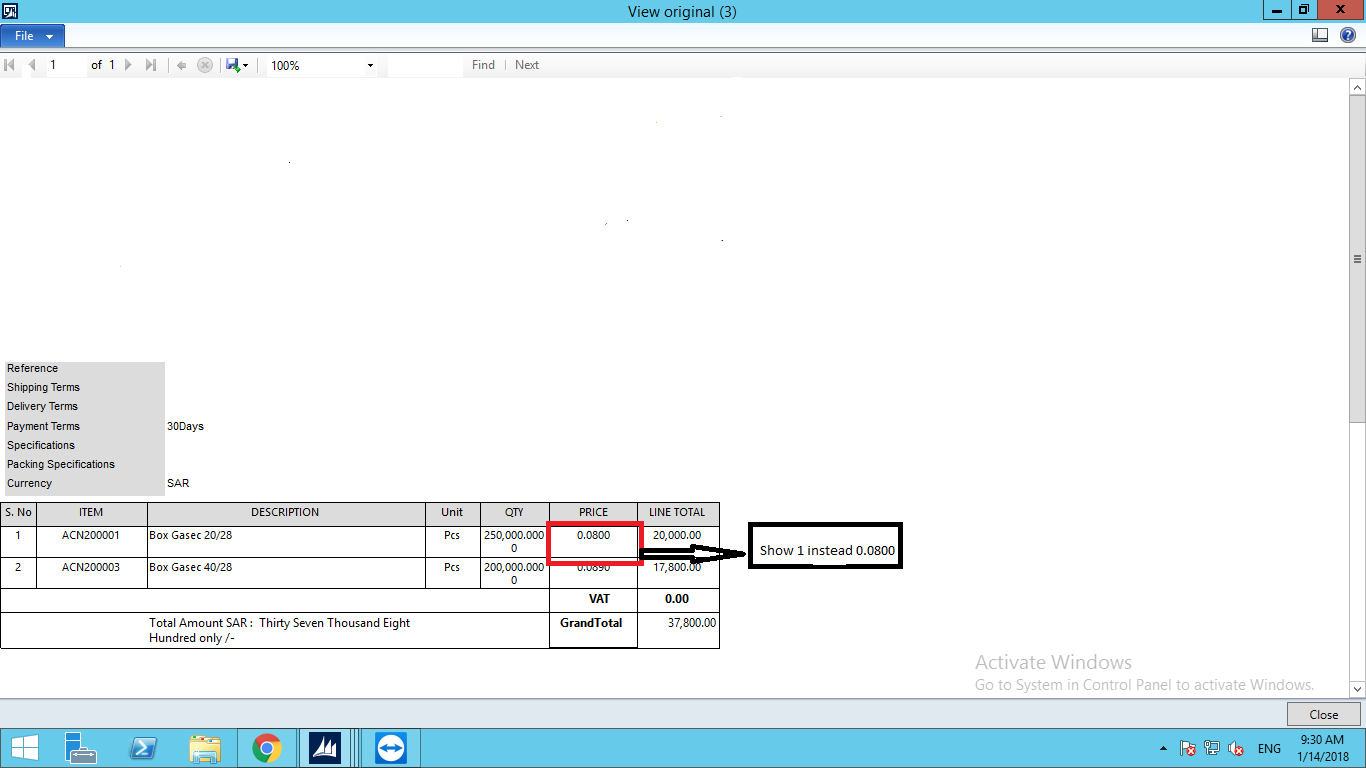
Realto-Int.png

Dear Members,

I am now working on SSRS report in that the value of "Price" Column in Real data type. But i want to show that real data type in int for example instead of 7.66 shows 8 simple.

Thanks in Advance

*This post is locked for comments

I have the same question (0)
  • Suggested answer
    Community Member Profile Picture
    on at

    Hi Shabir,

    The only thing you can do, is use a round function, if the value is less than .5 the round function will be return 0, and if the value is higher than .5 the function will return 1. You need to use the function in your class that is mapping that field in the temporary table. The standard function:

    static void Job1(Args _args)

    {

       int i, ii;

       real r = 334.55, r2 = 334.14;

       ;

       i = decround(r, 0);

       ii = decround(r2, 0);

       // It shows 335, 334

       info(strfmt("%1, %2", i, ii));

    }

    You can use that example.

    Thanks!

  • Suggested answer
    startax Profile Picture
    1,845 on at

    Hi,

    Use " Round(2004.5, System.MidpointRounding.AwayFromZero) " expression or you can also use " string.Format("{0:#,###}",Round(Fields!dw_value.Value,0)) "

Under review

Thank you for your reply! To ensure a great experience for everyone, your content is awaiting approval by our Community Managers. Please check back later.

Helpful resources

Quick Links

Introducing the 2026 Season 1 community Super Users

Congratulations to our 2026 Super Stars!

Congratulations to our 2025 Community Spotlights

Thanks to all of our 2025 Community Spotlight stars!

Leaderboard > 🔒一 Microsoft Dynamics AX (Archived)

#1
Sagar Suman Profile Picture

Sagar Suman 2 Super User 2026 Season 1

#1
Alexey Lekanov Profile Picture

Alexey Lekanov 2

#1
Pratik Bhosle Profile Picture

Pratik Bhosle 2

Last 30 days Overall leaderboard

Featured topics

Product updates

Dynamics 365 release plans
