web
You’re offline. This is a read only version of the page.
close
Skip to main content

Notifications

Announcements

No record found.

Community site session details

Community site session details

Session Id :
Small and medium business | Business Central, N...
Answered

Pre-Payments Question

(0) ShareShare
ReportReport
Posted on by

Hello,

I have a customer who will takes orders and often has the balance of the orders paid when the order is placed. I am aware of the prepayment functionality in BC but I have noticed that when you generate the pre-payment invoice it doesn't pull the tax in from the sales order. It will only pull the amount before tax and then you have to invoice the order again to account for the sales tax. Is there a way to just pay the entire order at once? The customer does lots of drop shipping and we have found this to be an issue because you can't invoice until the Vendor PO has been received. 

I have the same question (0)
  • Verified answer
    Community Member Profile Picture
    on at

    Brendand,

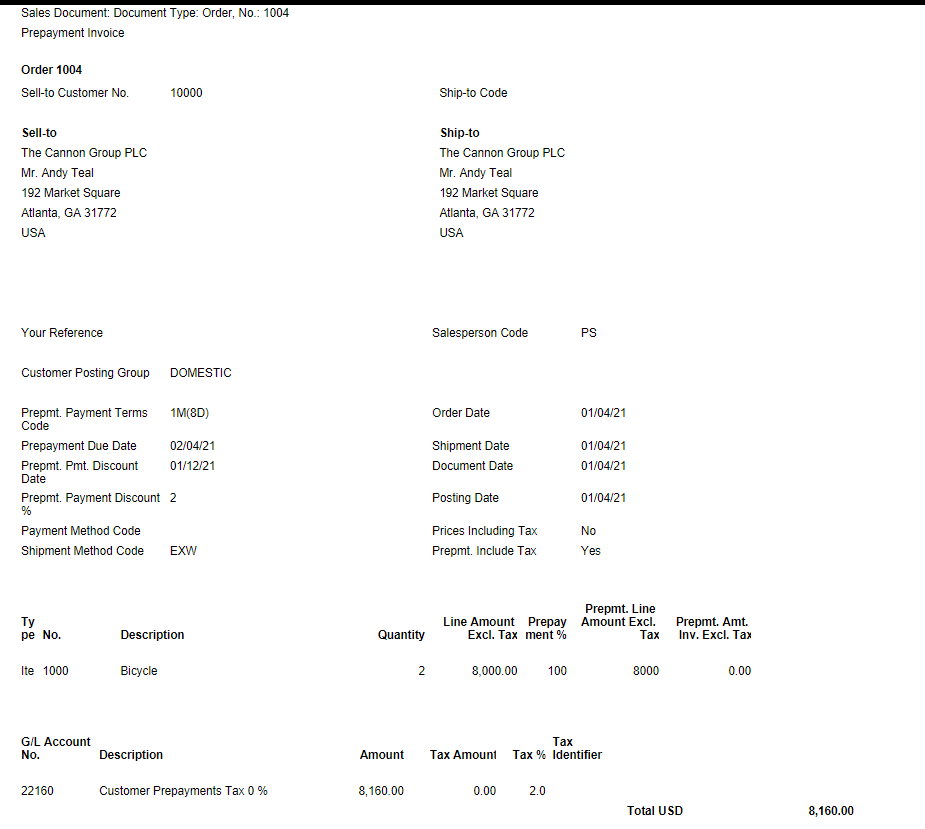
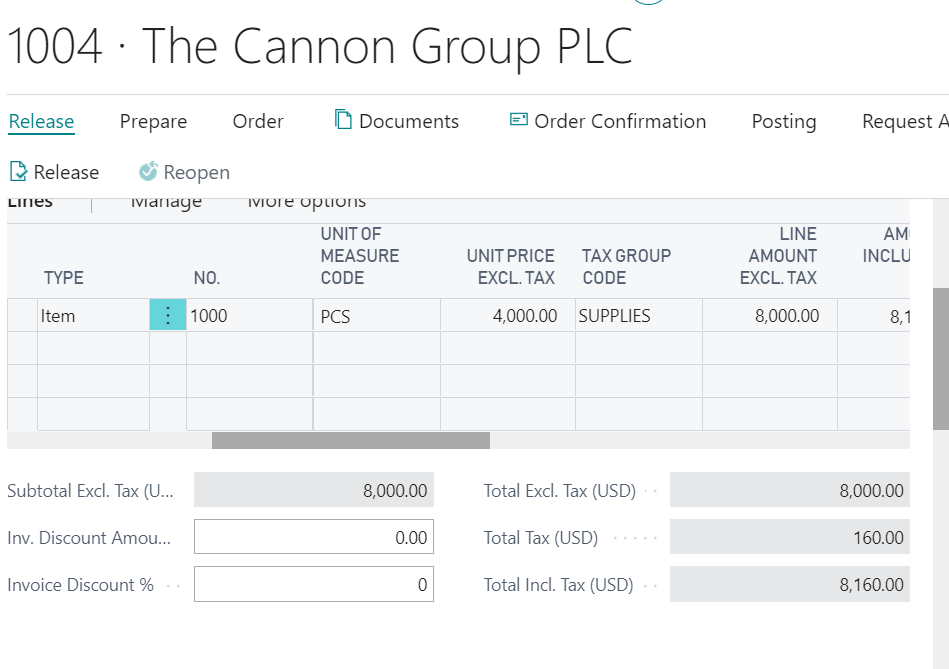
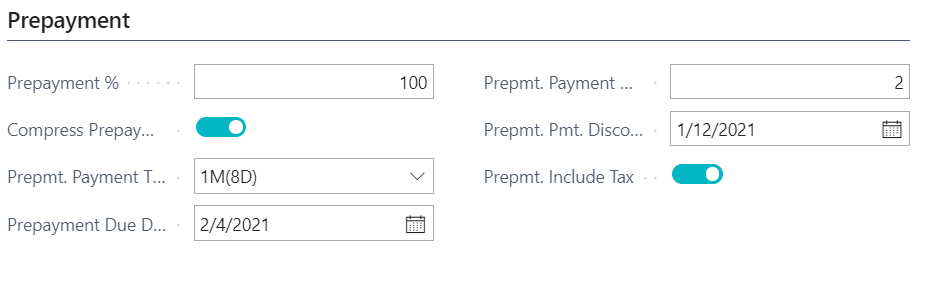
    Do you see under Sales Order/Prepayment Fast Tab, a field called 'Prepmt. Include Tax'? If yes, I have processed 100% prepayment, which include Sales Tax (see pic).
    pastedimage1609800155295v1.png

    pastedimage1609800169810v2.png

    pastedimage1609800223189v3.png

    You will still need to process the final SO invoicing, after your drop shipment post shipment, but this can be done in Batch.

    I hope this helps. 

    Thanks,

    Steve

  • Community Member Profile Picture
    on at

    Hi Steve,

    Thank you for the response! This field was not added to our form view. Thank you for the help!

  • Community Member Profile Picture
    on at

    Hi Steve,

    We added that field to the SO but it is greyed out even for new orders. Any ideas?

  • Suggested answer
    Community Member Profile Picture
    on at

    Brendand,

    Strange but it should not be gray. Are you on a North American version, which I am? You might need a programmer to see why this is gray.

    Thanks,

    Steve

  • Community Member Profile Picture
    on at

    Hi Steve,

    I am on version 17.2.19367.19525 North America. Strange how the field is greyed out. Tried seeing if the field was conditional but had no luck with that.

  • Suggested answer
    Community Member Profile Picture
    on at

    Brendand,

    OK this is strange. My version is the same but not gray. I am thinking someone has played with my demo database and its possible there is a reason its gray. I need to check with a programmer if you have not done so already.

    Steve

Under review

Thank you for your reply! To ensure a great experience for everyone, your content is awaiting approval by our Community Managers. Please check back later.

Helpful resources

Quick Links

Responsible AI policies

As AI tools become more common, we’re introducing a Responsible AI Use…

Neeraj Kumar – Community Spotlight

We are honored to recognize Neeraj Kumar as our Community Spotlight honoree for…

Leaderboard > Small and medium business | Business Central, NAV, RMS

#1
OussamaSabbouh Profile Picture

OussamaSabbouh 2,135

#2
YUN ZHU Profile Picture

YUN ZHU 733 Super User 2025 Season 2

#3
Sumit Singh Profile Picture

Sumit Singh 612

Last 30 days Overall leaderboard

Featured topics

Product updates

Dynamics 365 release plans