web
You’re offline. This is a read only version of the page.
close
Skip to main content

Notifications

Announcements

No record found.

Community site session details

Community site session details

Session Id :
Small and medium business | Business Central, N...
Answered

Sales Tax Report

(3) ShareShare
ReportReport
Posted on by

Hello, 

I cannot seem to find a simple sales tax report in business central. I have tried running the sales tax collected report and it just turns up empty when all of the jurisdictions are setup correctly (w/report-to jurisdictions setup) and there are plenty of entries out there to query for. Anyone have any recommendations? 

I have the same question (0)
  • Verified answer
    Community Member Profile Picture
    on at

    Brendand,

    I ran my demo database version of Sales Tax Collected and made sure the Options had 'include' checked. Here is my pic:
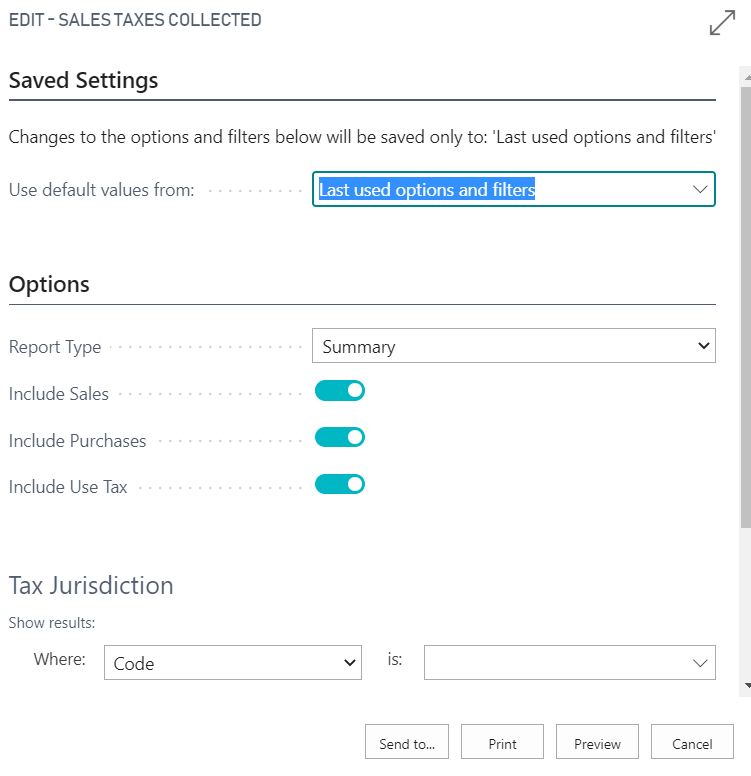
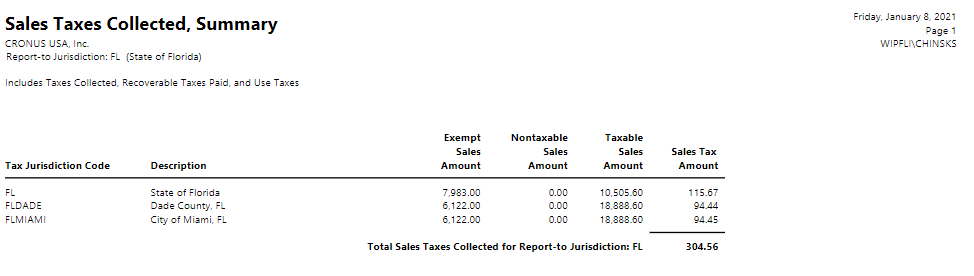
    pastedimage1610121708233v1.pngpastedimage1610121733571v2.png

    Next to check this, I looked into this by checking both the G/L Account my Tax is posted too (Sales Tax Payable) and the Tax Entries table

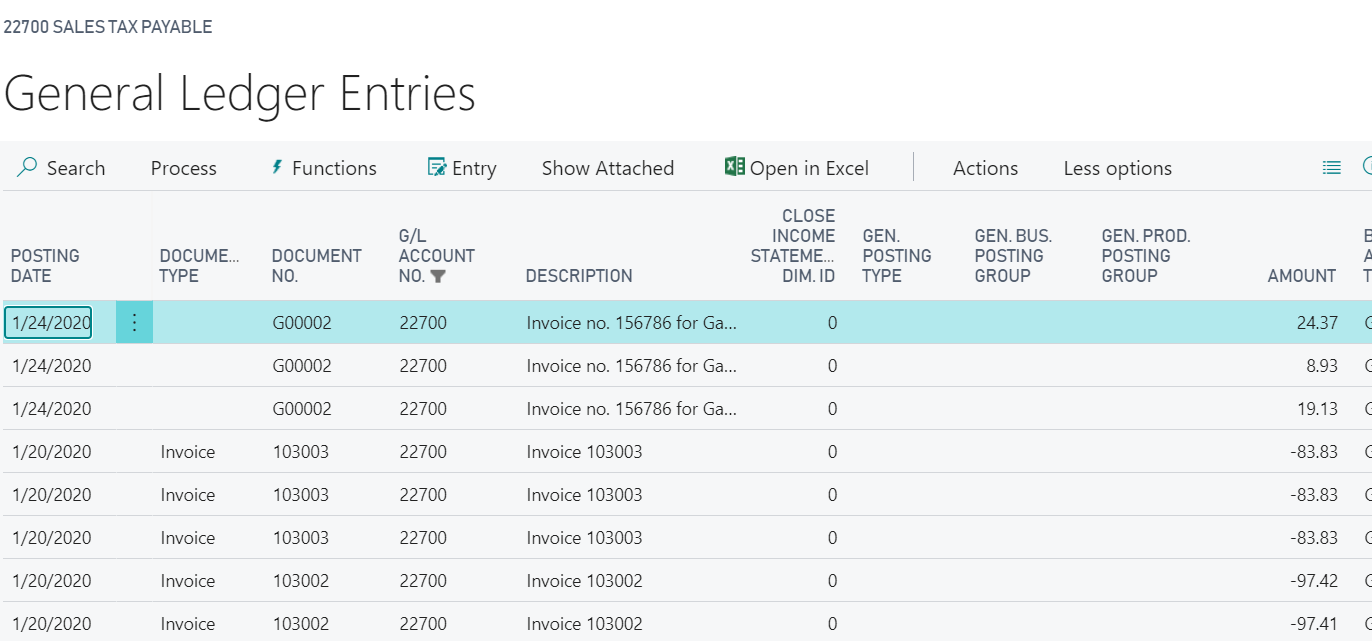
    pastedimage1610121892617v3.png pastedimage1610121930168v4.png

    and can see the Tax Entries, you can search for Tax Entries Archive to see the table.
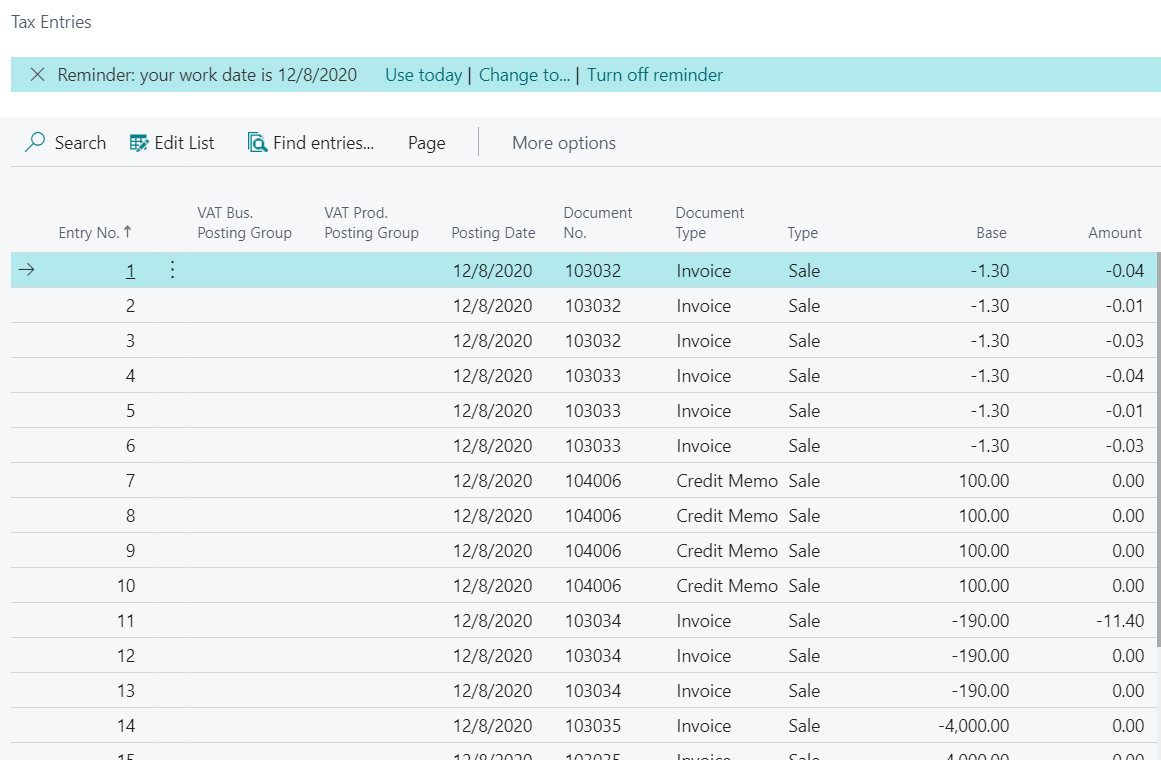
    pastedimage1610122063493v5.png

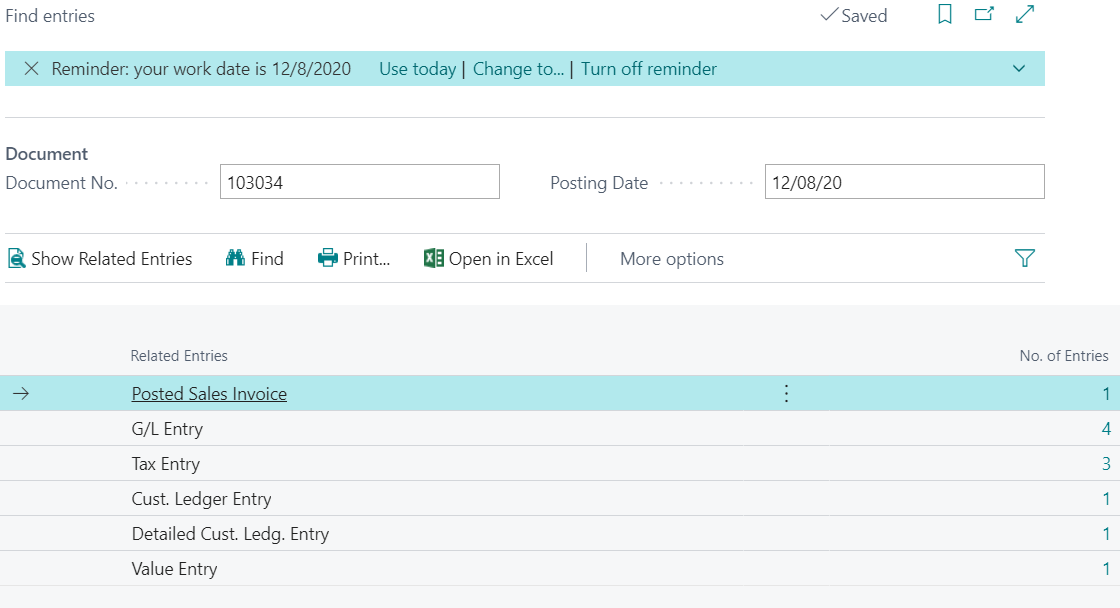
    If the Users have posted transactions that included Sales Tax, the Posted Sales Invoice will reflect this in the Find Entries:
    pastedimage1610122169201v6.png

    Hope this all helps.

    Steve

  • BR-13061841-0 Profile Picture
    6 on at
    I'm having the same problem - plenty of tax entries but the report is empty.
  • Suggested answer
    Valentin Castravet Profile Picture
    31,485 Super User 2025 Season 2 on at
    I'm having the same problem - plenty of tax entries but the report is empty.
    Do you select Include Sales/Purchases/Use Tax when you run the report?
     
  • ahanson Profile Picture
    236 on at
    Did you end up with a resolution? I'm having the same issue. Setup is complete, jurisdictions and report to are complete. TONS of tax entries from posted sales, but no report.
  • Gerardo Rentería García Profile Picture
    25,373 Most Valuable Professional on at

    Hi, good day
    I hope this can help you, and give you some hints.

    Setting up Sales and Use Tax in Microsoft Dynamics 365 Business Central

    Best Regards
    Gerardo

  • Suggested answer
    Khushbu Rajvi. Profile Picture
    20,647 Super User 2025 Season 2 on at
  • Suggested answer
    TK-16061756-0 Profile Picture
    6 on at
    I ran into this with a client just now, the report would not generate even though there were applicable entries. I determined the issue was due to this field not being populated within the Tax Jurisdictions table:  
  • Suggested answer
    Sohail Ahmed Profile Picture
    11,150 Super User 2025 Season 2 on at

    The empty Sales Tax Collected report in Business Central, despite correct setup and entries, often means a filter or option is incorrect.

    Ensure the "Include" checkbox in the report options is marked for the relevant tax types or periods. This option filters which entries are included in the report calculation.

    ✅ Mark this answer as verified if it helps you.

Under review

Thank you for your reply! To ensure a great experience for everyone, your content is awaiting approval by our Community Managers. Please check back later.

Helpful resources

Quick Links

Responsible AI policies

As AI tools become more common, we’re introducing a Responsible AI Use…

Neeraj Kumar – Community Spotlight

We are honored to recognize Neeraj Kumar as our Community Spotlight honoree for…

Leaderboard > Small and medium business | Business Central, NAV, RMS

#1
OussamaSabbouh Profile Picture

OussamaSabbouh 2,066

#2
YUN ZHU Profile Picture

YUN ZHU 658 Super User 2025 Season 2

#3
Sumit Singh Profile Picture

Sumit Singh 595

Last 30 days Overall leaderboard

Featured topics

Product updates

Dynamics 365 release plans



