web
You’re offline. This is a read only version of the page.
close
Skip to main content

Announcements

No record found.

News and Announcements icon
Community site session details

Community site session details

Session Id :
Microsoft Dynamics AX (Archived)

Strange behaviour when consumingcontainerwhitespace with AX 2012 SSRS report.

(0) ShareShare
ReportReport
Posted on by 170

Hi All,

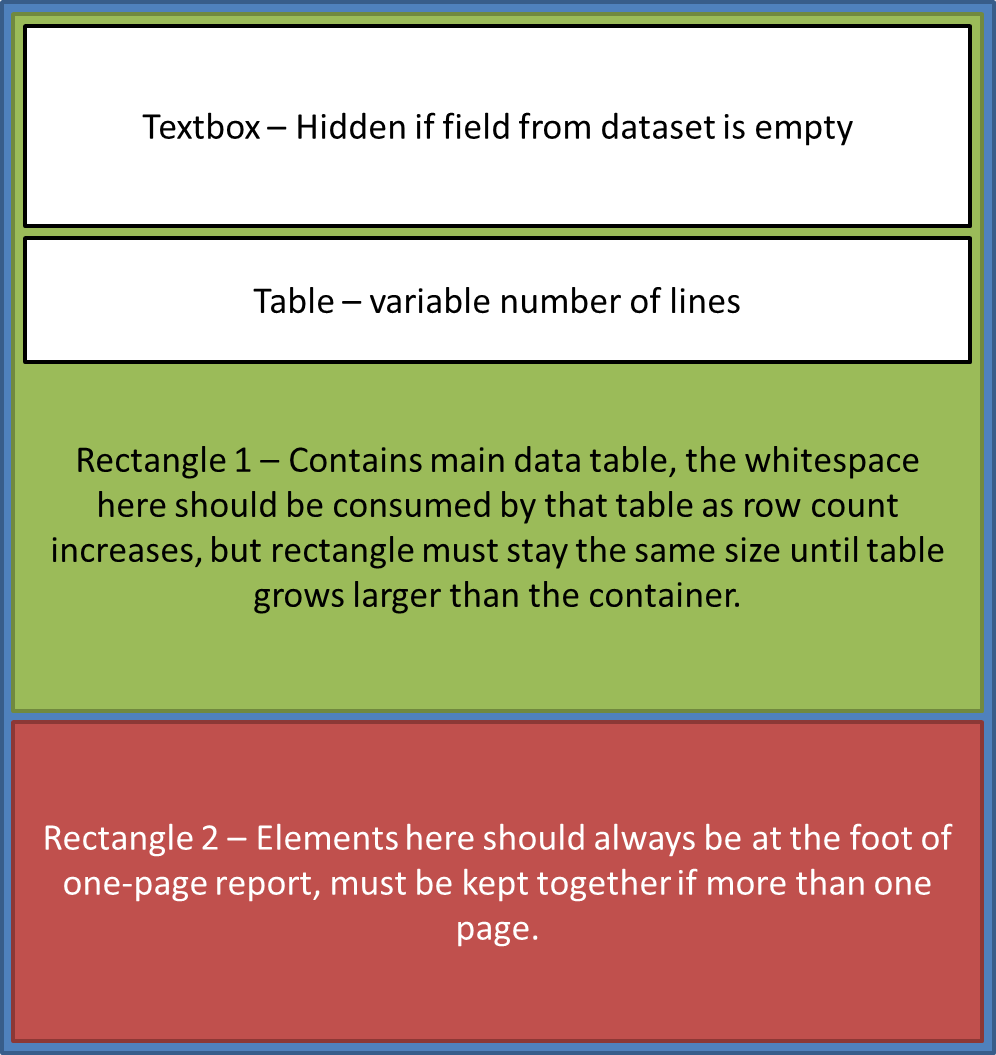
I'm working on a document that has an element which should always appear at the bottom of the first page, provided that there is only one page in the report.  To achieve this, I'm placing the elements of my report into rectangles of the desired size, and setting the 'consumecontainerwhitespace' property on the report to true.  So it looks something like this:
5611.DocLayout2.png

In normal SSRS this works perfectly - the green rectangle maintains it's size and the table grows within it.  If the top textbox is hidden, then the table simple moves up within the rectangle.

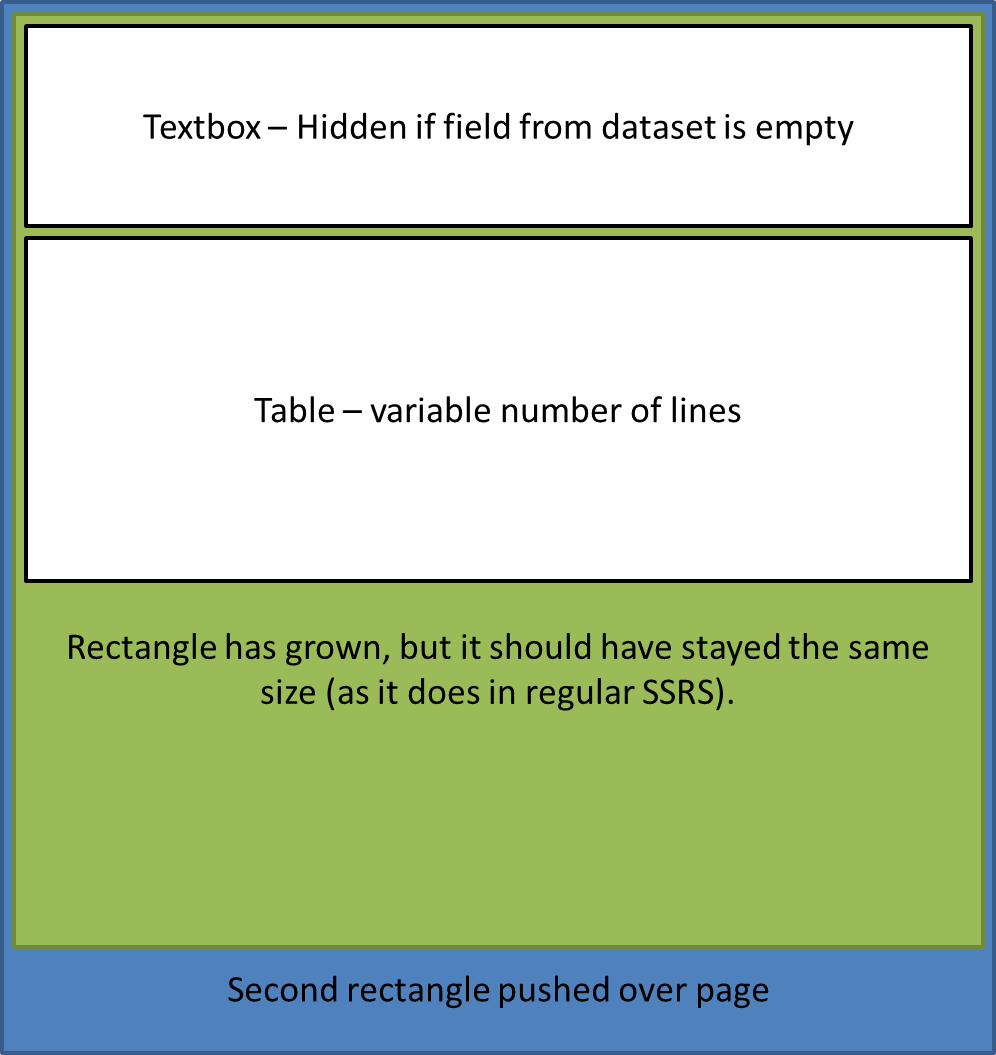
However in AX this isn't the case.  If I just put the table in the green rectangle it works as expected, but the addition of the textbox which may be hidden causes the report to break and the green rectangle starts to grow as more rows are added to the table.  I've tried to illustrate it here:

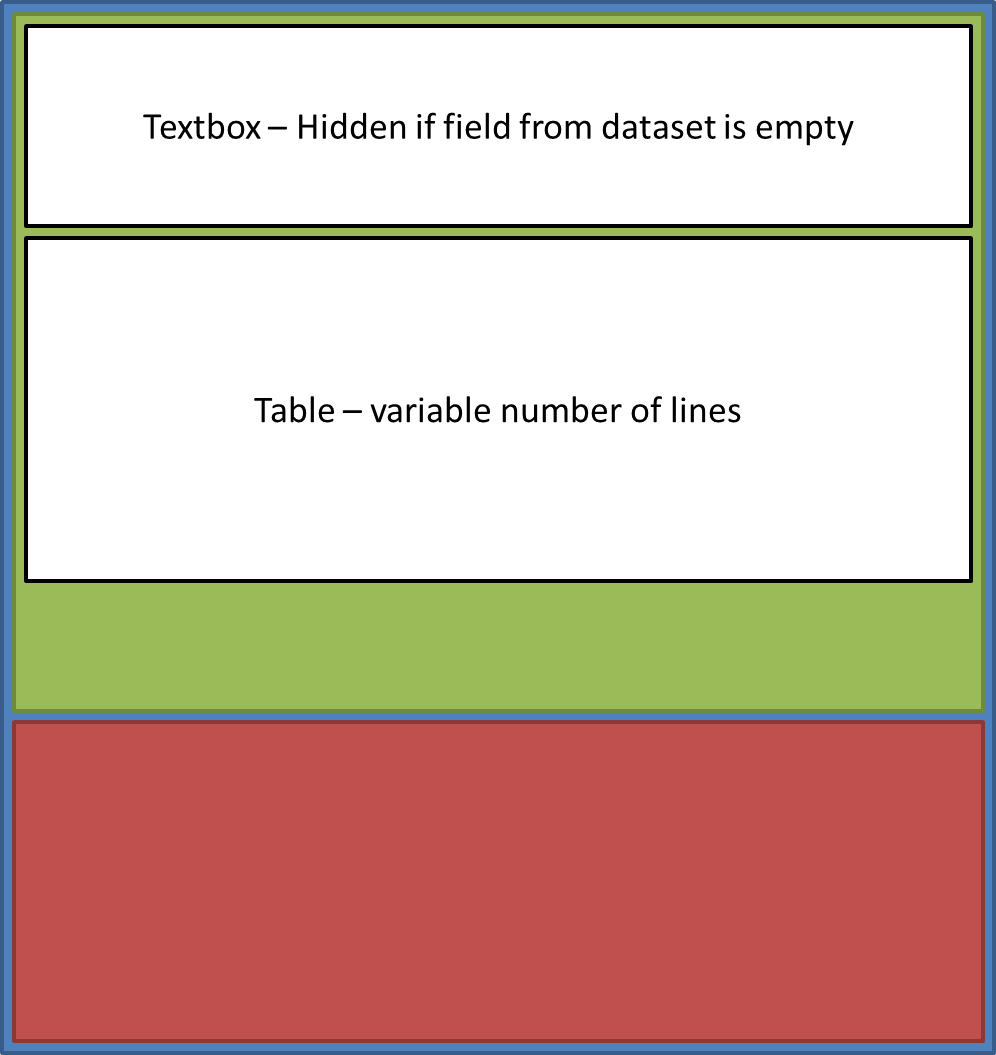
This is the desired behaviour (which is achieved in regular SSRS):
8358.DocLayout1.png

This is what happens in AX SSRS (but only when there are hidden elements - unfortunately there has to be!):
Apologies for the long post, I hope it makes some sense.  Any suggestions on this would be greatly appreciated.


*This post is locked for comments

I have the same question (0)
  • venkatesh vadlamani Profile Picture
    3,180 on at

    text box has the capability to grow vertically, Resize the text box to have 0.0125in size and then have your table below it. Hope this can solve the issue.

    Or add a row outside the group for table vaiable what you have mentioned and have it over here.

    Put the visibility condition on the row properties. This will be the best solution

  • Jon Harding Profile Picture
    170 on at

    Thanks for your response Venkatesh, however in this case it seems to be the act of making a row hidden that is causing the problem.

    If I get a moment I'll post up an RDL file for standard SSRS which shows what I'm aiming to achieve and how it works.

Under review

Thank you for your reply! To ensure a great experience for everyone, your content is awaiting approval by our Community Managers. Please check back later.

Helpful resources

Quick Links

Introducing the 2026 Season 1 community Super Users

Congratulations to our 2026 Super Stars!

Meet the Microsoft Dynamics 365 Contact Center Champions

We are thrilled to have these Champions in our Community!

Congratulations to the March Top 10 Community Leaders

These are the community rock stars!

Leaderboard > 🔒一 Microsoft Dynamics AX (Archived)

#1
CP04-islander Profile Picture

CP04-islander 26

#2
Michel ROY Profile Picture

Michel ROY 14

#3
imran ul haq Profile Picture

imran ul haq 8

Last 30 days Overall leaderboard

Featured topics

Product updates

Dynamics 365 release plans
