web
You’re offline. This is a read only version of the page.
close
Skip to main content

Announcements

No record found.

News and Announcements icon
Community site session details

Community site session details

Session Id :
Finance | Project Operations, Human Resources, ...
Answered

Copy caller query to simple list form not working

(0) ShareShare
ReportReport
Posted on by 796

Hello, 

In my AOT I have:

- A form (Simple List) 

- A Simple Query

- A Menu Item (startup Object) 

I Want to use the Query in the menu to filter the Simple list, but I cannot get it to work. I have tested the query and it works find (retrieving data into a tile or filtering the form if it's in the datasource).

The menu item:
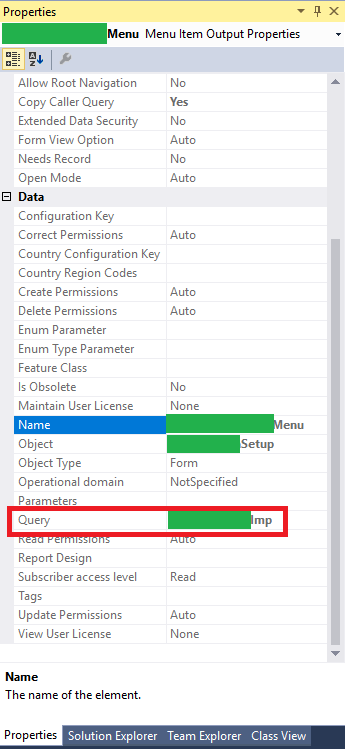
pastedimage1608671016241v1.png

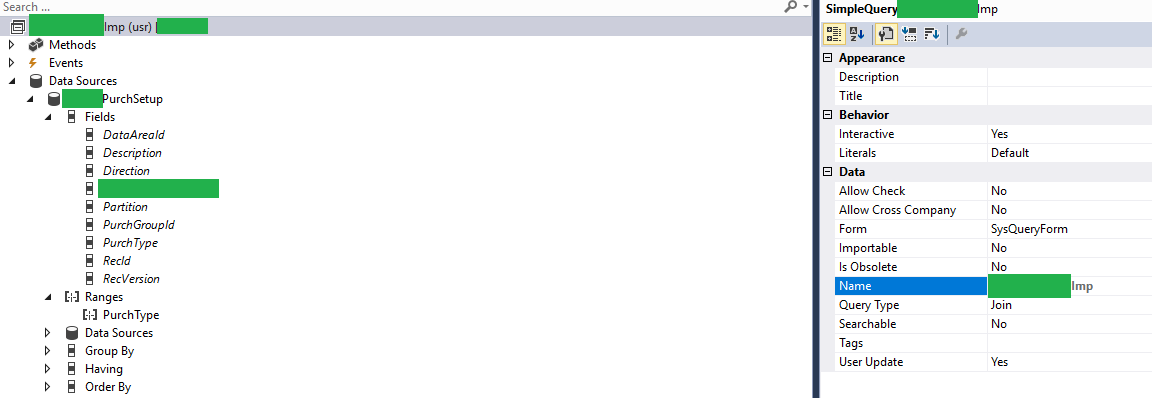
The query:

pastedimage1608672971426v3.png

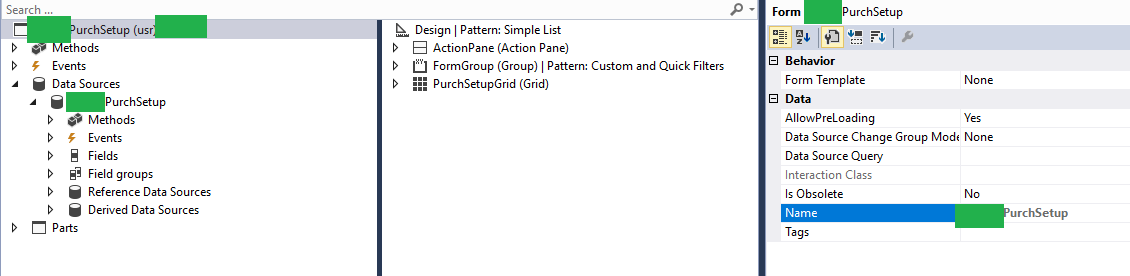
The target Form:

pastedimage1608673038772v4.png

Maybe there is some kind of property in the form or is something I have to do with a method, but I wasn't able to find documentation. What I'm doing right now is passing an argument and filtering with a method in the form, but is not ideal. 

I have the same question (0)
  • Gunjan Bhattachayya Profile Picture
    35,423 on at

    Hi Acardi,

    Are you using an output menu item to open the form? It should be a display menu item

  • Arcadi Profile Picture
    796 on at

    Thank you for your answer Gunjan,

    I've tried with an output menu, with a display menu and with a tile. In all cases the target form is unfiltered.

  • Suggested answer
    Arcadi Profile Picture
    796 on at

    I copied the configuration of a standard display menu with a query and now it works, I'm not sure witch parameter was causing it.

    pastedimage1608744263283v1.png

  • Suggested answer
    Arcadi Profile Picture
    796 on at

    So Copy caller Query has to be "no", I don't understand why but it works this way.

Under review

Thank you for your reply! To ensure a great experience for everyone, your content is awaiting approval by our Community Managers. Please check back later.

Helpful resources

Quick Links

Introducing the 2026 Season 1 community Super Users

Congratulations to our 2026 Super Stars!

Meet the Microsoft Dynamics 365 Contact Center Champions

We are thrilled to have these Champions in our Community!

Congratulations to the March Top 10 Community Leaders

These are the community rock stars!

Leaderboard > Finance | Project Operations, Human Resources, AX, GP, SL

#1
Giorgio Bonacorsi Profile Picture

Giorgio Bonacorsi 637

#2
André Arnaud de Calavon Profile Picture

André Arnaud de Cal... 594 Super User 2026 Season 1

#3
CP04-islander Profile Picture

CP04-islander 356

Last 30 days Overall leaderboard

Product updates

Dynamics 365 release plans