web
You’re offline. This is a read only version of the page.
close
Skip to main content

Announcements

No record found.

News and Announcements icon
Community site session details

Community site session details

Session Id :
Microsoft Dynamics 365 | Integration, Dataverse...
Suggested Answer

Project in Admin Center

(0) ShareShare
ReportReport
Posted on by 10

Hi,

I have a question about Project on Office 365.

Our infrastructure has A5 licenses. I activated this A5 license for a test account with the "Project for Office (plan 5)" feature.

However, when I log in with this account on office 365 and I go to Project (Project WEB), I have the following message :
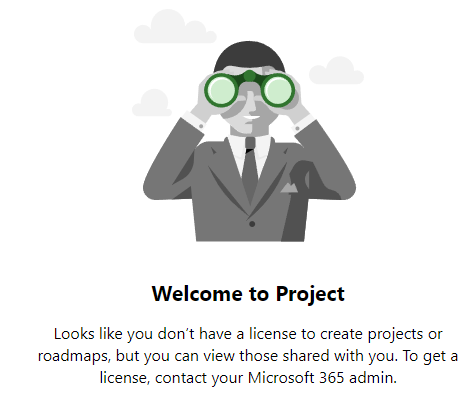
I read this article: https://docs.microsoft.com/en-us/project-for-the-web/turn-project-for-the-web-off, but I can't find the parameters for Project's configuration.

I don't understand where to find the settings page.

Thanks in advance !

Best Regards,

Fabio

  • Suggested answer
    PerezAguiar Profile Picture
    Microsoft Employee on at

    Hey Fabio!

    You need to be a Global Administrator in order to see all the features.  The idea is that on admin.microsoft.com you should see

    And on the right pannel, search for Project and from there, enable the settings

    Regards,

  • Eiken Profile Picture
    Microsoft Employee on at
  • CPNE Profile Picture
    10 on at

    Hi Daniel !

    Thank you for your reply !

    I'm Global Admin, but in this pannel, I don't have the Project tab.

    Regards,

    Fabio

  • CPNE Profile Picture
    10 on at

    Hi Eiken !

    Thank you also for your reply !

    In this forum, you talk about project licence, but I don't have one.

    I have a EDU tenant and I have an "Microsoft 365 A5 for faculty" licence which is supposed to give me access to Project for the web.

    Even after assigning the A5 license to a test user, I can't access Project for the web.

    Thanks in advance !

    Regards,

    Fabio

Under review

Thank you for your reply! To ensure a great experience for everyone, your content is awaiting approval by our Community Managers. Please check back later.

Helpful resources

Quick Links

Season of Sharing Community Challenge Winners!

Congratulations to our community stars!

Women in Power Builds Momentum

Expanding mentorship, skilling, and AI innovation

Congratulations to the August Top 10 Community Leaders

These are the community rock stars!

Leaderboard > Microsoft Dynamics 365 | Integration, Dataverse, and general topics

#1
11manish Profile Picture

11manish 61 Super User 2026 Season 2

#2
Martin Dráb Profile Picture

Martin Dráb 34 Most Valuable Professional

#3
André Arnaud de Calavon Profile Picture

André Arnaud de Cal... 24 Super User 2026 Season 2

Last 30 days Overall leaderboard

Product updates

Dynamics 365 release plans



