web
You’re offline. This is a read only version of the page.
close
Skip to main content

Announcements

No record found.

News and Announcements icon
Community site session details

Community site session details

Session Id :
Microsoft Dynamics AX (Archived)

Workflow stop error without any reason

(0) ShareShare
ReportReport
Posted on by

Hi all,

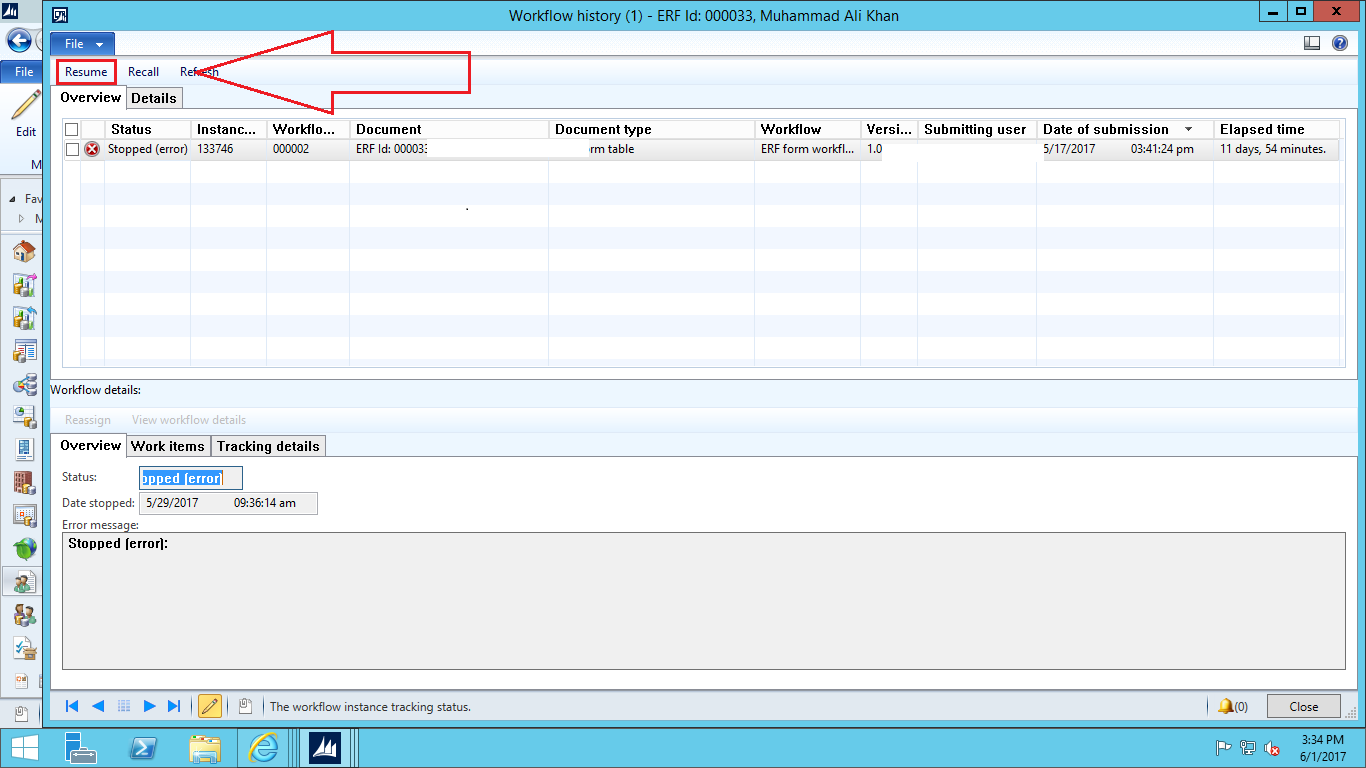
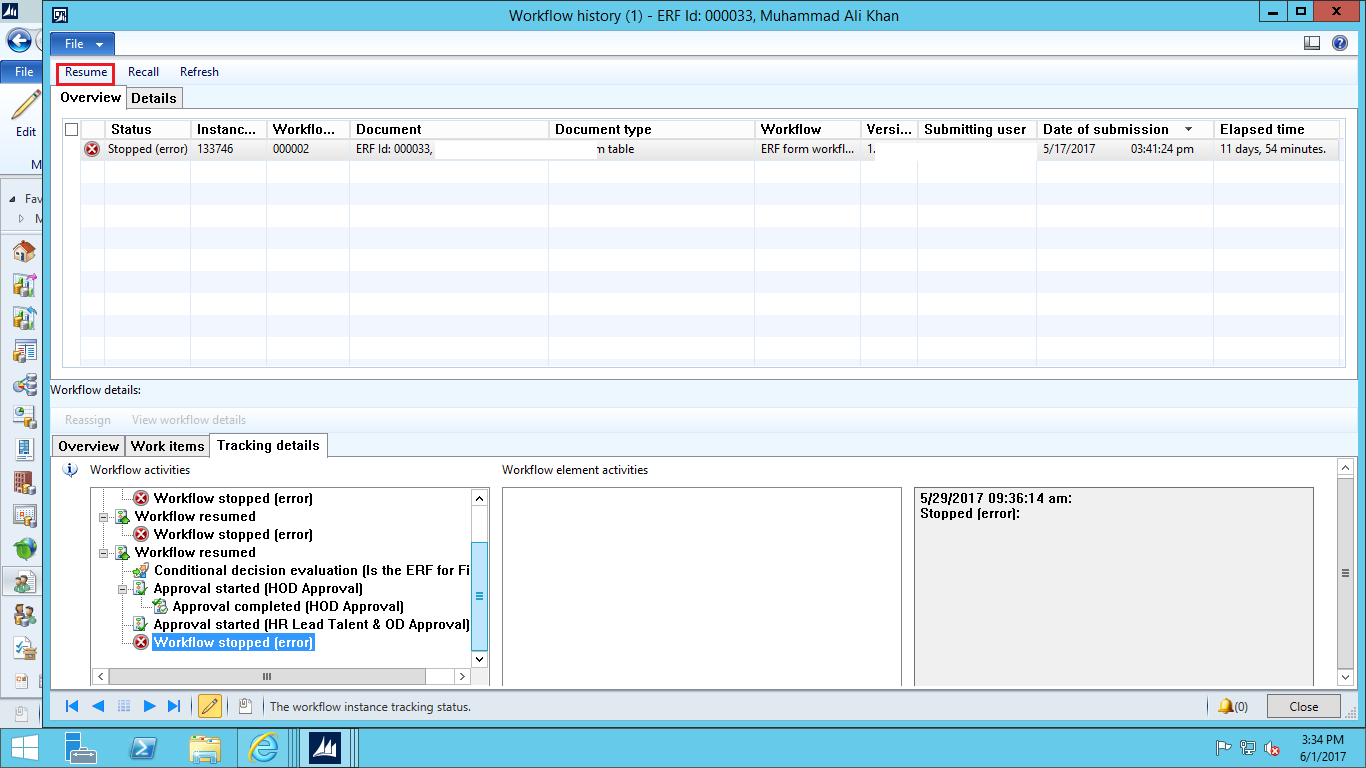
I worked on a workflow process and deployed on live environment. Now while the document is in process, the workflow suddenly stops without any reason (Screenshot is attached). When we go to workflow form and manually Resume Workflow, it starts working normally again.

I tried to re-generate this issue on staging environment but could not find it there.
0447.Workflow-error.png

Workflow-error2.png

Please help me out on this.

*This post is locked for comments

I have the same question (0)
  • Ludwig Reinhard Profile Picture
    Microsoft Employee on at

    Hi Numan Ijaz,

    Can you see any additional Information from the errors?

    Does the details tab show more?

    You mentioned that you resumed the workflow and that it works fine now.

    So, is this a one-time issue or does it always occur with a specific workflow?

    Best regards,

    Ludwig

  • Sohaib Cheema Profile Picture
    49,664 Super User 2026 Season 1 on at

    if workflow is working on one environment and failing on other, this bring the thought that data between two system is different. be it security role assigned or record on which workflow is operating.

    debugging can be best solution to catch the reason. very rarely you can also find some meaning reason/messages on event viewer of windows, you can have a look there if that provides some additional information around time, when workflow failed in ax. in the end, the debugging can be best to trace this and fix the reason.

  • Community Member Profile Picture
    on at

    Hi Ludwig,

    There is no additional information other than "Stopped (error):"

    The details tab does not show more.

    Yes when we resume the workflow it works fine.

    It always occur at an unforeseen point for a specific workflow.

Under review

Thank you for your reply! To ensure a great experience for everyone, your content is awaiting approval by our Community Managers. Please check back later.

Helpful resources

Quick Links

Introducing the 2026 Season 1 community Super Users

Congratulations to our 2026 Super Stars!

Meet the Microsoft Dynamics 365 Contact Center Champions

We are thrilled to have these Champions in our Community!

Congratulations to the April Top 10 Community Leaders

These are the community rock stars!

Leaderboard > 🔒一 Microsoft Dynamics AX (Archived)

#1
CP04-islander Profile Picture

CP04-islander 28

#2
Michel ROY Profile Picture

Michel ROY 14

#3
imran ul haq Profile Picture

imran ul haq 8

Last 30 days Overall leaderboard

Featured topics

Product updates

Dynamics 365 release plans