web
You’re offline. This is a read only version of the page.
close
Skip to main content

Notifications

Announcements

No record found.

Community site session details

Community site session details

Session Id :
Finance | Project Operations, Human Resources, ...
Answered

Unable to start SQL Server Reporting services - getting down automatically - AX 2012

(0) ShareShare
ReportReport
Posted on by

Hi All,

We are getting below error while generating the SSRS report in AX Production:

"The underlying connection was closed: A connection that was expected to be kept alive was closed by the server."

When we checked the " SQL Server Reporting services" it was down, we have started it, it was in running status, but after some time it got down automatically, we have tried with System logon as well, the behavior is same.

we are getting the below error in event logs where the  SQL Server Reporting services are running.

"Faulting application name: splunk-winevtlog.exe, version: 1795.256.23855.34228, time stamp: 0x5d2f885b
Faulting module name: ucrtbase.dll, version: 10.0.14393.2999, time stamp: 0x5ce36be6
Exception code: 0xc0000409
Fault offset: 0x000000000006e00e
Faulting process id: 0x21bc
Faulting application start time: 0x01d58233c3c406d4
Faulting application path: C:\Program Files\SplunkUniversalForwarder\bin\splunk-winevtlog.exe
Faulting module path: C:\Windows\System32\ucrtbase.dll
Report Id: 034d513b-7a4a-4216-8eb6-8e48af509ec6
Faulting package full name:
Faulting package-relative application ID: "

And 
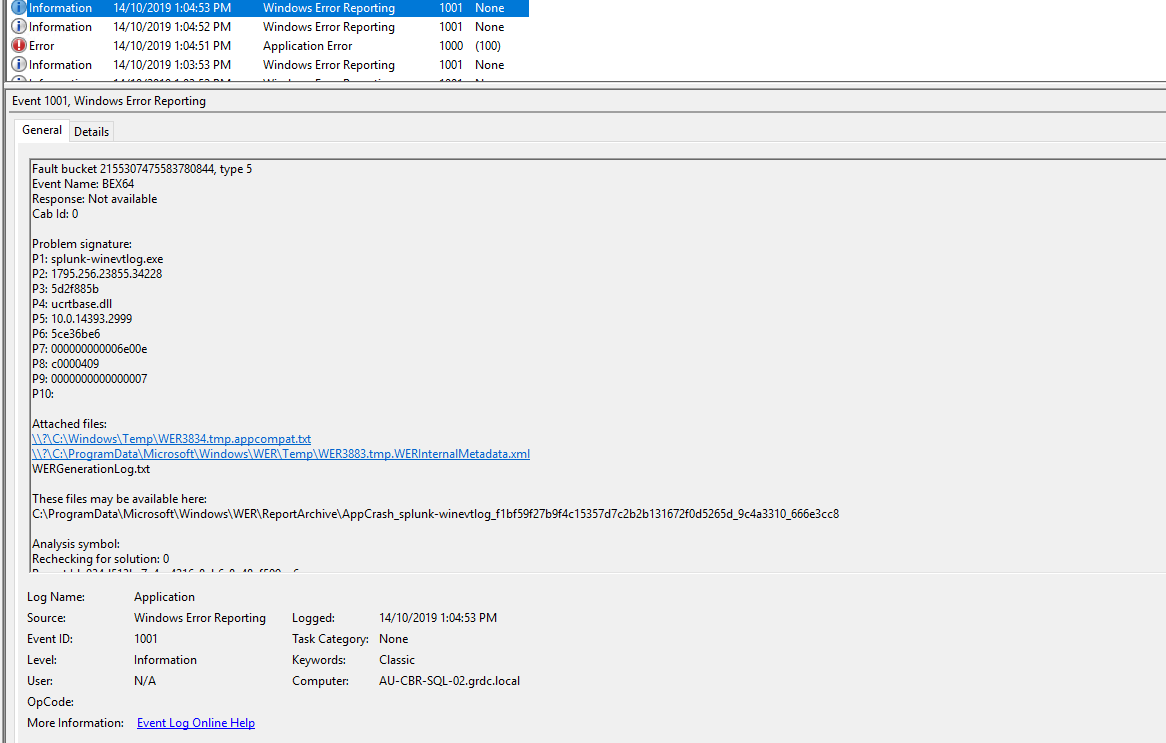
27317.error.png

Please advise us how we can resolve his error.

Regards,

Akbar

I have the same question (0)
  • Verified answer
    Mea_ Profile Picture
    60,284 on at

    This error message is not helpful, what does SSRS error log say ? If you don't know where to find it, check this docs article https://docs.microsoft.com/en-us/sql/reporting-services/report-server/reporting-services-log-files-and-sources?view=sql-server-ver15

  • Akbarpasha Profile Picture
    on at

    Hi,

    The issue got resolved by restarting the Production SQL server as there was a memory issue.

    Regards,

    Akbar

Under review

Thank you for your reply! To ensure a great experience for everyone, your content is awaiting approval by our Community Managers. Please check back later.

Helpful resources

Quick Links

Responsible AI policies

As AI tools become more common, we’re introducing a Responsible AI Use…

Neeraj Kumar – Community Spotlight

We are honored to recognize Neeraj Kumar as our Community Spotlight honoree for…

Leaderboard > Finance | Project Operations, Human Resources, AX, GP, SL

#1
Martin Dráb Profile Picture

Martin Dráb 660 Most Valuable Professional

#2
André Arnaud de Calavon Profile Picture

André Arnaud de Cal... 549 Super User 2025 Season 2

#3
Sohaib Cheema Profile Picture

Sohaib Cheema 307 User Group Leader

Last 30 days Overall leaderboard

Product updates

Dynamics 365 release plans
