web
You’re offline. This is a read only version of the page.
close
Skip to main content

Notifications

Announcements

Community site session details

Community site session details

Session Id :
Business Central forum

Add a field to "Custom Xml Part"

(0) ShareShare
ReportReport
Posted on by

Hi there,

I'm customizing the sells invoice layout, i want to add the field called "Entreprise No."of the customer to the Word Layout
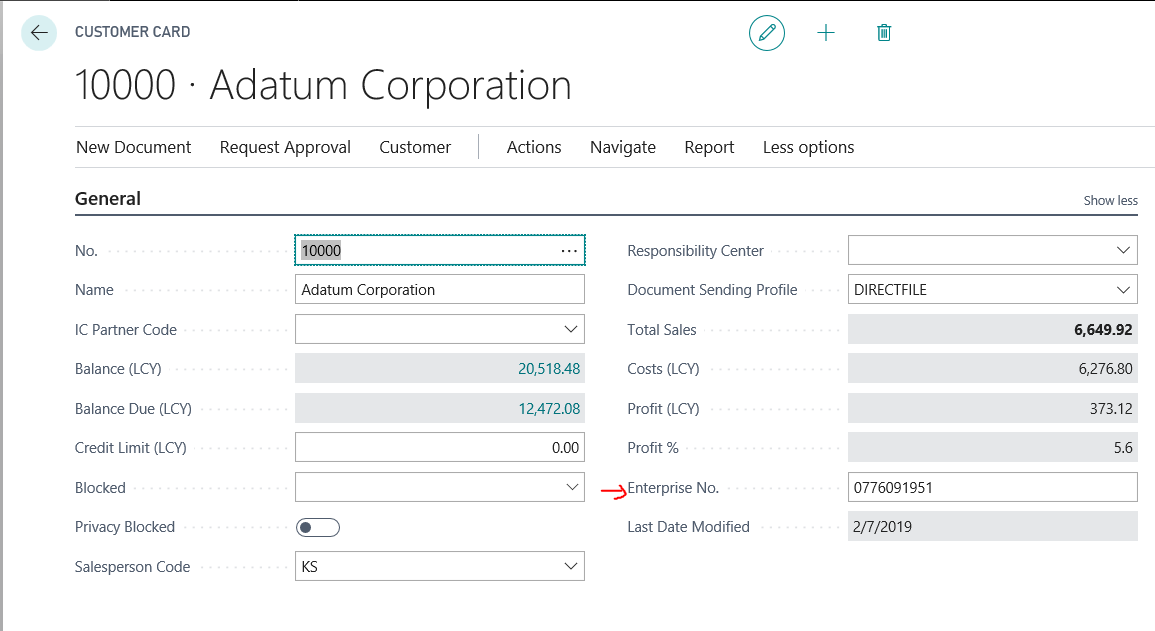
entrepriseNumber.PNG

But i didn't find this field in the "Custom Xml Part", i found a similar question to mine in the forum: "community.dynamics.com/.../262511", but i really didn't understand the process well.
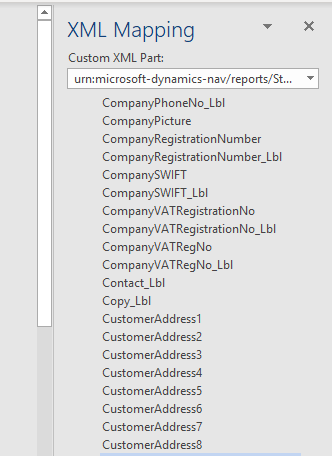
6472.xml.PNG

Any help will be great, thank you in advance.

Categories:
I have the same question (0)
  • Suggested answer
    I Gusti Made Ari Profile Picture
    3,608 on at

    You will need to create a new report extension based on standard report for this and add the field in to the report data item.

    use txt2Al converter to generate the AL code of the standard report, then create a new extension for the custom report then add the field in to the dataitem . After that you can change the report selection to map the print button to new report ID.

  • Community Member Profile Picture
    on at

    Thank you very much for you answer,

    Is this page in the documentation is a good resource to start with: "docs.microsoft.com/.../devenv-report-object"

    Otherwise, it could be awesome if you could suggest a simple tutorial, or something to me that i can follow to implement that.

    Thank you,

  • Community Member Profile Picture
    on at

    Thank you for these instructions, i will try to follow it.

  • I Gusti Made Ari Profile Picture
    3,608 on at

    you can start with setting up  your VS Code environment first for  simple AL project such as hello world.

    Can follow below link as your starting point :

    robertostefanettinavblog.com/.../build-and-deploy-an-app-in-nav-2018-and-in-msdyn365bc-on-premise-fast-checklist

    once you are able to deploy , then you can start working on your report extension .

  • Community Member Profile Picture
    on at

    Thank you very much ;)

Under review

Thank you for your reply! To ensure a great experience for everyone, your content is awaiting approval by our Community Managers. Please check back later.

Helpful resources

News and Announcements

Season of Giving Solutions is Here!

Quick Links

November Spotlight Star - Khushbu Rajvi

Congratulations to a top community star!

Forum Structure Changes Coming on 11/8!

In our never-ending quest to help the Dynamics 365 Community members get answers faster …

Dynamics 365 Community Platform update – Oct 28

Welcome to the next edition of the Community Platform Update. This is a status …

Leaderboard > Business Central

Last 30 days Overall leaderboard

Featured topics

Product updates

Dynamics 365 release plans
