web
You’re offline. This is a read only version of the page.
close
Skip to main content

Announcements

No record found.

News and Announcements icon
Community site session details

Community site session details

Session Id :
Customer experience | Sales, Customer Insights,...
Answered

Editable grids in PowerApps Self-Service portal

(0) ShareShare
ReportReport
Posted on by

Hi, all.

There are occured few questions while customizing my Power Apps Self-service portal. So, I wonder:

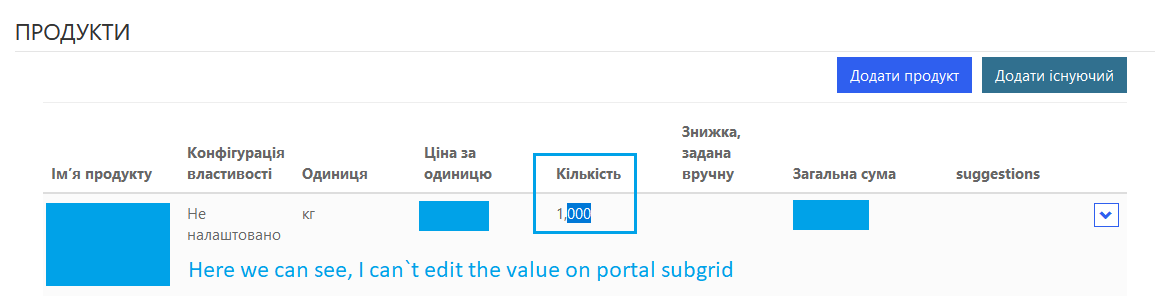
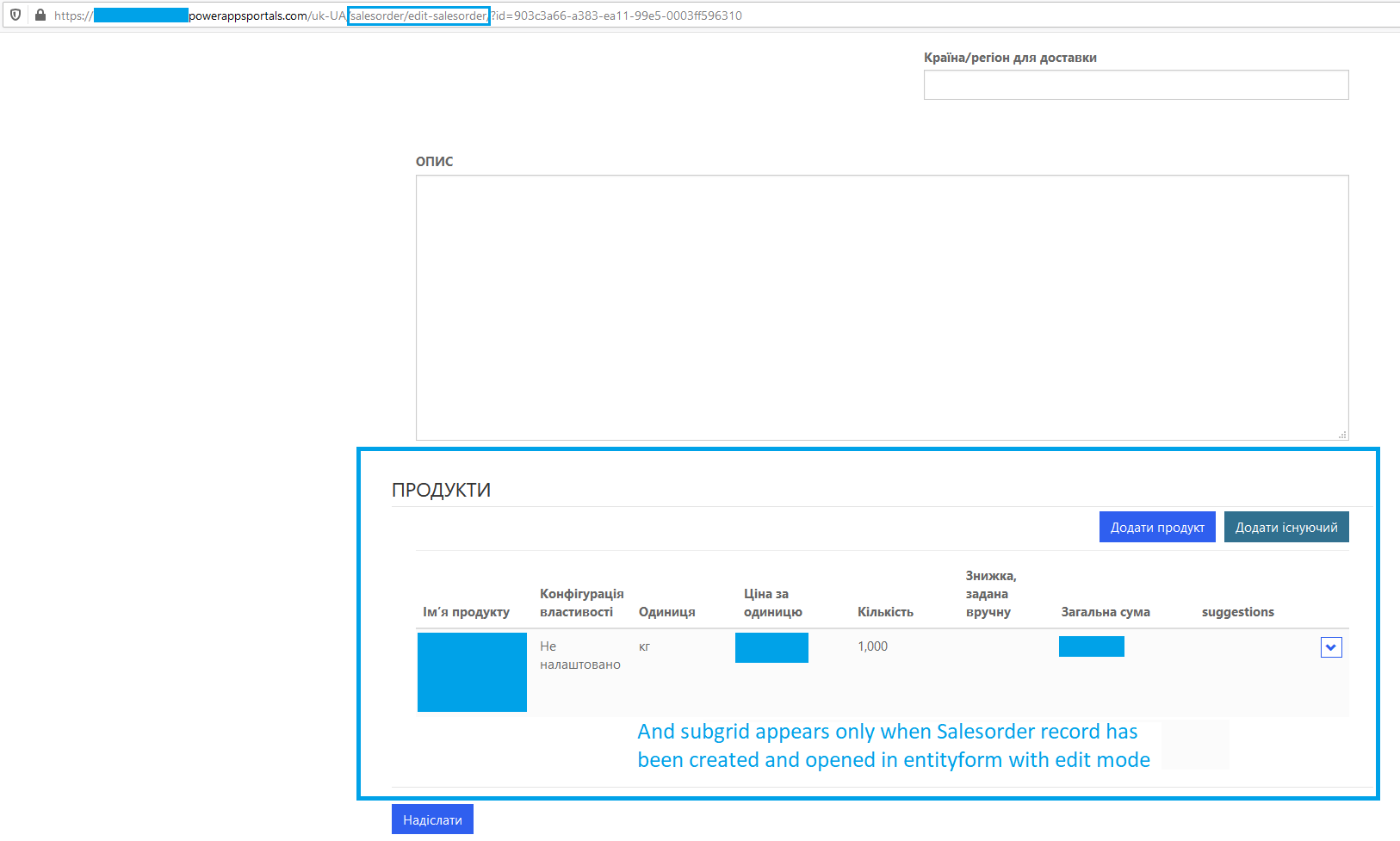
1. Is there some customization to make subgrids on portal web page editable (I`ve already configure it in Dynamics CRM 365, v.9.1 for Salesorderdetails (Order products) entity records and, as I think, set all helpful related metadata options for this subgrid on the Salesorder (Order) entity form record), but it doesn`t work. I didn`t find some more information in MS Docs about metadata configurations for subgrids, so I have doubts about possibility to configure it that way. So, editable grids. Is it impossible to make them for my portal or am I doing something wrong?
I`ll attach screenshots beneath.
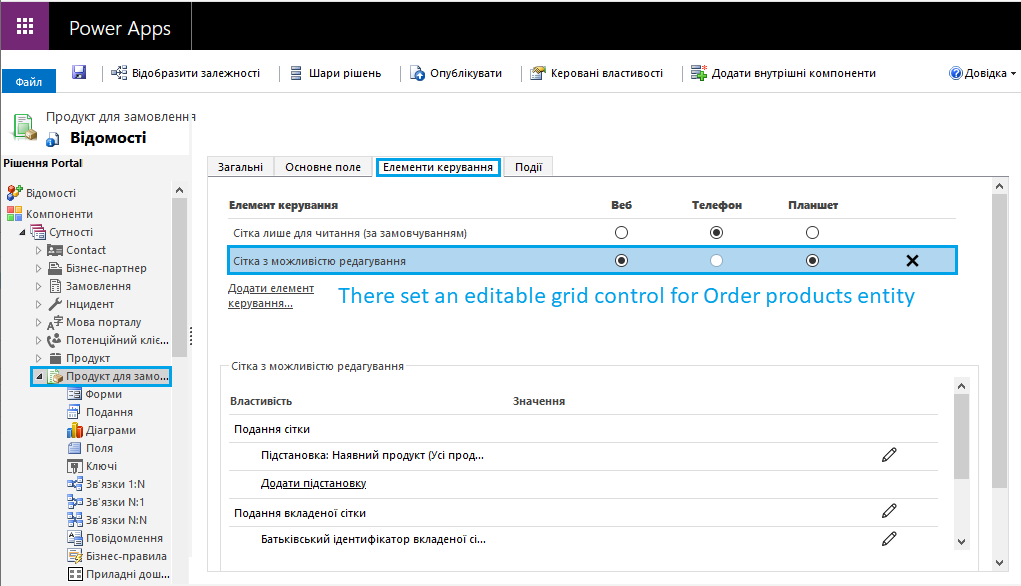

Solution-settings.png

4578.Editable-grid.png

Uneditable-portal-grid.png

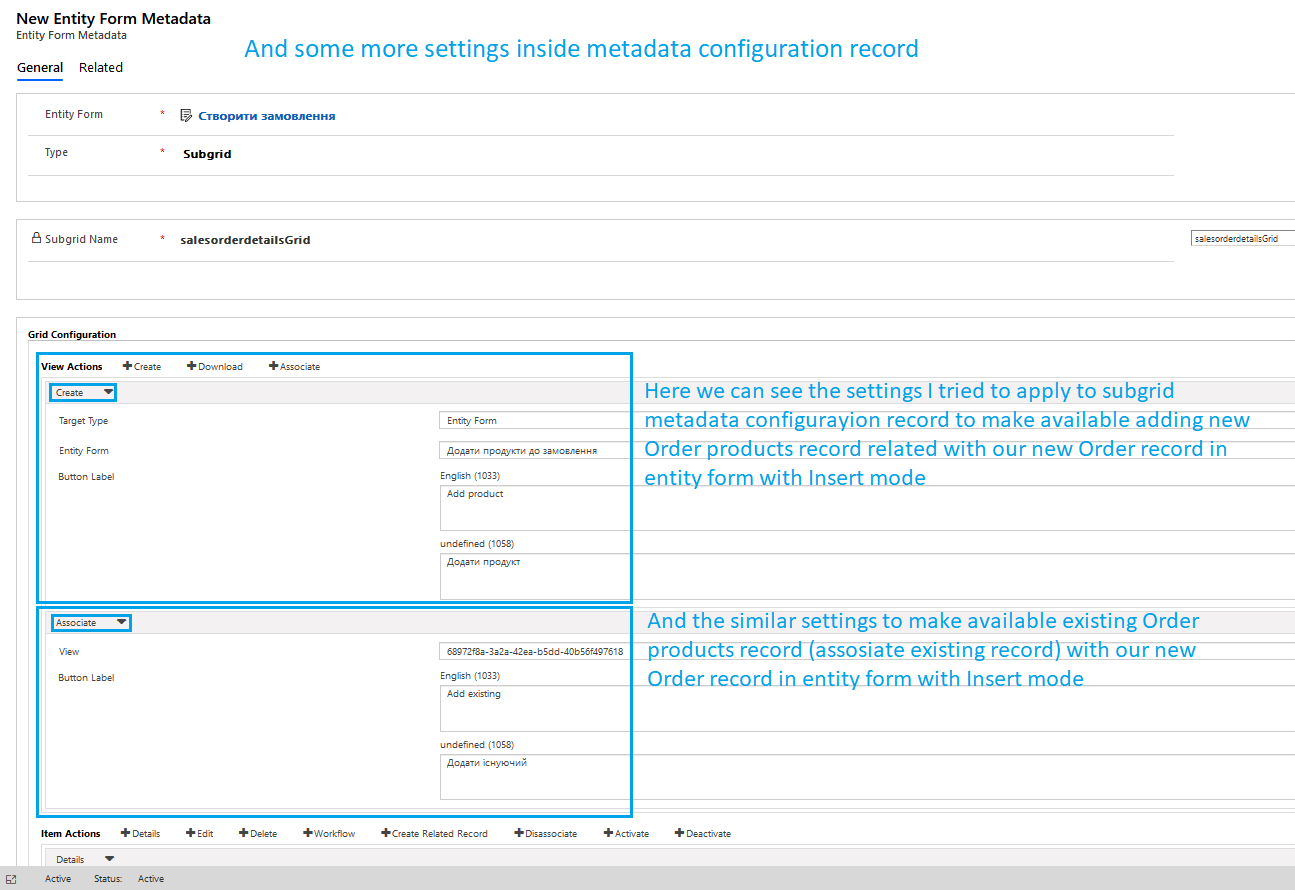
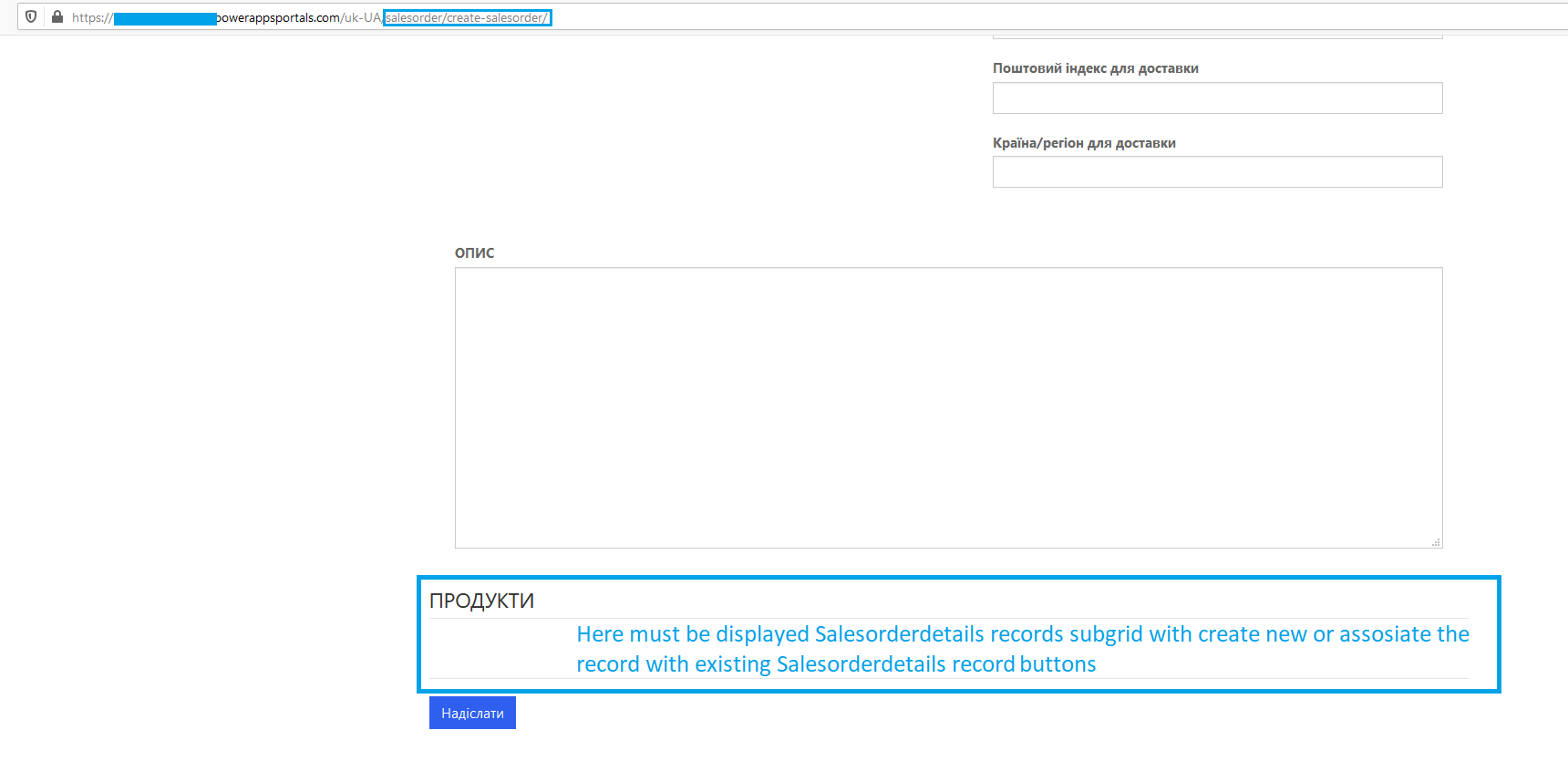
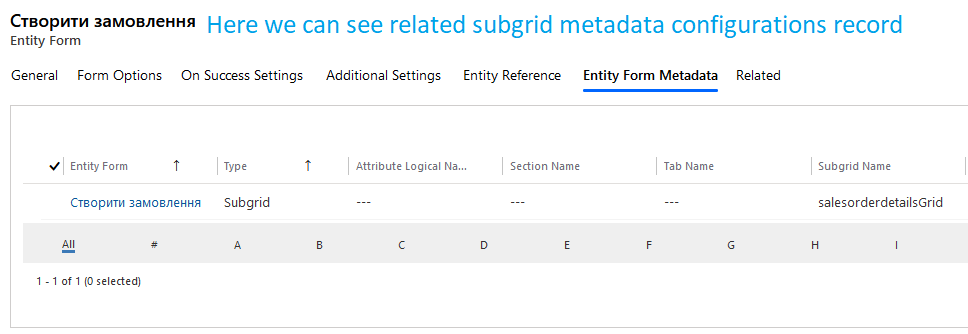
2. I want to assosiate certain Order products related record (new or existing) to new Order record, which I creating just right now. So for this goals I desided to add subgrid metadata configurations to my Order entity form record in Insert mode to show the subgrid when creating a record and enable two standart View actions: "Create" and "Assosiate" for apropriate subgrid, also I`ve made the same customizations for the same entityform in Edit mode, but such settings works only for web-page with entityform in Insert mode. I guess, that`s because system doesn`t know with what certain Salesorder record should be assosiated new or existing Order products record, if the Order record doesn`t exist for this moment for portal and CRM (cos we only start creating it).
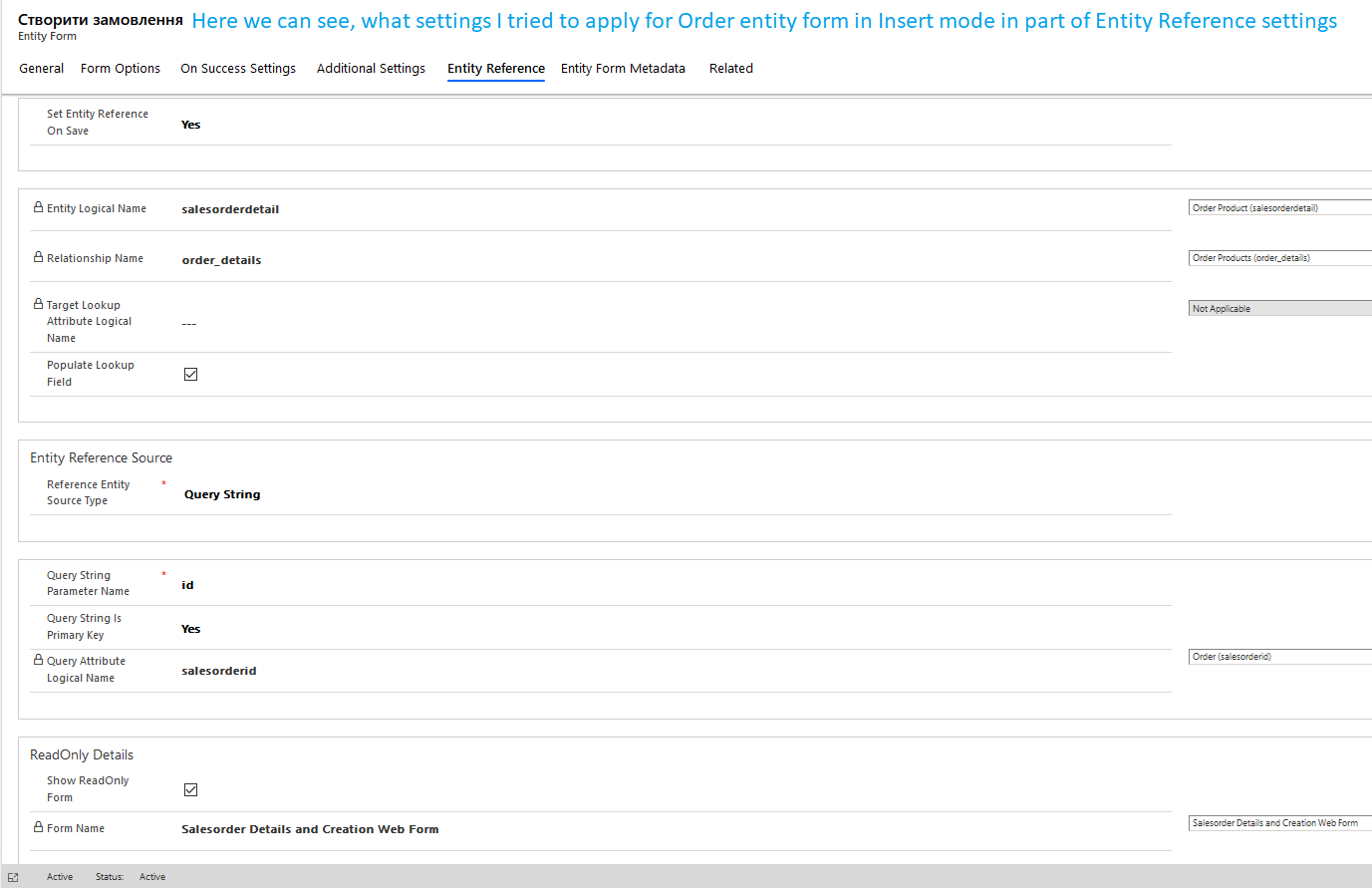
If I`ll chose to configure the Entity reference settings, I`ll assosiate the Order record with only one certain record, but I can`t assosiate it automatically with few Order products records which will be different for different Order records. So, if I`ve understand this part of article right, this configuration can`t meet my requirements, so I can`t achieve my goals. So, is there some other way to configure it or what am I doing wrong in this case?
If I`ll configurate creating of a new Order record with web form, not with entity form, on my portal - will I solve this issue?
I`ll attach few screenshots beneath.
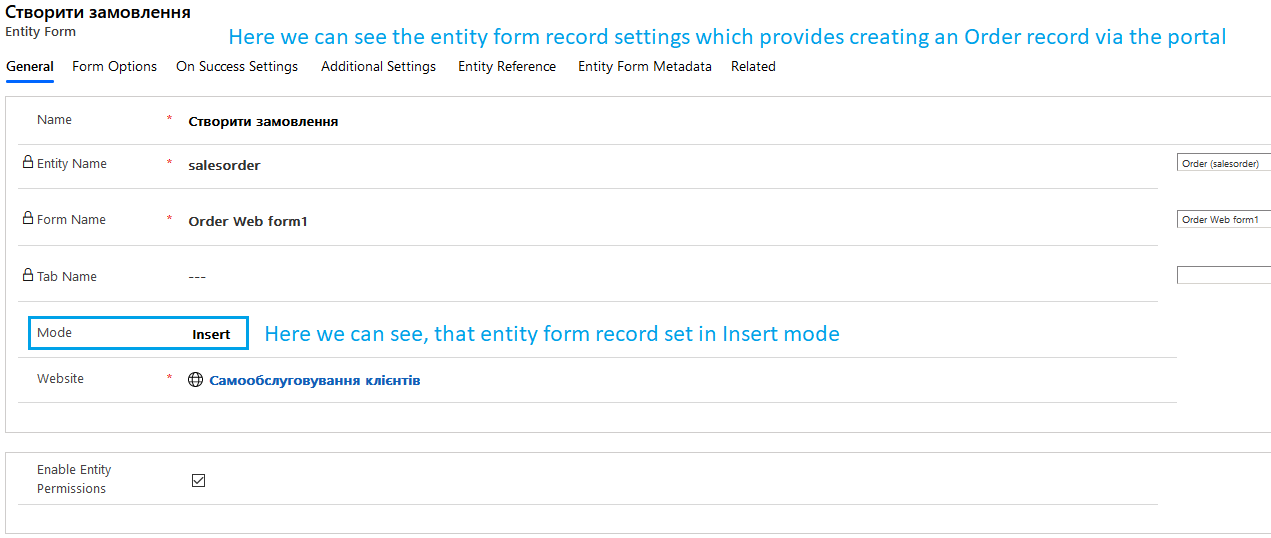
Entity-form-and-mode.png

Related-metadata-record.png

subgrid-configurations.png

entity-reference-settings.png

Subgrid-on-new-record.png

Subgrid-on-existing-record.png

3. I need to display an entity image on my portal entity form for Product records. Can I configure this and how? Can`t find out how should I do this.

Thanks for answers!
I will be appreciate for any feedback.

I have the same question (0)
  • Verified answer
    oliver.rodrigues Profile Picture
    4,052 on at

    1 - editable grids --> this is planned in Microsoft roadmap, although we have no visibility of when that feature would be available: powerusers.microsoft.com/.../222841

    to go on a custom editable grid today, you would have to go on a very custom route

    2 - not very clear to me what you are trying to achieve, can you maybe explain functionally speaking what you need?

    3 - there are some old blog posts showing this, you need some liquid but should be simple enough to follow: saddamk.blogspot.com/.../display-image-of-product-in-dynamics.html

  • Community Member Profile Picture
    on at

    Thanks a lot for your answers!

    1. Maybe I`ll get succeed with the way described here;

    2. I`ll try to explain it other way. I have few entities used in my process, there are: Client, Price list, Price list item, Product, Order and Order Products. For them in my system I have relations such like on schema below:

    Relation schema

    On my portal the process starts with forming Order. If I`ll try to create an order in CRM, it won`t become a trouble for me, because even when i only starts creating the record I would see grid for Order products possible records, but it would be empty. This is the first, less issue, because on my portal web page when I set metadata form for order products grid on entity list (shown on my web page) in "Insert" mode it is not visible and I can`t create related Order product record, until I sent the data about my Order record in CRM DB. But this question I`ve handled by using redirect to the same form for created record in "Edit" mode after successfully sending data. But I discovered other, bigger issue after. I need to implemet prefill some data in my Order record at the moment when I press "Create" button from Orders entity list on my portal. This is standart View Action button, which i can enable in additional settings in my entity list like shown here:

    entity-list-create-new-button.png

    So that will be displayed on my portal such way:

    create-button.png

    If I try to create an Order record in CRM and will fill "Client" lookup field, it would allows me to prefill some data I need to (like Price, Currency, etc.) by made mapping settings in appropriate relation fields and relations in CRM solution. But how can I implement similar functional for my portal? I need to prefill some data before the record creating on my portal will be sent to CRM DB. Maybe you know, can I do it at all and is there a way to do it without using jQuery, Liquid and some .NET services? Could I maybe somehow match this button onclick action and Power Automate Flow with trigger type "When a HTTP request is received"? Or can I do it with some other standart portal`s / Power Automate / Power Apps settings?
    I`ve came to the issue for such two entities: Orders (need to prefill contact, price, shipping method, transaction currecy) and Order products (need to prefill existing product, unit and price per unit);

    3. It helps me and now I can display product entity image on my portal. Thanks again!

  • Community Member Profile Picture
    on at

    For Order products I create related with Order record by metadata grid Action view button, but I can set it to create by Action button "Create related record" on the entity form for my Orders web-page.

  • Community Member Profile Picture
    on at

    Sry, readyxrm.blog/.../ here wrote not about grids, but about some list of record

  • Community Member Profile Picture
    on at

    Solve all my issues with jQuery and Flows. Questions closed. Thanks!

Under review

Thank you for your reply! To ensure a great experience for everyone, your content is awaiting approval by our Community Managers. Please check back later.

Helpful resources

Quick Links

Introducing the 2026 Season 1 community Super Users

Congratulations to our 2026 Super Stars!

Congratulations to our 2025 Community Spotlights

Thanks to all of our 2025 Community Spotlight stars!

Leaderboard > Customer experience | Sales, Customer Insights, CRM

#1
ManoVerse Profile Picture

ManoVerse 164 Super User 2026 Season 1

#2
Jimmy Passeti Profile Picture

Jimmy Passeti 51 Most Valuable Professional

#3
NeerajPawar Profile Picture

NeerajPawar 42

Last 30 days Overall leaderboard

Product updates

Dynamics 365 release plans