web
You’re offline. This is a read only version of the page.
close
Skip to main content

Announcements

No record found.

News and Announcements icon
Community site session details

Community site session details

Session Id :
Customer experience | Sales, Customer Insights,...
Unanswered

Managing non-volume discounts

(0) ShareShare
ReportReport
Posted on by 10

Hi all,,

I need to be able to (manually) add a discount to various products that we sell within an Order in Dynamics 365 Sales. The discounts are standard percentages (5% and 10%) that can be applied to Products but are not volume/quantity based.

I can see how to add discounts but I can't see how to manually add them to the Order. Also, we integrate with Xero from the Order to generate invoices and would like to see a line item appear for each Discount in the invoice.

Many thanks for your help.

I have the same question (0)
  • Nya Profile Picture
    29,064 on at

    Hi,

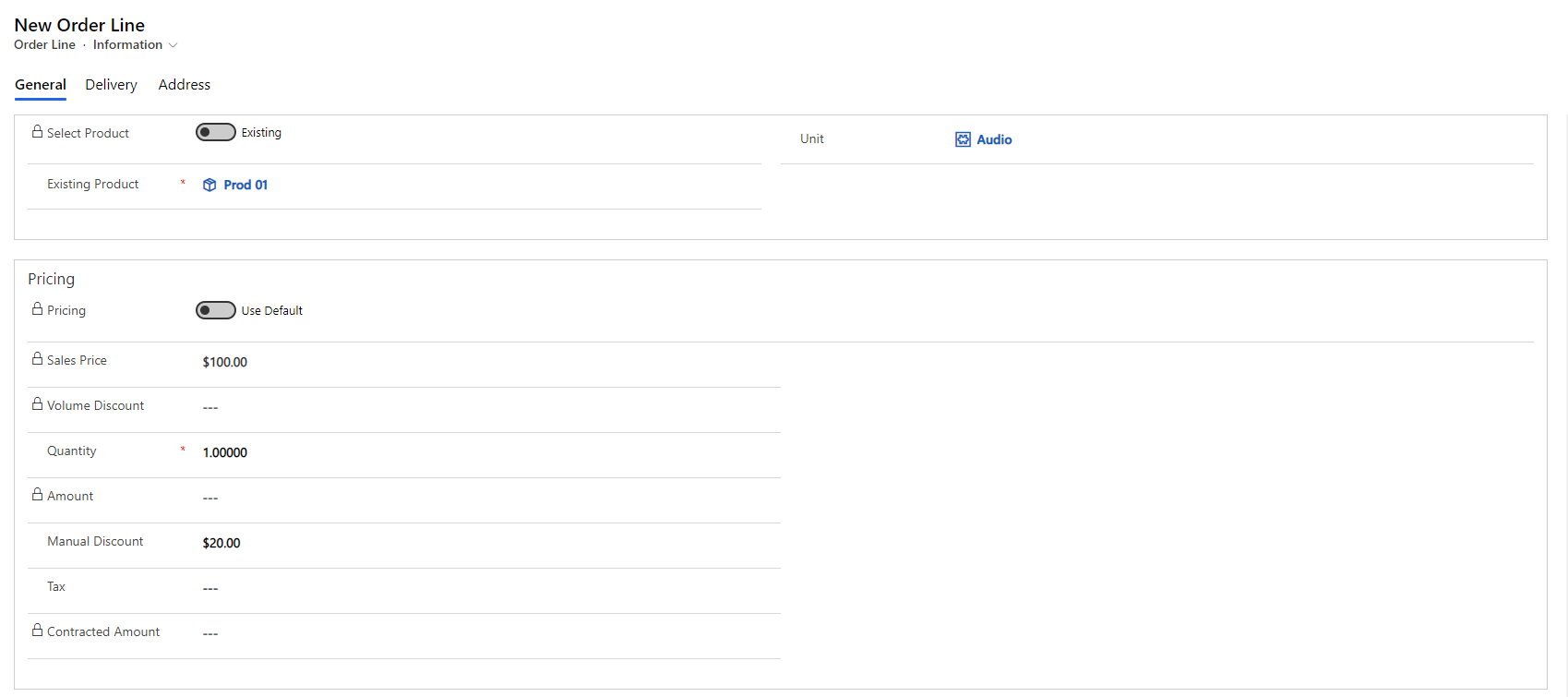
    If you have set the discount for each product, the total amount in the order is already discounted price.


    The discount for each product can be set in the record of the Order Line.
     pastedimage1621930823376v1.png

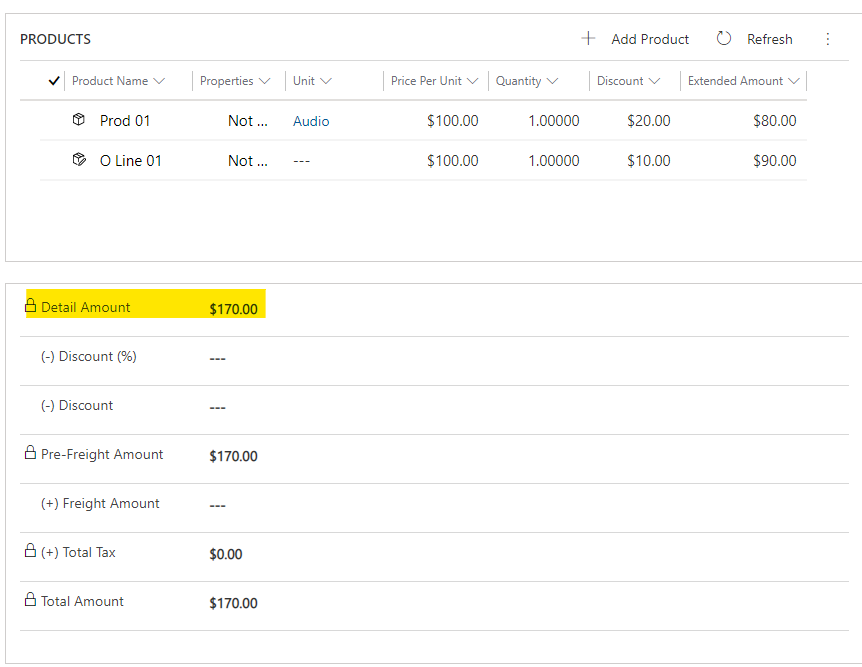
    And add the order lines into the order, the amount of the order will be updated automatically.
     pastedimage1621930829594v2.png

    The Discount in Order form is the discount for the whole order and has nothing to do with the discount for products.

    It will also be calculated in the invoice automatically.


    If this helped you, I'd appreciate it if you'd mark this as a Verified Answer, which may in turn help others as well.

    Best Regards,

    Nya

  • Bexbissell Profile Picture
    10 on at

    Hi Nya,

    Thanks for your response but I need to have separate line items for the discount so the client can see which discounts have been applied. Here is the output of Xero, where the Product and the Discount is listed as separate line items:

    pastedimage1621939719649v1.png

    Is there a way to achieve this in Dynamics 365?

    Many thanks

Under review

Thank you for your reply! To ensure a great experience for everyone, your content is awaiting approval by our Community Managers. Please check back later.

Helpful resources

Quick Links

Introducing the 2026 Season 1 community Super Users

Congratulations to our 2026 Super Stars!

Meet the Microsoft Dynamics 365 Contact Center Champions

We are thrilled to have these Champions in our Community!

Congratulations to the April Top 10 Community Leaders

These are the community rock stars!

Leaderboard > Customer experience | Sales, Customer Insights, CRM

#1
Muhammad Shahzad Shafique Profile Picture

Muhammad Shahzad Sh... 69 Most Valuable Professional

#2
ManoVerse Profile Picture

ManoVerse 55 Super User 2026 Season 1

#3
11manish Profile Picture

11manish 37

Last 30 days Overall leaderboard

Product updates

Dynamics 365 release plans
