web
You’re offline. This is a read only version of the page.
close
Skip to main content

Announcements

No record found.

News and Announcements icon
Community site session details

Community site session details

Session Id :
Small and medium business | Business Central, N...
Answered

How do I set a default Location Code within a Sales Order's item line for each Item when an Item is selected?

(1) ShareShare
ReportReport
Posted on by 183

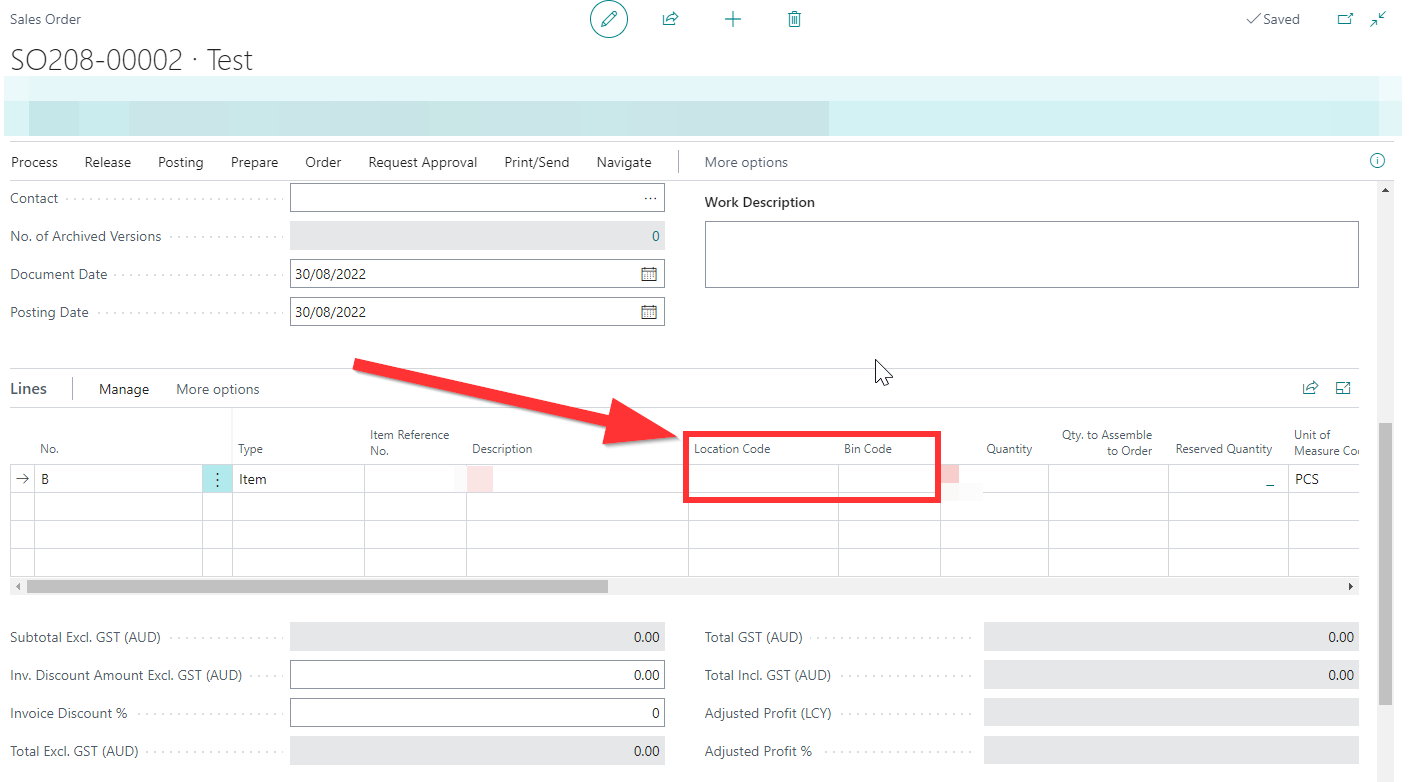
Goal: My contact wants to have a specific location to show up automatically on a Sales Order Item Line depending on the item selected.

For example, if I select ITEM1 as the item code, then LOCATION1 would show up with their defaulted ticked bin as described on the Bin Content page.
When the contact selects ITEM2 as the item code, then LOCATION2 would show up with their defaulted ticked bin as described on the Bin Content page.
pastedimage1661842211649v1.png

Current Version: 20.2.41144.42006

Any help is much appreciated.

  • Suggested answer
    Marco Mels Profile Picture
    Microsoft Employee on at

    Hello,

    If you do not get further traction from the community, feel free to raise this issue to Microsoft via your partner or CSP or ask your partner for assistance.

    Thanks.

  • Verified answer
    Ben Baxter Profile Picture
    7,274 Super User 2026 Season 2 on at

    This is not available in the base software.  The Location is determined by the Customer (populates Sales Header) or the Location Code established on the Sales Header.  The lines will inherit the Location Code from the Sales Header as they are entered.

    You would need to write an extension (modification) to define a default Location (new field, looks up to Location Table) on the Item table (visible on Card), then have the system pull in this value when the Item No. is entered (validated) on the Sales Line.

  • Verified answer
    Amit Baru Profile Picture
    3,043 on at

    Hi,

    In Standard System. Location is set on Customer card. As per your requirement, this is not available in system, 

    Regards

    Amit Sharma

    www.erpconsultors.com

    https://linkedin.com/in/amit-sharma-94542440

    Press Yes if info is useful.

Under review

Thank you for your reply! To ensure a great experience for everyone, your content is awaiting approval by our Community Managers. Please check back later.

Helpful resources

Quick Links

Season of Sharing Community Challenge Winners!

Congratulations to our community stars!

Women in Power Builds Momentum

Expanding mentorship, skilling, and AI innovation

Congratulations to the August Top 10 Community Leaders

These are the community rock stars!

Leaderboard > Small and medium business | Business Central, NAV, RMS

#1
OussamaSabbouh Profile Picture

OussamaSabbouh 750 Super User 2026 Season 2

#2
YUN ZHU Profile Picture

YUN ZHU 534 Super User 2026 Season 2

#3
AndrewThomas81 Profile Picture

AndrewThomas81 287 Super User 2026 Season 2

Last 30 days Overall leaderboard

Featured topics

Microsoft Training Manuals

Product updates

Dynamics 365 release plans
