web
You’re offline. This is a read only version of the page.
close
Skip to main content

Announcements

No record found.

News and Announcements icon
Community site session details

Community site session details

Session Id :
Microsoft Dynamics AX (Archived)

Async Client Configuration.

(0) ShareShare
ReportReport
Posted on by 2,259

Hello all,

I'm trying to install and configure retail in AX 2012 R3 CU8.

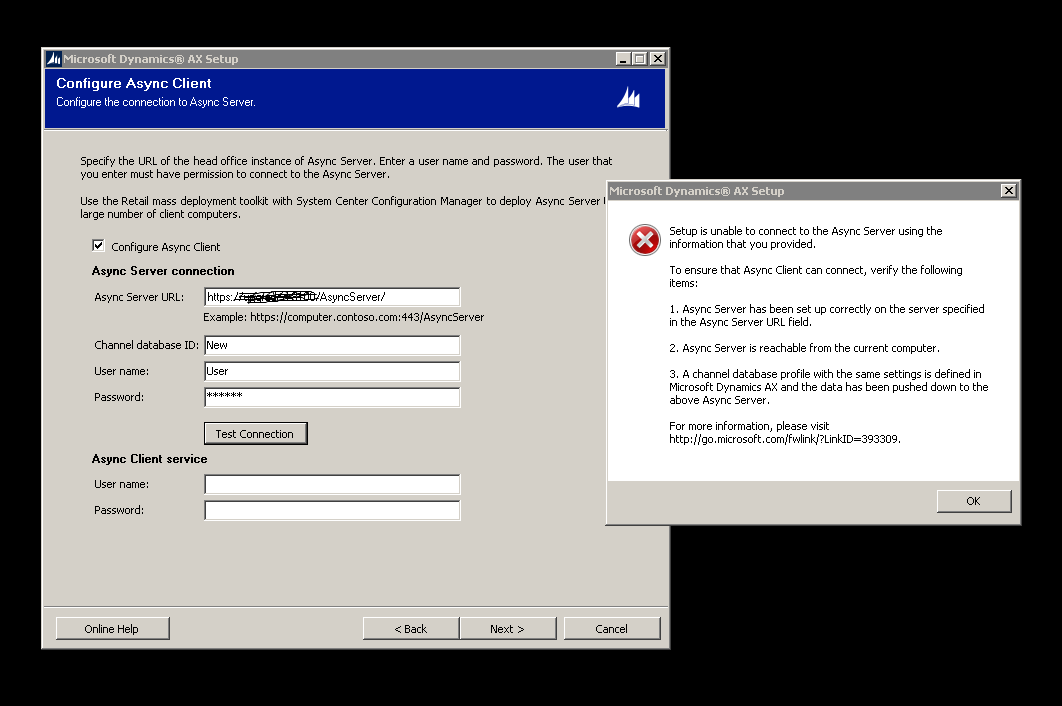
while setting up the Async Client an error shows up as below
Async.png

I make sure all the parameters are right,

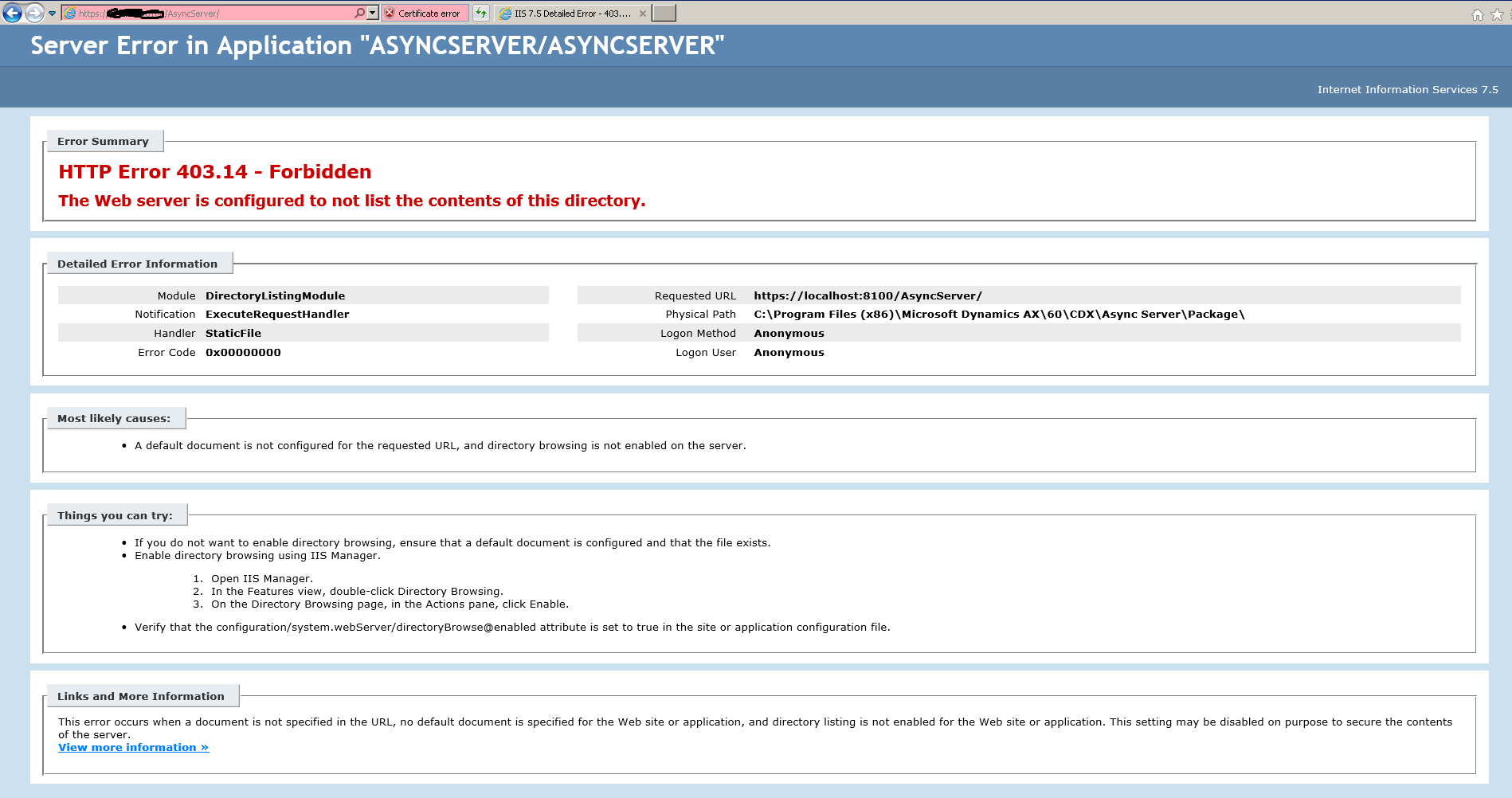
also when I open the website I got the error
403-_2D00_-Copy.png

I enabled the Directory Browsing but still same error showing up.

anyone had this issue before?

*This post is locked for comments

I have the same question (0)
  • Viral Suthar Profile Picture
    279 on at

    Hi Wasim,

    1) Please provide valid data for channel database id, username and password from Retail > setup > Retail Scheduler > Channel Integration > Channel Database

    2) Enter valid service account and password

    3) Try to test the connection now...

    4) Complete the installation

    Please feel free to ask me if you still have any problem in configuration...

    Thanks,

  • w.sallam Profile Picture
    2,259 on at

    Thanks Viral Suthar for reply,,

    all the information I already input from the "Channel Database"

    but still can't get connection when I test the connection.

    if you have any thoughts please share.

    thanks a lot

  • Suggested answer
    nunomaia Profile Picture
    27 Moderator on at

    After defining the password of async client, did you run the sync metadata ?

    The certificate is valid in client machine ? That might be an issue in self sign certificate.

    From your screenshot, it appears to be an invalid certificate.

  • w.sallam Profile Picture
    2,259 on at

    Nuno Maia , thanks for reply,

    I did the metadata sync,

    but I don't know how to validate the self sign certificate.

    I create one and used it for the Async server.

    can you tell me how to make the certificate invalid?

    thanks

  • nunomaia Profile Picture
    27 Moderator on at

    Check this link, if solves your issue.

    blogs.msdn.com/.../how-to-trust-the-iis-express-self-signed-certificate.aspx

  • w.sallam Profile Picture
    2,259 on at

    thanks a lot for the link,

    I make the exact thing as explained in the link but still same error comes.

    the certificate I exported and imported shows the following :

    "you have a private key that corresponds to this certificate"

    is there anything I can do with that,

    thanks again and sorry for troubles

  • nunomaia Profile Picture
    27 Moderator on at

    But certificate is now recognised as valid in your browser ?

  • Community Member Profile Picture
    on at

    You must Import the SSL Certificate in Async Client machine using a Web browser (open in Administrator mode).

  • Suggested answer
    sumit0417 Profile Picture
    2,890 on at

    Follow this..

    sumitnarayanpotbhare.wordpress.com/.../troubleshooting-commerce-data-exchange-async-server-async-client-in-dynamics-ax-for-retail-r3

    Hope it helps.

  • w.sallam Profile Picture
    2,259 on at

    Nuno Maia

    No, unfortunately the certificate didn't recognized as valid in the browser,

    still the same problem.

Under review

Thank you for your reply! To ensure a great experience for everyone, your content is awaiting approval by our Community Managers. Please check back later.

Helpful resources

Quick Links

Introducing the 2026 Season 1 community Super Users

Congratulations to our 2026 Super Stars!

Meet the Microsoft Dynamics 365 Contact Center Champions

We are thrilled to have these Champions in our Community!

Congratulations to the April Top 10 Community Leaders

These are the community rock stars!

Leaderboard > 🔒一 Microsoft Dynamics AX (Archived)

#1
CP04-islander Profile Picture

CP04-islander 24

#2
Michel ROY Profile Picture

Michel ROY 14

#3
Jagadabi Profile Picture

Jagadabi 6

Last 30 days Overall leaderboard

Featured topics

Product updates

Dynamics 365 release plans
