web
You’re offline. This is a read only version of the page.
close
Skip to main content

Announcements

No record found.

News and Announcements icon
Community site session details

Community site session details

Session Id :
Customer experience | Sales, Customer Insights,...
Suggested Answer

How to show account lookup view in new dialog?

(0) ShareShare
ReportReport
Posted on by 1,157

Dear Experts,

We have a custom button 'Demo' in a lead entity ribbon.
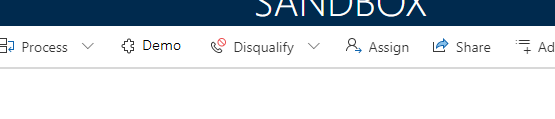
7776.PNG

On Click of this button, we are opening a HTML webresource.
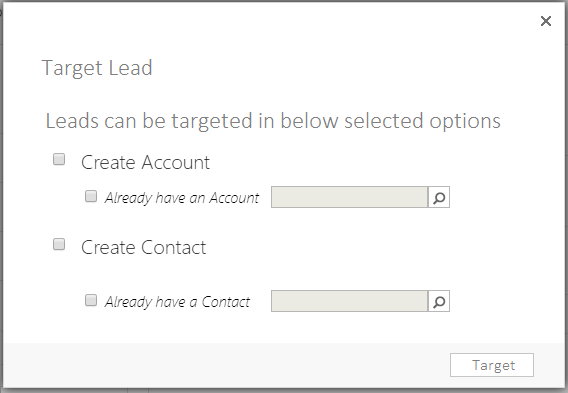
1856.PNG

We are opening this webresource with the help of the alert.js library. We need to add the existing account and contact record in the fields available in this HTML webresource. Hence we have created a custom textbox attached with a lookup image (this field looks like a lookup field as shown in the above screenshot).

On click of the lookup image field, we have to show the account lookup dialog to a user from where the user can select the account record. 

We were using Xrm.Internal.openDialog to open the lookupsingle.aspx dialog of account/contact and it was working as expected. However, recently we have updated our environment to UCI and XRM.Internal.openDialog is not supported in UCI. 

We tried to open the lookup view with Xrm.Utility.lookupObjects, but it open the lookup dialog in disable mode and as a side panel of CRM window.

See the below screenshot.
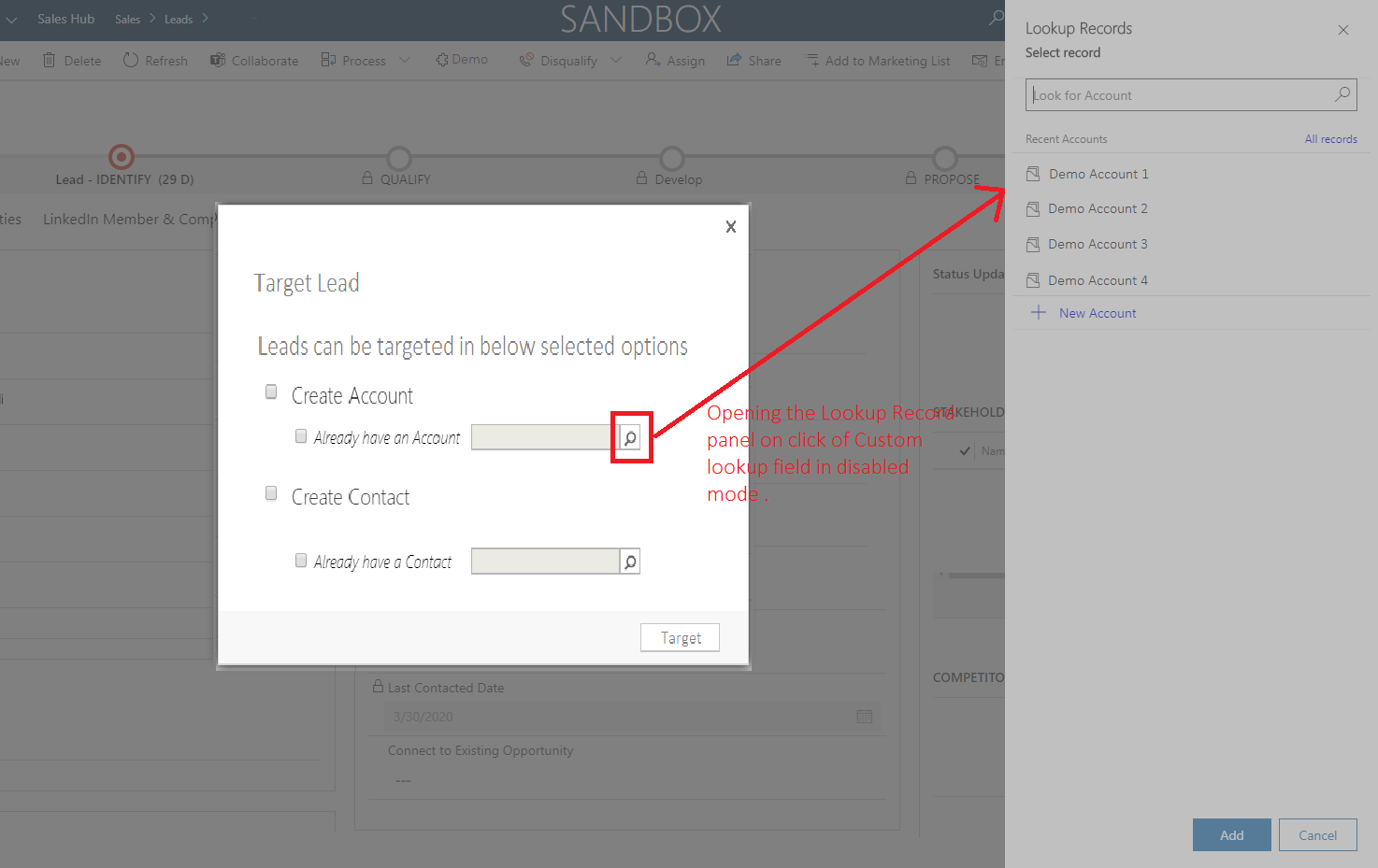
3036.PNG

We cannot choose the account record until we close the 'Target Lead' popup. 

Please suggest any way to open the lookup view in the center of the screen so that it opens in front of the 'Target Lead' popup and user will be able to select the record.

Thanks in advance.

Regards,

Jay

I have the same question (0)
  • Suggested answer
    Vijay Tailor Profile Picture
    431 on at

    Hi As you Implemented on Alert Based that is the reason Lookup Screen is displaying in the same Window.

    But if you Implemented the Same in Screen in the HTML and on Click of button Open this screen in New Window.

    that scenario might helpful for you.

    I am not sure about we can change the lookup screen in the center or Not.

    But Hope below Mentioned URL helps you to resolve your issue.

    Note - Reference is taken from below URL

    pastedimage1588166194244v1.png.

    www.inogic.com/.../

    Thanks

  • JayeshAC Profile Picture
    1,157 on at

    Thanks Vijay for your response.

    We already have followed this link. However, we dont want to open the lookup in another window.

    We are looking for a approch like a modalDialog or Prompt popup on the screen instead of opening a new window.

  • a33ik Profile Picture
    84,331 Most Valuable Professional on at

    Hello Jayesh,

    Can you please provide code that you use to open your custom dialog window and code that you use to open a lookup? I implemented similar scenario for one of my customers and everything worked fine there.

  • Suggested answer
    Vijay Tailor Profile Picture
    431 on at

    Thanks,

    hope below URL surely fits on your requirement.

    www.inkeysolutions.com/.../

    dynamicsninja.blog/.../

    Reference Image.

    pastedimage1588250295614v1.png

Under review

Thank you for your reply! To ensure a great experience for everyone, your content is awaiting approval by our Community Managers. Please check back later.

Helpful resources

Quick Links

Introducing the 2026 Season 1 community Super Users

Congratulations to our 2026 Super Stars!

Meet the Microsoft Dynamics 365 Contact Center Champions

We are thrilled to have these Champions in our Community!

Congratulations to the April Top 10 Community Leaders

These are the community rock stars!

Leaderboard > Customer experience | Sales, Customer Insights, CRM

#1
Muhammad Shahzad Shafique Profile Picture

Muhammad Shahzad Sh... 69 Most Valuable Professional

#2
ManoVerse Profile Picture

ManoVerse 62 Super User 2026 Season 1

#3
11manish Profile Picture

11manish 47

Last 30 days Overall leaderboard

Product updates

Dynamics 365 release plans
