web
You’re offline. This is a read only version of the page.
close
Skip to main content

Announcements

No record found.

News and Announcements icon
Community site session details

Community site session details

Session Id :
Finance | Project Operations, Human Resources, ...
Suggested Answer

ax questions ... part related to account receivable

(0) ShareShare
ReportReport
Posted on by

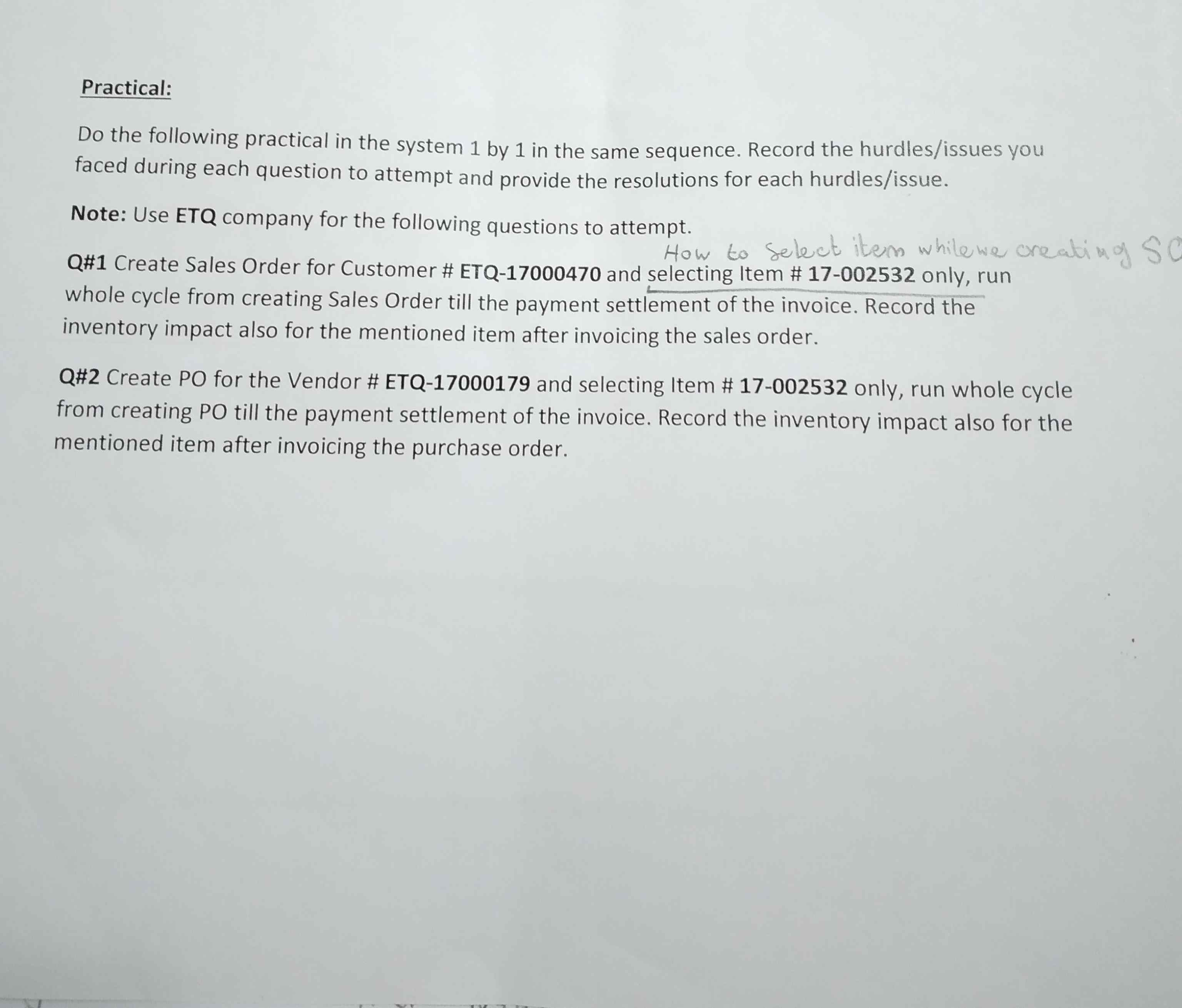
20210318_5F00_221347.jpg

Hello ,

for now i was trying to select an item as the script is required of me in the ax for a customer in sales order, as shown in screen print

my issue know that im not able to select this spacifc item to this customer,,

I would like to know what kind of the scenario  and cases it might happen and make the end users not able to select the items for any customer in sales order  ?? or what ever if will be the same in PO what it the reasons and scenario for that thing

many thanks and best regards.

I have the same question (0)
  • Suggested answer
    Ashish Upadhyay79 Profile Picture
    Microsoft Employee on at

    Hello Etisaq,

    Kindly check following blog,

    Using Filter Codes in Microsoft Dynamics AX | Dynamics 365 for Operations | I.B.I.S. Inc.

  • André Arnaud de Calavon Profile Picture
    304,038 Super User 2026 Season 1 on at

    Hi etisaq,

    Can you tell what you mean with 'not able to select'? Is the item not available or is there no lookup form at all? Do you get error messages?

  • Community Member Profile Picture
    on at

    hello andre,

    meaning by not able to selcet a item...

    im talk about while we ceating a customer in sales order next step to chose item for this customer ,, but i found that im not able to find where i serech to get the item no, that is require in the question... ... so i want understand what is the cases that it will not shown this item no. to be selected and why.... and from where can i get more info. belenog to this scenario ...

    best regards 

  • Suggested answer
    Martin Dráb Profile Picture
    239,084 Most Valuable Professional on at

    You don't create a customer here. You select one of the existing customer.

    And each order can contain multiple items, not just one. Therefore you don't select an item at the order header. You create an order line and select an item, quantity and so on there. Then you can create another line for another item.

    Make sure you're in "Lines" view, expand the fast tab called "Sales order lines" and there you should see a grid with order lines.

  • Community Member Profile Picture
    on at

    Hello Martin,

    yes ... you are right i select one customer of the existing on the list of cust. so i mean i create a sales order for this cust. this 1 point correct.

    2nd i will select a item for this cust. as u said i should create an order line .

    thank you.

  • Suggested answer
    Community Member Profile Picture
    on at

    Hello Martin,

    yes ... you are right i select one customer of the existing on the list of cust. so i mean i create a sales order for this cust. this 1 point correct.

    2nd i will select a item for this cust. as u said i should create an order line .

    thank you.

  • André Arnaud de Calavon Profile Picture
    304,038 Super User 2026 Season 1 on at

    Hi etisaq,

    Were you now able to complete your exercise or do you still need some help from the community?

Under review

Thank you for your reply! To ensure a great experience for everyone, your content is awaiting approval by our Community Managers. Please check back later.

Helpful resources

Quick Links

Introducing the 2026 Season 1 community Super Users

Congratulations to our 2026 Super Stars!

Meet the Microsoft Dynamics 365 Contact Center Champions

We are thrilled to have these Champions in our Community!

Congratulations to the March Top 10 Community Leaders

These are the community rock stars!

Leaderboard > Finance | Project Operations, Human Resources, AX, GP, SL

#1
Giorgio Bonacorsi Profile Picture

Giorgio Bonacorsi 689

#2
André Arnaud de Calavon Profile Picture

André Arnaud de Cal... 455 Super User 2026 Season 1

#3
Syed Haris Shah Profile Picture

Syed Haris Shah 308 Super User 2026 Season 1

Last 30 days Overall leaderboard

Product updates

Dynamics 365 release plans
