web
You’re offline. This is a read only version of the page.
close
Skip to main content

Notifications

Announcements

No record found.

Community site session details

Community site session details

Session Id :
Microsoft Dynamics CRM (Archived)

Getting System.Security.Permission.SecurityPermission error while trying to access registry keys through plugin.

(1) ShareShare
ReportReport
Posted on by 1,157

Dear Experts,

I have a plugin which is triggered on Delete message(Pre-validation) of campaign entity and it used to update some fields in 'account' entity using SQL stored procedure. Month back it was absolutely working fine but now it is giving me a SecurityPermission error when it is trying to access the registries from ocalMachine/Software/Microsoft/MSCRM.

Please note that:

1. We did not made any changes in our code.

2. Using SQL SP is unsupported but due to the requirement we need to use SQL stored procedure only.


Error Details:

Request for the permission of type 'System.Security.Permissions.SecurityPermission, mscorlib, Version=4.0.0.0, Culture=neutral, PublicKeyToken=b77a5c561934e089' failed.
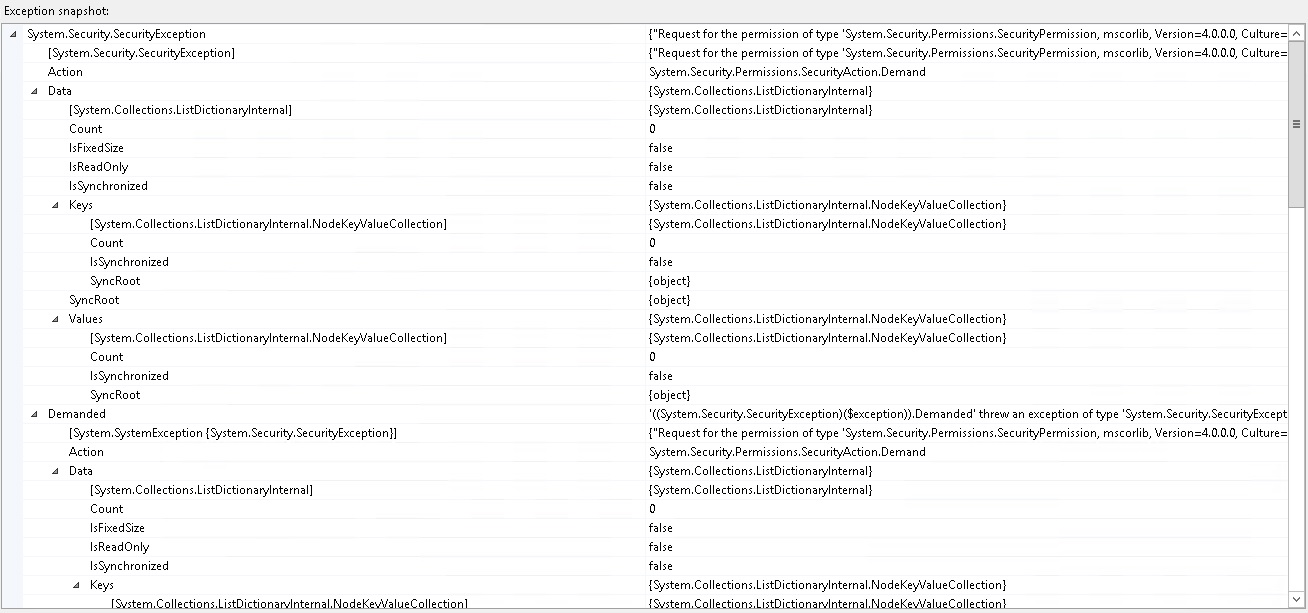
EA2459ErrorDetails.jpg

Environment and Plugin Details:

MSCRM - 2013 SP1 On-Prem(6.1.1.132)

Plugin isolation mode - None

Step Message - Delete(Pre-validation)

Step Execution Mode - Sync

OS Details:

Windows Server 2012 R2 - 64 bit (Latest updates are installed)


Already tried:

- Enabled tracing through registry keys and collected the issue traces but didnt helped us to resolve the issue.

- Give full control to LocalMachine/Software/Microsoft/MSCRM and mscorlib file located at 'E:\Program Files\Microsoft Dynamics CRM\CRMWeb\_static\_common\scripts'

Is there any permission need to provide to resolve this error? If yes, then please help with those permissions.

Thanks in advance. 

*This post is locked for comments

I have the same question (0)
  • Suggested answer
    Emre GULCAN Profile Picture
    2,379 on at
  • Community Member Profile Picture
    on at

    Hi Jayesh,

    I have the same problem. My plugin worked for a while but this week stopped working.

    How did you solved it?

Under review

Thank you for your reply! To ensure a great experience for everyone, your content is awaiting approval by our Community Managers. Please check back later.

Helpful resources

Quick Links

Responsible AI policies

As AI tools become more common, we’re introducing a Responsible AI Use…

Neeraj Kumar – Community Spotlight

We are honored to recognize Neeraj Kumar as our Community Spotlight honoree for…

Leaderboard > 🔒一 Microsoft Dynamics CRM (Archived)

#1
SA-08121319-0 Profile Picture

SA-08121319-0 4

#1
Calum MacFarlane Profile Picture

Calum MacFarlane 4

#3
Alex Fun Wei Jie Profile Picture

Alex Fun Wei Jie 2

Last 30 days Overall leaderboard

Featured topics

Product updates

Dynamics 365 release plans



