web
You’re offline. This is a read only version of the page.
close
Skip to main content

Notifications

Announcements

No record found.

Community site session details

Community site session details

Session Id :
Microsoft Dynamics CRM (Archived)

Why is the page always reloaded when I hit test button "Click me"?

(0) ShareShare
ReportReport
Posted on by 290

Hello!

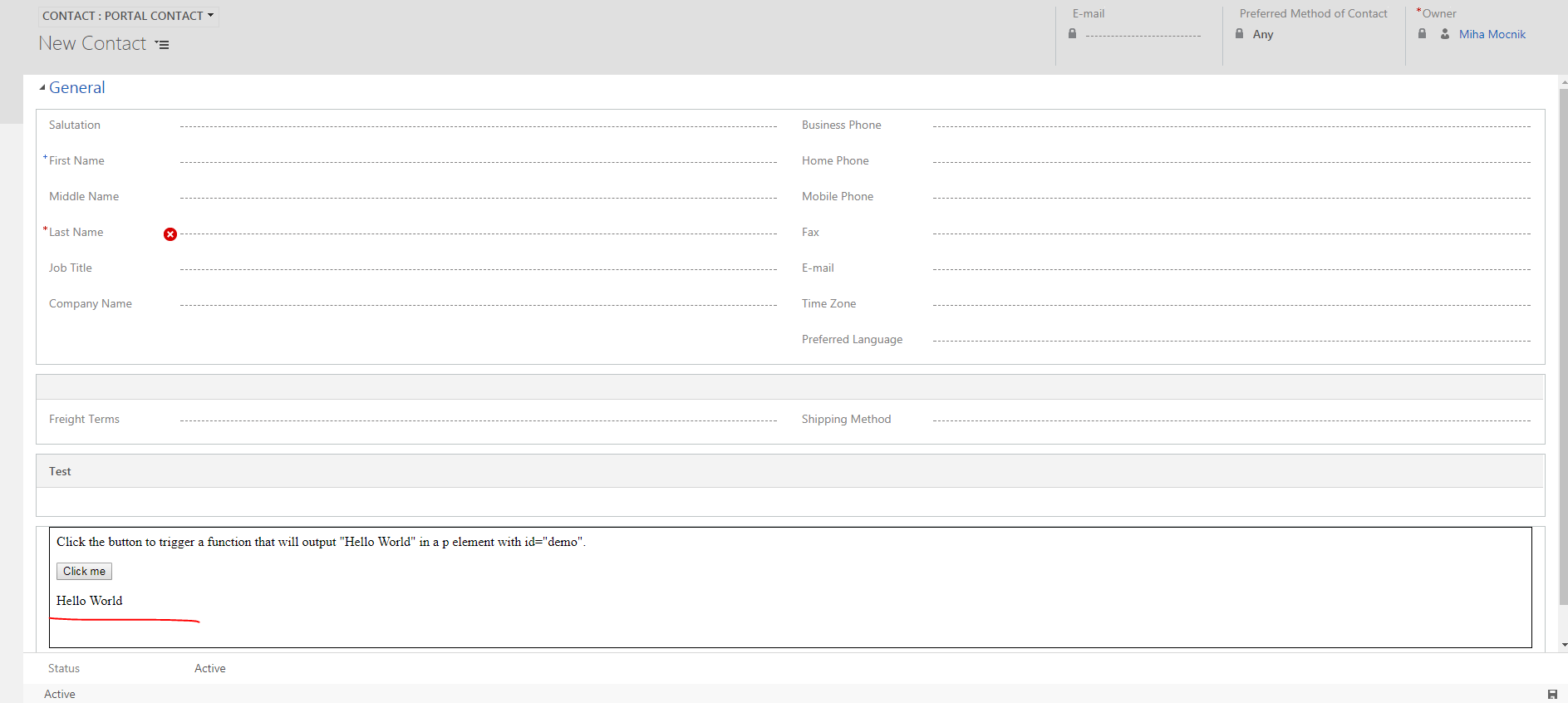
I implemented simple webresource where I put the code from the link below. There is a simple button with the on click event which shows some random text.. If I test it in the CRM, it is shown normally. If I test the same thing on the MS Portal, the result is shown for a second but the page is then refreshed after each click and the text disappears. Is there any reason why is such behavior? Is there any way to prevent it?

Thank you!

Link: https://www.w3schools.com/jsref/tryit.asp?filename=tryjsref_onclick

BR,

Miha

Portal

1348.Portal.PNG

CRM
4606.CRM.PNG

*This post is locked for comments

I have the same question (0)
  • Justinjose Profile Picture
    2,707 on at

    Hi Miha,

    I have tried the code from the link provided. It worked with out refreshing the page and the text doesn't disappear. are you using the exactly same code from the provided link?

    Thanks

  • Suggested answer
    Syed Ibrahim Profile Picture
    6,257 on at

    That is the same code given with some default values for that button click event. You need to modify according to your scenario. By the way document.getElement is unsupported way for CRM. All the jQuery codes will work on the portal.. If you want any custom button then pls use RibbonWorkBench tool . Pls refer below for any custom buttons for crm

    www.develop1.net/.../ribbonworkbench.aspx.

    Hope this helps.If the suggestion resolved your query .Pls mark it as answered/verified to close the thread.

  • Suggested answer
    khoait Profile Picture
    450 on at

    Hi Miha,

    I think the HTML button in a HTML web resource works because it is a static web page, a button click doesn't cause a reload (postback) while the same button used in the portal page which is a dynamic web page (ASP.NET web form) will cause a postback to web server.

    To avoid this try adding "return false;" in the onClick attribute, for example:

    <button onclick="myFunction(); return false;">Click me</button>


  • Suggested answer
    Community Member Profile Picture
    on at

    Hi Miha ,

    You can stop the event from firing using below code.

    Html

    <button onclick="myFunc(event)"> Remove </button>  

    Javacscript

      function myFunc(event){

          event.preventDefault();

      }

    The preventDefault () method of the Event interface tells the user agent that if the event is not explicitly processed, its default action should not be taken into account as it would normally be. The event continues to propagate as usual, unless one of its listeners calls stopPropagation () or stopImmediatePropagation (), either of which terminates the propagation.

    For more possible ways you can have a look into below url

    stackoverflow.com/.../how-to-prevent-buttons-from-submitting-forms

    Please Feel free to mark the answer as verified if it is useful

    Regards,

    Vignesh.R

Under review

Thank you for your reply! To ensure a great experience for everyone, your content is awaiting approval by our Community Managers. Please check back later.

Helpful resources

Quick Links

Responsible AI policies

As AI tools become more common, we’re introducing a Responsible AI Use…

Neeraj Kumar – Community Spotlight

We are honored to recognize Neeraj Kumar as our Community Spotlight honoree for…

Leaderboard > 🔒一 Microsoft Dynamics CRM (Archived)

#1
SA-08121319-0 Profile Picture

SA-08121319-0 4

#1
Calum MacFarlane Profile Picture

Calum MacFarlane 4

#3
Alex Fun Wei Jie Profile Picture

Alex Fun Wei Jie 2

Last 30 days Overall leaderboard

Featured topics

Product updates

Dynamics 365 release plans