Hi,
I'm having error while running GST Report, this is an Electronic Report (ER) Tax report for Singapore localization. The error is like following :
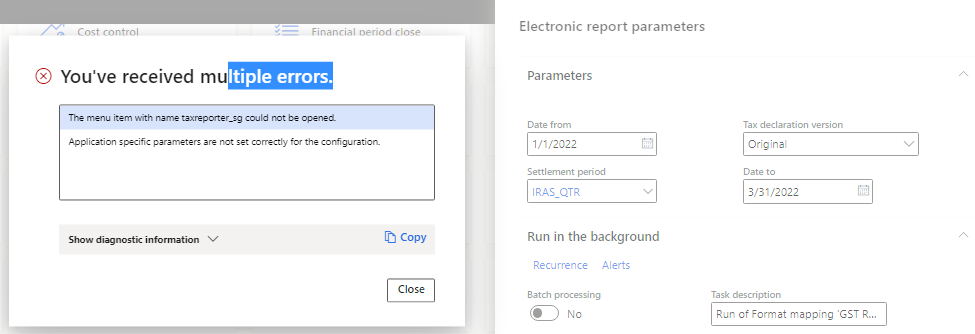
The 1st row is like a technical error, however we've not having customization on this area, so I'm also suspect there is some setting we missed, just like the 2nd row message, but we're not sure what it is.
The steps that we already did (as described in this page : Generate the Singapore GST-05 report - Finance | Dynamics 365 | Microsoft Learn) are:
1. Setup tax code and specify the report layout to be "Singapore Report Layout". Note: On the documents only specified three (EXEMPT, ZERO, and Standard), however I setup other tax code but already specified the layout for all.
2. On the ER > Reporting Configuration > Setup, version 32.3, Application specific parameters have setup the condition for tax code that we currently having transactions like below:
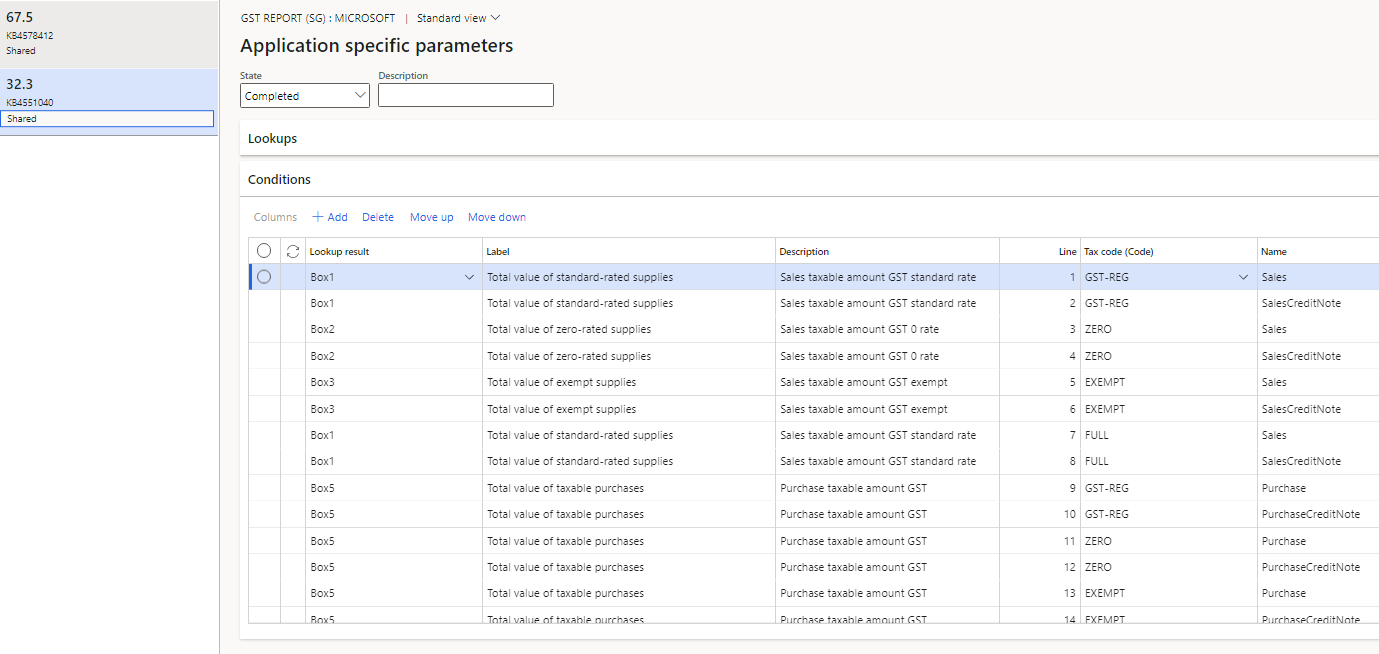
Note : It is not all tax code setup here, but only the tax code appeared in menu Tax > Inquiries and reports > Sales tax inquiries >Posted sales tax
Question here would be, what is the real requirement to setup here, do we need to setup all tax code, as well as do we need to setup all boxes ?
3. As the document suggested, we already run settlement through this menu Tax > Declarations > Sales tax > Report sales tax for settlement period, and there the report has displayed on screen (but I think this is a common report), so to have the right report we run from this menu : Tax > Declarations > Sales tax > GST Tax report -->
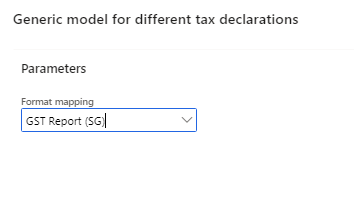
And select the correct format, but somehow the error persist.
Anyone can help what exactly do we need to setup ?
Thanks,


