web
You’re offline. This is a read only version of the page.
close
Skip to main content

Notifications

Announcements

No record found.

Community site session details

Community site session details

Session Id :
Small and medium business | Business Central, N...
Answered

Problem embedding Power bi in business central onprem

(0) ShareShare
ReportReport
Posted on by

I have Business central 16 onprem (docker container). I want to view power Bi reports in BC.

I set up Azure Active directory using this method: https://www.linkedin.com/pulse/setting-up-power-bi-embedded-microsoft-dynamics-nav-2017-olafusi

On BC role center page under power bi dashboard area, when click "Get started with Power Bi", a new window is prompted and when I select Authorize Azure Services.

I get below error and cannot proceed further with power bi. I have trial power bi pro license and also, I’m login with same credential.

pastedimage1591691296552v3.png

I have the same question (0)
  • Verified answer
    Renato Fajdiga Profile Picture
    1,853 on at

    Hi,

    I think that your issue may be connected with this issue community.dynamics.com/.../power-bi-does-no-longer-work-in-v15-and-v16-onprem-while-this-used-to-work-with-similar-settings-accounts-in-v14 which Marco described.

  • Suggested answer
    Marco Mels Profile Picture
    on at

    Thank you for sharing the posting Renato.

    Our developers has been working on it since this week. One of our supporters found out that the refresh the report sometimes does work.

  • Community Member Profile Picture
    on at

    Thanks Renato and Marco for the quick explanation.

    Now I have installed docker BC container onprem v14 (docker image "mcr.microsoft.com/businesscentral/onprem:14.8.38658.0-de-ltsc2019")

    I have Setup Azure Active Directory and I have valid trial power bi pro license.

    You said power bi should works fine for BC v14, but still I have same error.

    Do you have any idea what can be the reason for this error?

  • Suggested answer
    Mohamad Vajid Profile Picture
    on at

    Hi Yasmeen,

    For v14, can you try and click the menu in the system part and see if you can click on Refresh Page first. This will likely enable the other actions in the menu and you can then click on Select Report. This also seems like a bug. Kindly confirm.

    PowerBI1.png

    PowerBI2.png

  • Suggested answer
    Marco Mels Profile Picture
    on at

    Hello,

    We identified the problem and we would like to suggest the following workaround.

    The application created in Application Registration Portal was single-tenant, but we do require a multi-tenant one.

    Admins can fix it:

    1) go to portal.azure.com

    2) search for App Registrations

    3) open the one used by Business Central (find the display ID using the ID in the setup wizard in Business Central)

    4) in the Overview blade, set “Supported account types: Multiple organizations

    We will see how to resolve the issue as the automatic registration does create a single-tenant one. In the manifest file you will see SignInAudience. This is set to AzureADMyOrg but it should be AzureADMultipleOrgs.

    You may have to rename the automatically registered Azure AD application. You will find that one here:
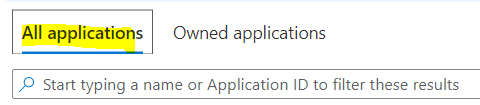
    pastedimage1591972104420v1.png

    Thanks.

Under review

Thank you for your reply! To ensure a great experience for everyone, your content is awaiting approval by our Community Managers. Please check back later.

Helpful resources

Quick Links

Responsible AI policies

As AI tools become more common, we’re introducing a Responsible AI Use…

Neeraj Kumar – Community Spotlight

We are honored to recognize Neeraj Kumar as our Community Spotlight honoree for…

Leaderboard > Small and medium business | Business Central, NAV, RMS

#1
OussamaSabbouh Profile Picture

OussamaSabbouh 2,577

#2
YUN ZHU Profile Picture

YUN ZHU 888 Super User 2025 Season 2

#3
Jainam M. Kothari Profile Picture

Jainam M. Kothari 778 Super User 2025 Season 2

Last 30 days Overall leaderboard

Featured topics

Product updates

Dynamics 365 release plans



