Hi,
Please make sure if the content of the link in the a/b test has been marked for version A or version B.
Here is an example.
Version A:
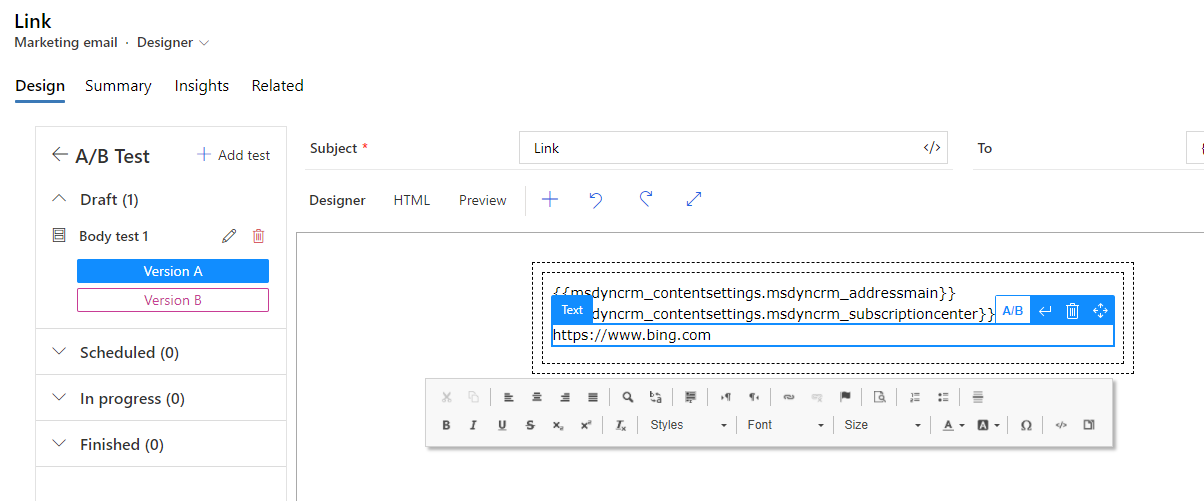
Version B:
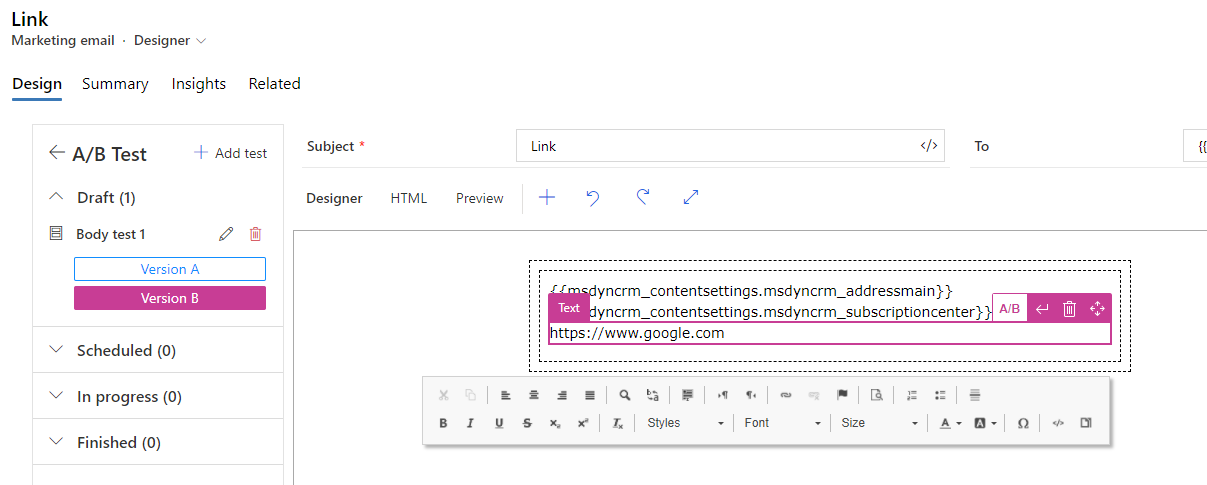
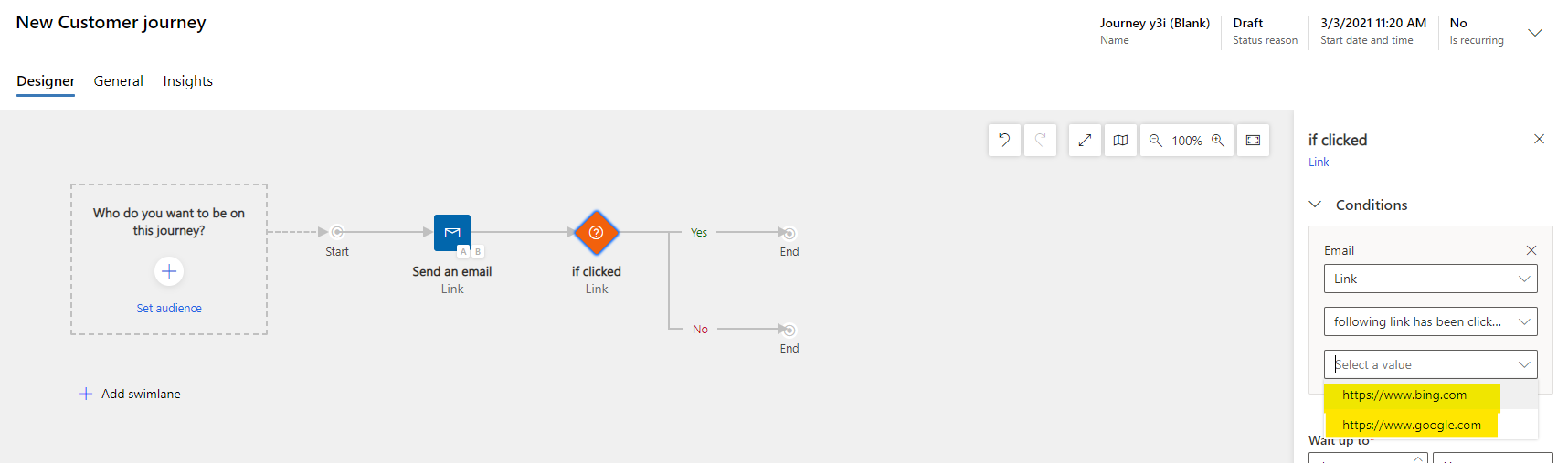
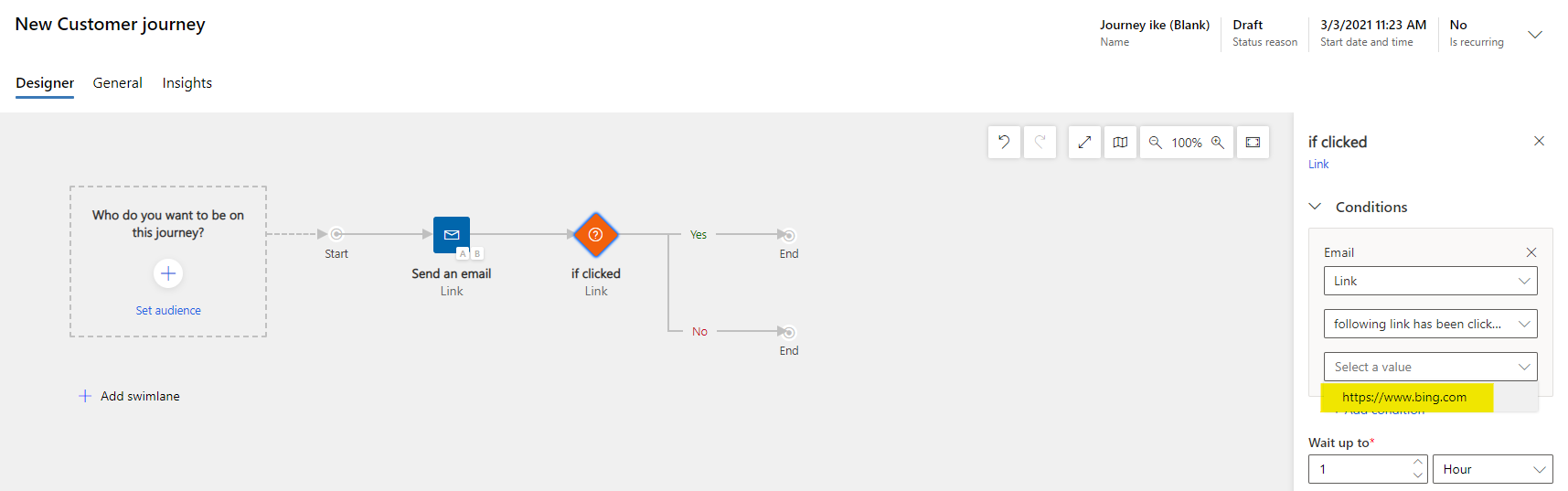
In this case, if you put the live status email into Customer Journey, the list will show two versions of the link.
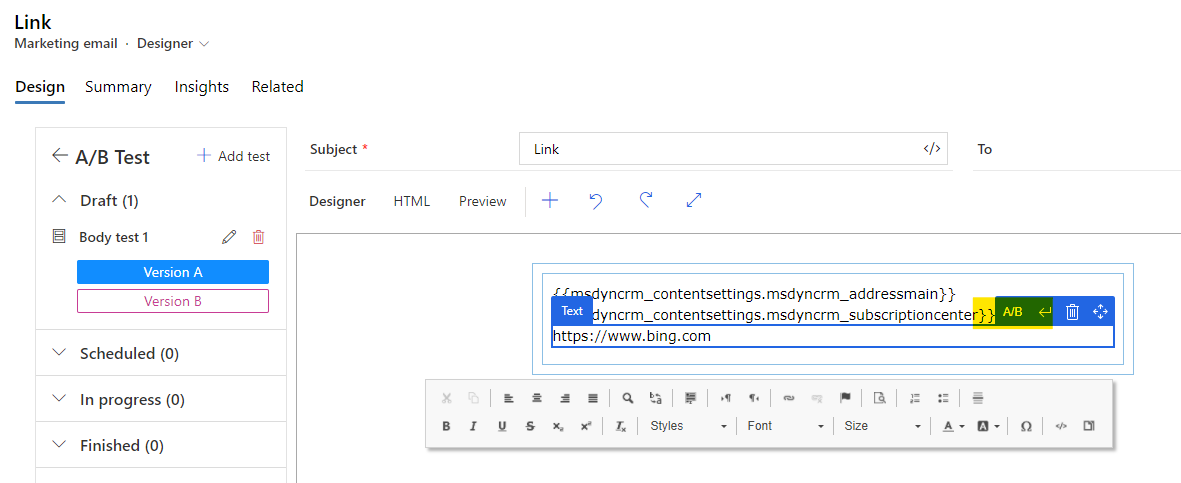
The color of Version A is light blue while the color of the contents which have not been marked as test content is blue. These two colors are easily confused.
When the content has been select and the button “A/B” has been clicked, its color will turn into blue. At the same time, the content of Version B will become the same version as Version A.
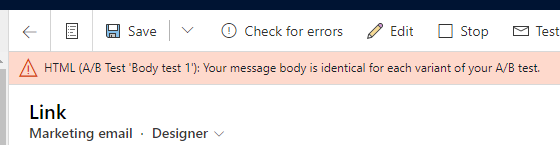
At this point go to Go Live this email and there will be a WARNING that says: “HTML (A/B Test 'Body test 1'): Your message body is identical for each variant of your A/B test.”
The list in Customer Journey will also show only the current unique link.
So it is recommended to check you’re a/b test first. If there is a similar warning, please re-mark your test versions.
If this helped you, I'd appreciate it if you'd mark this as a Verified Answer, which may in turn help others as well.
Best Regards,
Nya


