web
You’re offline. This is a read only version of the page.
close
Skip to main content

Announcements

No record found.

News and Announcements icon
Community site session details

Community site session details

Session Id :
Finance | Project Operations, Human Resources, ...
Answered

Duplicate invoice numbers - 3rd party AP software - import into D365

(0) ShareShare
ReportReport
Posted on by 2,442

Hi All, 

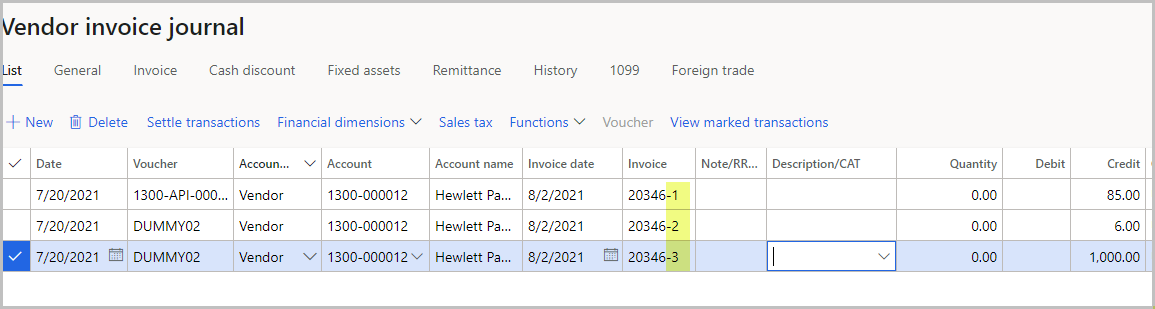
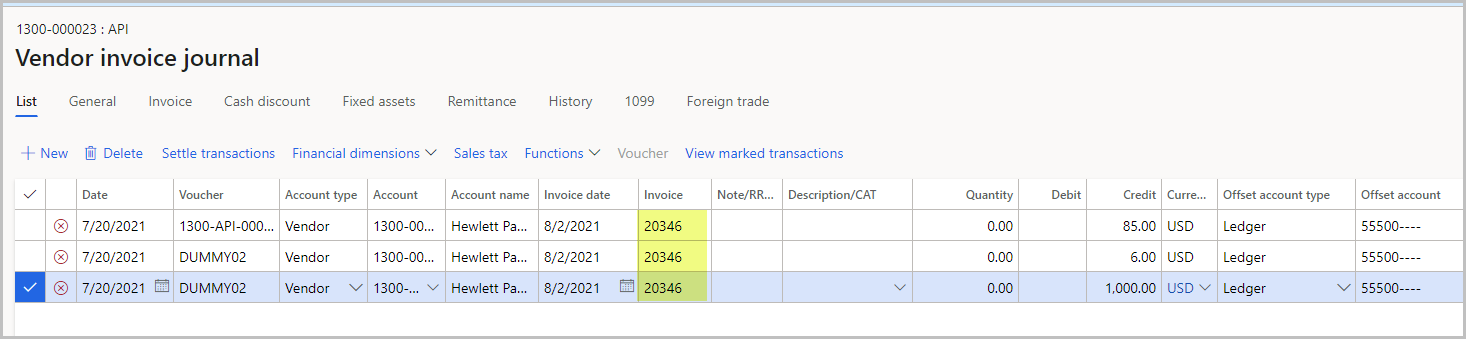
We need to import invoice transactions from the 3rd Party AP software into D365.  There are 3 lines in 1 invoice. 1 line is shipping, the other line is tax. So we have to import the 3 lines into D365 as they are. 
pastedimage1627942927973v1.png

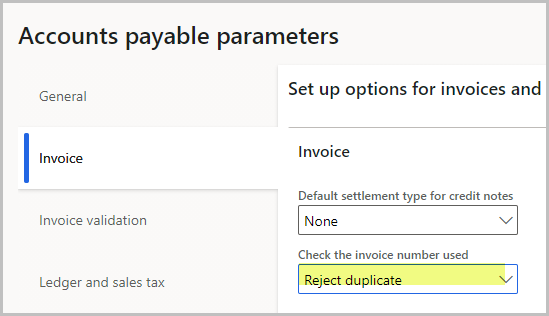
We want the Reject duplicate.  We also don't want to put  -1, -2, -3 at the end of each invoice number to differentiate them (screenshot 3) because we want to export them back into the 3rd Party AP software after the invoice is paid in D365.   So, after we paid the invoice in D365, we have to sync this info back to the 3rd Party AP software to update the payment.  So, we need to keep the original invoice # to allow sync back.  Has anyone dealt with this issue before?  How do you post these 3 lines of the same invoice number in D365 without Reject duplicate and without putting any dash or dot to the invoice number?   I appreciate all feedback.  
pastedimage1627943342809v2.png

pastedimage1627943572127v4.png

I have the same question (0)
  • Suggested answer
    Ramit Paul Profile Picture
    22,805 Most Valuable Professional on at

    Hello Kim,

    Can you not keep the voucher number same for one invoice with multiple line, system should allow multiple lines with same invoice if the voucher is same for all lines.

    What exactly the error you are getting?

  • lmai Profile Picture
    2,442 on at

    Thanks, Ramit, for your response.

    I got the error, "There can be only one vendor transaction per voucher".  Here is the voucher.

    pastedimage1627947365188v1.png

    Let me know if you see something. Thanks

  • Verified answer
    saurabh bharti Profile Picture
    15,055 Moderator on at

    You can post entry in following way :

    Invoice Total =1500, Tax =500, Expense-1 =700, Expense -2 =300, Invoice number= XZW

    Entry can be:

    Do not use offset account type or offset account, Create entry using multiple line for same voucher

    Line Voucher Account type Account Invoice Debit Credit

    1      V1            Vendor           ABC     XZW               1500

    2       V1            Ledger           Tax       XZW       500

    3       V1           Ledger            Exp-1   XZW       700

    4       V1           Ledger          Exp-2   XZW       300

  • lmai Profile Picture
    2,442 on at
  • Suggested answer
    Ramit Paul Profile Picture
    22,805 Most Valuable Professional on at

    Hello Kim,

    Can you check your AP setup->> ap parameter->> posting profile has some profile added?

    Can you also check the vendor you are using that is falling under any correct ledger account as per your posting profile setup.

  • lmai Profile Picture
    2,442 on at

    Thank you so much, Saurabh.  That works!

Under review

Thank you for your reply! To ensure a great experience for everyone, your content is awaiting approval by our Community Managers. Please check back later.

Helpful resources

Quick Links

Introducing the 2026 Season 1 community Super Users

Congratulations to our 2026 Super Stars!

Meet the Microsoft Dynamics 365 Contact Center Champions

We are thrilled to have these Champions in our Community!

Congratulations to the April Top 10 Community Leaders

These are the community rock stars!

Leaderboard > Finance | Project Operations, Human Resources, AX, GP, SL

#1
Giorgio Bonacorsi Profile Picture

Giorgio Bonacorsi 620

#2
André Arnaud de Calavon Profile Picture

André Arnaud de Cal... 521 Super User 2026 Season 1

#3
CP04-islander Profile Picture

CP04-islander 430

Last 30 days Overall leaderboard

Product updates

Dynamics 365 release plans