web
You’re offline. This is a read only version of the page.
close
Skip to main content

Announcements

No record found.

News and Announcements icon
Community site session details

Community site session details

Session Id :
Microsoft Dynamics CRM (Archived)

Help to move a button from the overflow to the command bar

(0) ShareShare
ReportReport
Posted on by

Hello,

I have CRM 2015 so have the ability to have 7 buttons on the command bar of an entity record. On my account entity, my 'phone call' button is down in the overflow list. This is one of the most common ones we use so to have it in the overflow when at least 4 on the command bar are unused is frustrating.

I have added the Ribbon Workbench, created a new solution and added the account entity and opened it in the workbench, all no problem. Having read a few quides, im finding the ribbon workbench hard to follow.

What I see on the menu in my CRM isn't reflective to what I then see in the Ribbon Workbench tool. Maybe its just because i'm new to the tool but I was expecting the icons and order on the tool to match what I see in CRM. 

My Ribbon view:
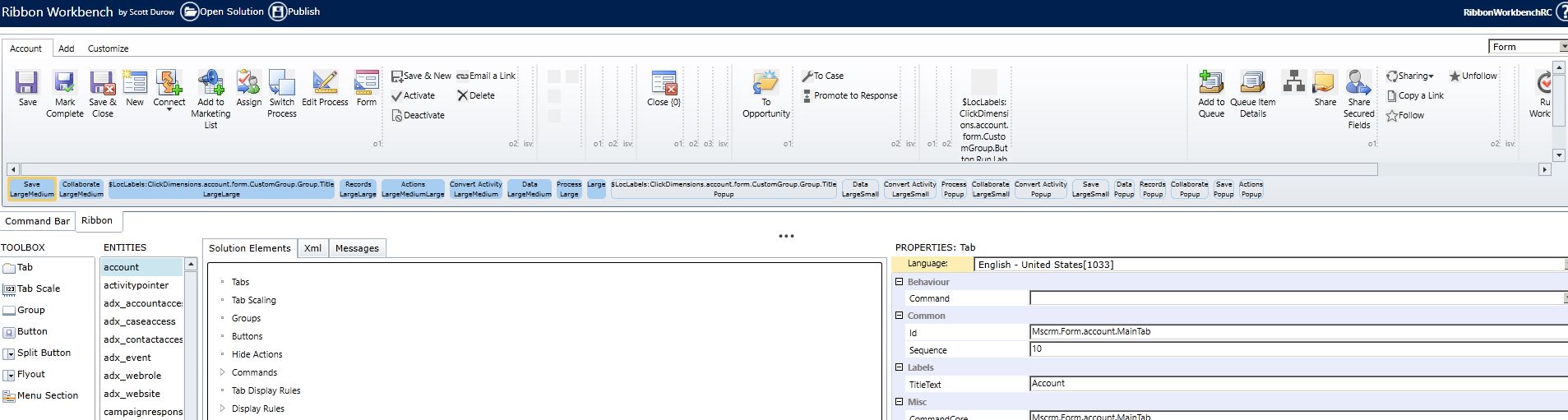
7725.ribbon.JPG

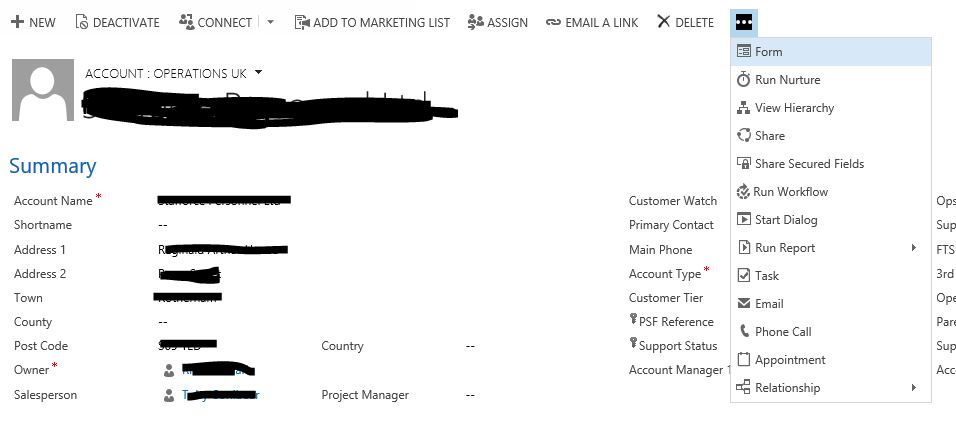
My corresponding CRM view:

5277.ribbon2.JPG

On my command bar, connect/add to marketing list and email a link can all be hidden which i can see where to do that but I cant see what control what will replace them or how I get the 'phone call' button which is nearly at the bottom of the overflow up onto the command bar as a replacement to one of the 3 i can hide. When you look at the icons above in my Ribbon Workbench, they dont all match the ones I have in my menus.

Any help/advice appreciated. Really frustrating how much work it seems to be in order to move one button!

*This post is locked for comments

I have the same question (0)
  • Suggested answer
    Community Member Profile Picture
    on at

    Finally managed to work it out myself

  • c4consulting Profile Picture
    5 on at

    could you share the solution please

Under review

Thank you for your reply! To ensure a great experience for everyone, your content is awaiting approval by our Community Managers. Please check back later.

Helpful resources

Quick Links

Introducing the 2026 Season 1 community Super Users

Congratulations to our 2026 Super Stars!

Meet the Microsoft Dynamics 365 Contact Center Champions

We are thrilled to have these Champions in our Community!

Congratulations to the April Top 10 Community Leaders

These are the community rock stars!

Leaderboard > 🔒一 Microsoft Dynamics CRM (Archived)

#1
ScottDurow Profile Picture

ScottDurow 2

#2
GJones Profile Picture

GJones 1

Last 30 days Overall leaderboard

Featured topics

Product updates

Dynamics 365 release plans