web
You’re offline. This is a read only version of the page.
close
Skip to main content

Notifications

Announcements

Community site session details

Community site session details

Session Id :
Microsoft Dynamics NAV (Archived)

Navigation Pane - Custom Role center , links from ""Home" container disappear

(0) ShareShare
ReportReport
Posted on by

Hi all! I'm new ,this is my first post in this forum
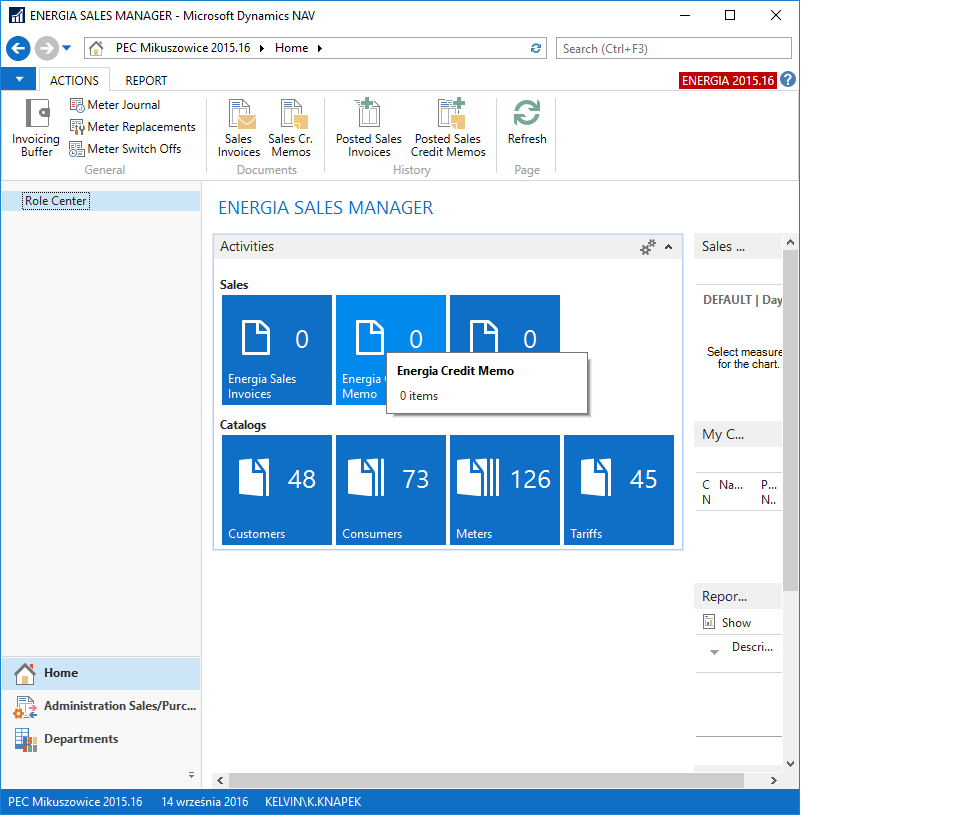
I've problem with visibility links in navigation pane after upgrade from Nav 2015 to Nav 2016 see prntScr below:
Nav 2015:
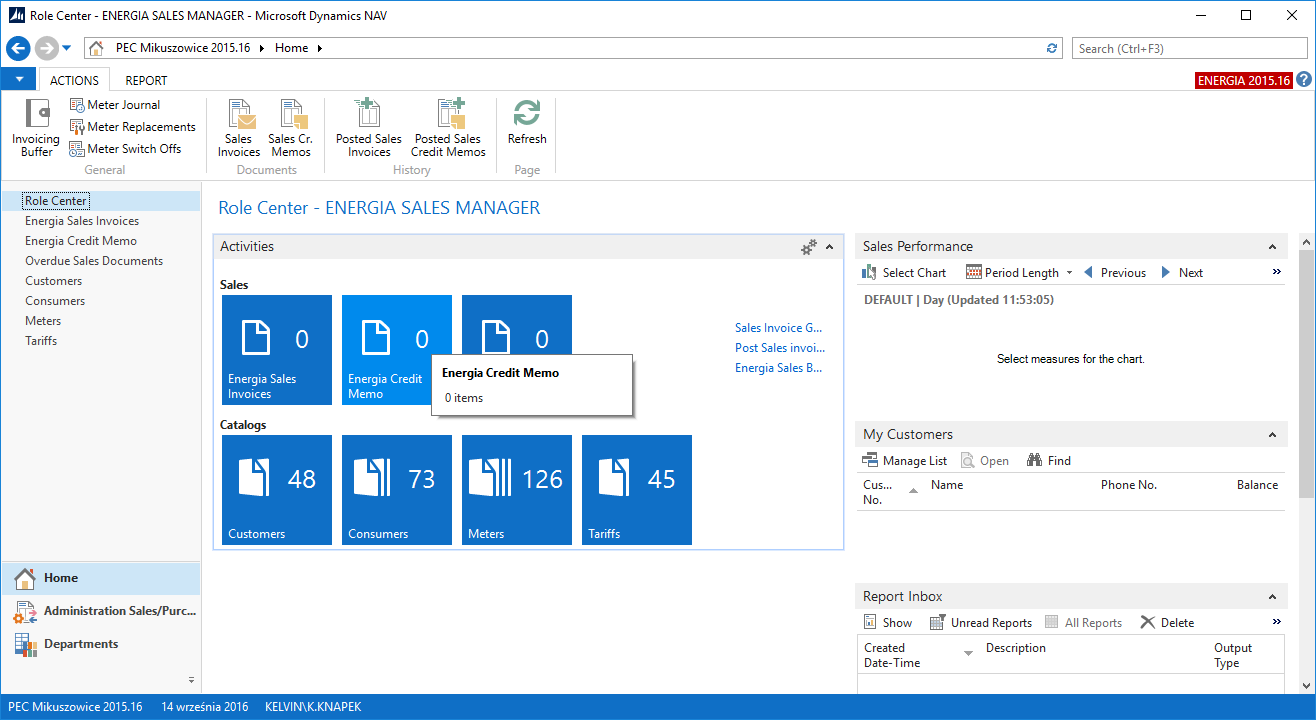
  7380.1.png5732.2.png

Do you have some idea what could happend?

*This post is locked for comments

I have the same question (0)
  • Community Member Profile Picture
    on at

    Hi , Is any way to configure cue and link in this way that link will be visible only on the top node branch like on the prntScr? but must be visible like a cue and like a link (top node)

    8130.4.png

  • Binesh Profile Picture
    7,885 on at

    IF page belongs with same table then it automatically comes under.

    create alternate order in action

    For example:

    if page 1 belongs from table a and also page 2 belongs from table 1 so it comes under page 1.

    if you want in same level then create page 1 after that create some other page that belongs some other table not upper page table.

  • Community Member Profile Picture
    on at

    Thanks a lot , after add HomeItems (ActionContainer) and put sub action with RunObject as List Page link apper 2260.3.png

  • Suggested answer
    Binesh Profile Picture
    7,885 on at

    Read as per [tag:Saurabh],

    and if you want to add from  DE.

    Design your Role Center Page -> Goto Page Actions -> Under HomeItems Add Actions that page you want.

    Note: Home Items only supports List Page

  • Community Member Profile Picture
    on at

    Thx!
    How can I change it from from Development Environment.?

  • Suggested answer
    Saurav.Dhyani Profile Picture
    14,386 Super User 2025 Season 2 on at

    Hi,

    Yes this is a standard feature and this is what microsoft say about this -

    Navigation Pane and Cues -

    Previously the navigation pane contained list places that were auto generated based on the available cues in the Role Center. These list places no longer get auto generated by default. Only if there is a relevant entity in the navigation pane, a list place will be created. For example, a Cue displaying Ongoing Sales Invoices will only be added if there is a Sales Invoices entry in the Navigation Pane that it can fit under.

    You can read here in MSDN - msdn.microsoft.com/.../hh173994(v=nav.90).aspx

  • Suggested answer
    Binesh Profile Picture
    7,885 on at

    Hello,

    If you did the mohana suggestion and still getting then check Role Center Page, may be it customized, See the bellow screenshot

    Note: Also check the User permission, MenuSuite, And That Role Center Page from Development Environment.

    customize.png

  • Suggested answer
    Rajasekhar@MS Profile Picture
    5,569 on at

    Hi

    Have you moved the changes done in NAV 2015 Menusuite to NAV 2016 Menusuite, if not you have to merge those changes and check.

  • Community Member Profile Picture
    on at

    yes

  • Suggested answer
    Mohana Yadav Profile Picture
    61,021 Super User 2025 Season 2 on at

    Did you upload license to NAV2016? and restarted the service?

Under review

Thank you for your reply! To ensure a great experience for everyone, your content is awaiting approval by our Community Managers. Please check back later.

Helpful resources

News and Announcements

Season of Giving Solutions is Here!

Quick Links

Responsible AI policies

As AI tools become more common, we’re introducing a Responsible AI Use…

Neeraj Kumar – Community Spotlight

We are honored to recognize Neeraj Kumar as our Community Spotlight honoree for…

Leaderboard > 🔒一 Microsoft Dynamics NAV (Archived)

#1
HoangNam Profile Picture

HoangNam 7

Last 30 days Overall leaderboard

Featured topics

Product updates

Dynamics 365 release plans