web
You’re offline. This is a read only version of the page.
close
Skip to main content

Notifications

Announcements

No record found.

Community site session details

Community site session details

Session Id :
Customer experience | Sales, Customer Insights,...
Suggested Answer

Event management (custom registration, description field)

(0) ShareShare
ReportReport
Posted on by 20

Hi everyone

I have some questions regarding the Event Management: 

  1. The description field, that is shown on the Event page before registering, isn't editable. It always is shown in plain text without the paragraphs that are used in the description. Is there a solution for this? Or a workaround?


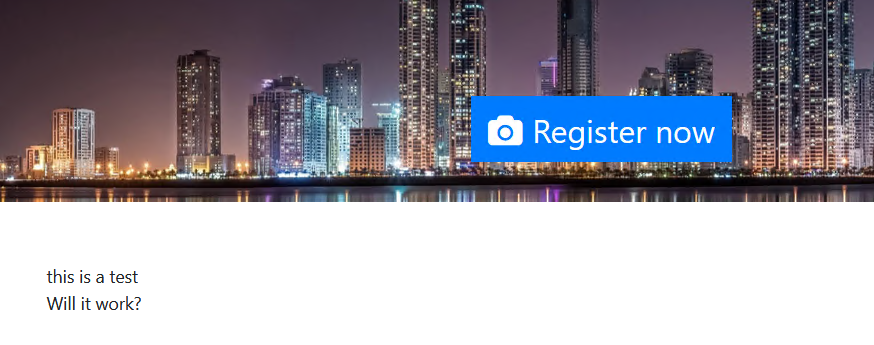
    event creation = pastedimage1588860784797v1.pngin event page =  pastedimage1588860854071v2.png
  2. Within the  newest April 2020 release, you'll have the option to select a custom marketing form (of the type Event Registration) to be shown on the Event page. But when selecting this, you lose the opportunity to select if your event 'Allows anonymous registartions'. So I don't see how I can 'close' down my event to only known contacts who have a user or got an invitation. 
    pastedimage1588861190701v3.png or when you select the 'marketing forms' pastedimage1588861215458v4.png

Thank you for your feedback

Kind regards

Nils Vanbever

I have the same question (0)
  • Suggested answer
    cloflyMao Profile Picture
    25,210 on at

    Hi Nils,

    1. This is because event page will directly output Description field into text format.

    We could add a simple inline customization code to source code of the event page to render description with paragraphs.

    In event.component.html, add style='white-space:pre-wrap;' inline attribute to parent event-description-container element,

    then the text will be automatically wrap.
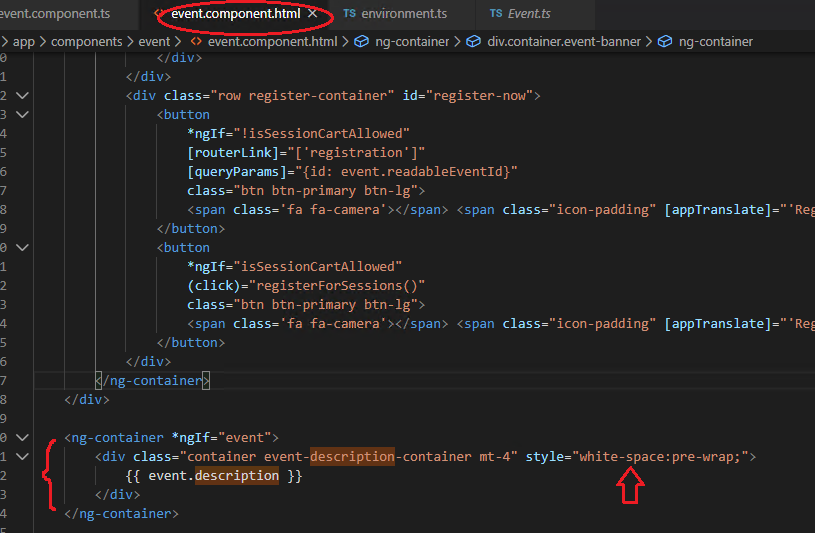
    412.png

    pastedimage1588903342692v1.png

    Above method is how to customize in downloaded event sample file, due to I only have trial marketing application, which couldn't integration with portal,

    so please find the page file by yourself.

    note: there is a little issue: if I start text from first line, the rendered text will somehow be:

      this is a text

    Will it work?

    A strange white space will appear.

    so I instead start text at second line:
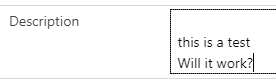
    pastedimage1588903423400v2.png

    But text still looks like starting from first line when I move out cursor from the input area.
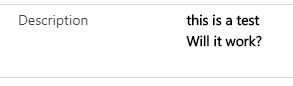
    pastedimage1588903498588v3.png

    2. As the documentation introduced, "use marketing form for registration" is designed to embed event registration forms with customized layout into any CMS, which means we set a public external web site for unknown contacts to join our event. 

    If you would like to only allow known contacts to attend events, please keep on working with standard event registration form.

    Regards,

    Clofly

  • cloflyMao Profile Picture
    25,210 on at

    Hi Nils,

    Could it work for you?

    Regards,

    Clofly

Under review

Thank you for your reply! To ensure a great experience for everyone, your content is awaiting approval by our Community Managers. Please check back later.

Helpful resources

Quick Links

Responsible AI policies

As AI tools become more common, we’re introducing a Responsible AI Use…

Neeraj Kumar – Community Spotlight

We are honored to recognize Neeraj Kumar as our Community Spotlight honoree for…

Leaderboard > Customer experience | Sales, Customer Insights, CRM

#1
Tom_Gioielli Profile Picture

Tom_Gioielli 171 Super User 2025 Season 2

#2
#ManoVerse Profile Picture

#ManoVerse 83

#3
Jimmy Passeti Profile Picture

Jimmy Passeti 50 Most Valuable Professional

Last 30 days Overall leaderboard

Product updates

Dynamics 365 release plans