web
You’re offline. This is a read only version of the page.
close
Skip to main content

Notifications

Announcements

No record found.

Community site session details

Community site session details

Session Id :
Microsoft Dynamics CRM (Archived)

Passing Parameters to Dynamics CRM from Visual Studio/Fetch XML

(0) ShareShare
ReportReport
Posted on by

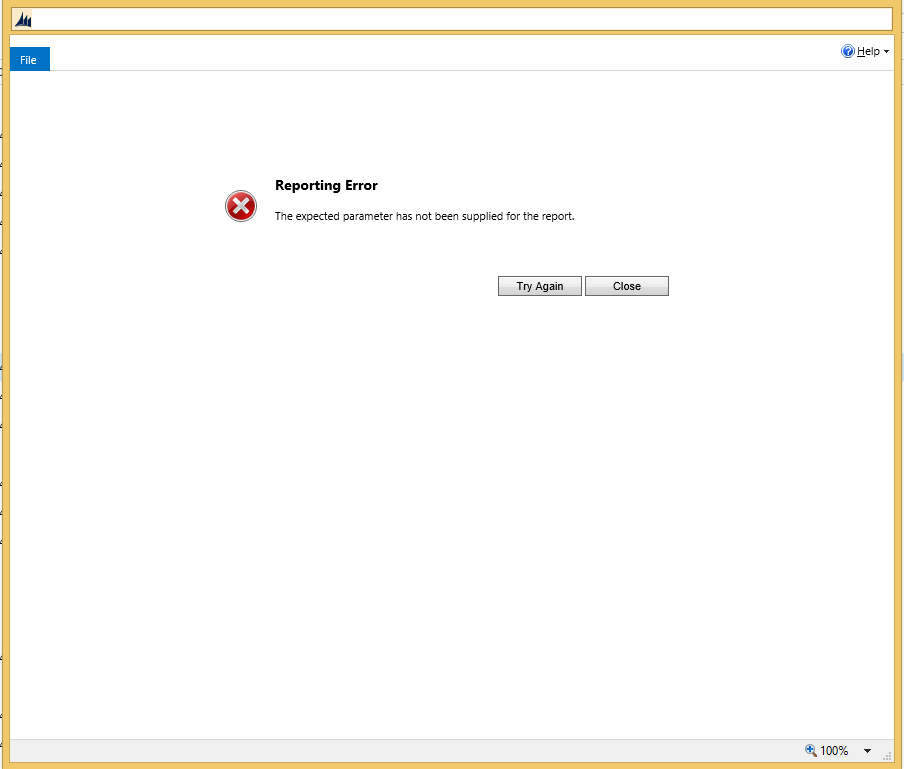
I would like to pass a parameter to my report specifically the invoiceid of the selected invoice, so that the report can be generated. The problem I am running into is that the report stops when I click "selected invoice" and run the report I get an error Saying "Reporting Error: The expected parameter has not been supplied for the report."

The parameter I am trying to pass is "invoiceid" When I run the report in Visual Studio it works fine, but when I put it in CRM I get the error shown below. 

I have 3 different datasets created to do this.

Dataset 1

4265.dataset1.PNG

Dataset 2

3617.dataset2.PNG

Dataset 3

dataset3.PNG

Error Message

ErrorBecauseNotPrefiltering.png


Does anyone know a fix to this? Or how I can set a parameter?

Thanks,
ramsaytk

*This post is locked for comments

I have the same question (0)
  • MDoddio73 Profile Picture
    1,910 on at

    Curious if you found the answer. I'm in a similar boat myself.

  • Suggested answer
    Bas van de Sande Profile Picture
    4,383 on at

    Hi ramsaytk,

    you cannot use variables in fetch xml

    What you should do is the following:

    You load in your code the fetchxml from a resource in a XElement

    in the XElement, you replace the variable in the node with the actual value (see code below)

    //Set parameters

    // - @BeginDate

    // - @VirtualEndDate

    standardEntityElement.XPathSelectElements("//condition[@value='@StartDate']").ForEach(element => element.SetAttributeValue("value", beginDate.ToString("o")));

               standardEntityElement.XPathSelectElements("//condition[@value='@VirtualEndDate']").ForEach(element => element.SetAttributeValue("value", endDate.ToString("o")));

    then you return the data as an XDocument

    From there on you can use the xml to get your data

    I hope this helps you a bit further

    Bas

  • Suggested answer
    Community Member Profile Picture
    on at

    1)create paremeter, it should be start with CRM_Filtered

    Name CRM_Filteredinvoicedetail

    Prompt CRM_Filteredinvoicedetail

    Visibility : Hidden

    Defaul Values:Specify values :Value

    <fetch version="1.0" output-format="xml-platform" mapping="logical" distinct="false"><entity name="invoicedetail"><all-attributes/></entity></fetch>

    2)create dataset

    parameters CRM_Filteredinvoicedetail  = [@CRM_Filteredinvoicedetail]

    <fetch distinct="true" no-lock="true" mapping="logical">

    <entity name="invoice" enableprefiltering="1" prefilterparametername="CRM_Filteredinvoicedetail">

    <attribute name="customerid"/>

    <attribute name="ownerid"/>

    ...

    <attribute name="duedate"/>

    </entity></fetch>

    it will get all the filtered invoice detail of invoice

    Please mark the answer as verified if it was helpful.

  • suresh maurya Profile Picture
    630 on at

    For testing of FetchXML, you can test here online http://msxrmtools.com

  • Community Member Profile Picture
    on at

    Thanks for sending a fetching tools

  • Suggested answer
    Pranesh M Juwale Profile Picture
    1,196 on at

Under review

Thank you for your reply! To ensure a great experience for everyone, your content is awaiting approval by our Community Managers. Please check back later.

Helpful resources

Quick Links

Responsible AI policies

As AI tools become more common, we’re introducing a Responsible AI Use…

Neeraj Kumar – Community Spotlight

We are honored to recognize Neeraj Kumar as our Community Spotlight honoree for…

Leaderboard > 🔒一 Microsoft Dynamics CRM (Archived)

#1
SA-08121319-0 Profile Picture

SA-08121319-0 4

#1
Calum MacFarlane Profile Picture

Calum MacFarlane 4

#3
Alex Fun Wei Jie Profile Picture

Alex Fun Wei Jie 2

Last 30 days Overall leaderboard

Featured topics

Product updates

Dynamics 365 release plans