Hi all,
Some end-users are having problems sending e-mails. Cases are generated from e-mails and users reply by going into the e-mail on the case, clicking 'Reply', filling out the reply, changing the sender to the 'Queue' (which they have access to send from) and then clicking 'Send'.
For some users (e.g myself accessing on the CRM server remotely rather than a workstation under group policy), the screen then shows 'Processing' and the user gets transported back to the query where the sent email is visible. The e-mail definitely gets sent in this case.
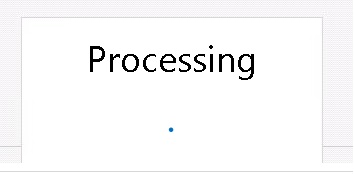
For other users, they click 'Send' and the buttons along the ribbon are greyed-out but the 'Processing' "pop-up" never appears and the email doesnt get sent. No errors appear. Nothing happens and all buttons get de-activated. The e-mail, when manually going back to the case after browser refresh, is sitting as draft.
Can anyone advise what might be the issue? All users are in the same business unit with the same security roles. It sounds like it might be a browser issue to me but I'm not sure what exact setting to check - javascript? active x? pop-up blocker?
We are using CRM 2013 with Server Side Sync. Users have 'Send As another user' permission (though this may not even be required to send from the queue).
Many thanks







