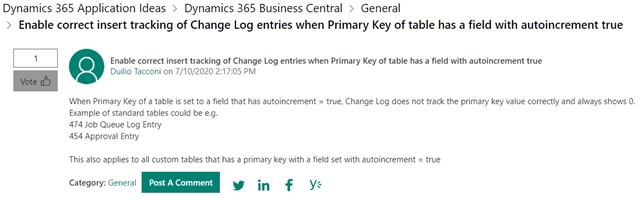
When Primary Key of a table is set to a field that has autoincrement = true, Change Log does not track the primary key value correctly and always shows 0.
Example of standard tables could be e.g.
474 Job Queue Log Entry
454 Approval Entry
This also applies to all custom tables that has a primary key with a field set with autoincrement = true.
This behavior applies to all Dynamics NAV and Dynamics 365 Business Central versions.
To validate this behaviour you could simply create a simple extension with a table as per the following
table 50109 "AutoIncrementTable"
{
DataClassification = ToBeClassified;
Caption = 'AutoIncrement Table';
fields
{
field(1;"Entry No."; Integer)
{
Caption = 'Entry No.';
DataClassification = ToBeClassified;
AutoIncrement = true;
}
field(2;"Description"; Text[250])
{
Caption = 'Description';
DataClassification = ToBeClassified;
}
}
keys
{
key(PK; "Entry No.")
{
Clustered = true;
}
}
}
And a simple editable list to crate entries that needs to be tracked through Change Log
page 50111 "Autoincrement Record List"
{
Caption = 'Autoincrement Record List';
PageType = List;
UsageCategory = Lists;
ApplicationArea = All;
SourceTable = AutoIncrementTable;
Editable = true;
layout
{
area(Content)
{
repeater(Group)
{
field("Entry No."; "Entry No.")
{
ApplicationArea = All;
Editable = false;
}
field(Description;Description)
{
ApplicationArea = All;
}
}
}
}
}
Once you have published this extension, you have to enable Change log through Change log setup
And track insert changes for that specific table

Then go to Autoincrement record list and create some record
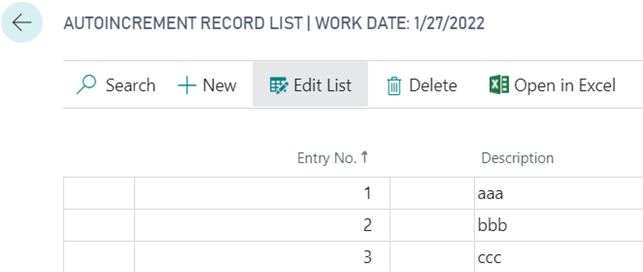
Search for Change Log Entries

As you can see, when inserting records in a table that has autoincrement field in primary key set to true, the primary key field 1 value is set to 0 instead of being, respectively 1, 2 and 3.
This happens because the Change Log is written before being entered in to the database and therefore the autoincrement field is not updated. The same applies if you subscribe to all insert events in GlobalTriggerManagement codeunit.
The workaround for this behavior is to find the closest event possible from your procedure to subscribe right after the record is inserted.
Everyone reading this community post is encouraged in vote for the following existing IDEAS in order to improve this behavior in future versions
https://experience.dynamics.com/ideas/idea/?ideaid=000fda07-b8c2-ea11-bf21-0003ff68c595