web
You’re offline. This is a read only version of the page.
close
Skip to main content

Announcements

No record found.

News and Announcements icon
Community site session details

Community site session details

Session Id :
Microsoft Dynamics NAV (Archived)

Purchase Order Printout

(0) ShareShare
ReportReport
Posted on by 1,893

In my purchase order Page have multiple templates...and 3 types of printout are attached  with PO page(Import, Domestic, testing). In some templates printout preview are showing good...but in some templates..printout are showing the wrong structure..I don't know the reason behind. I have attached both printing preview ...
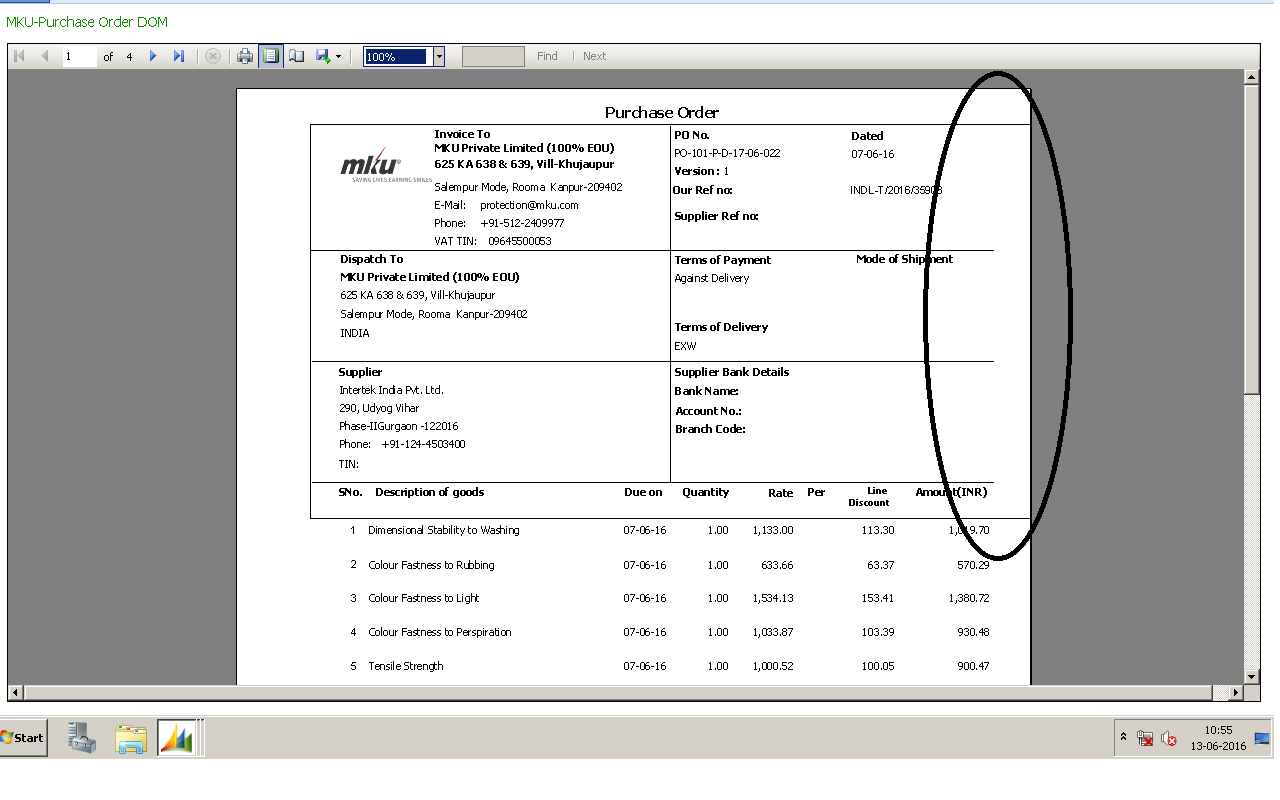
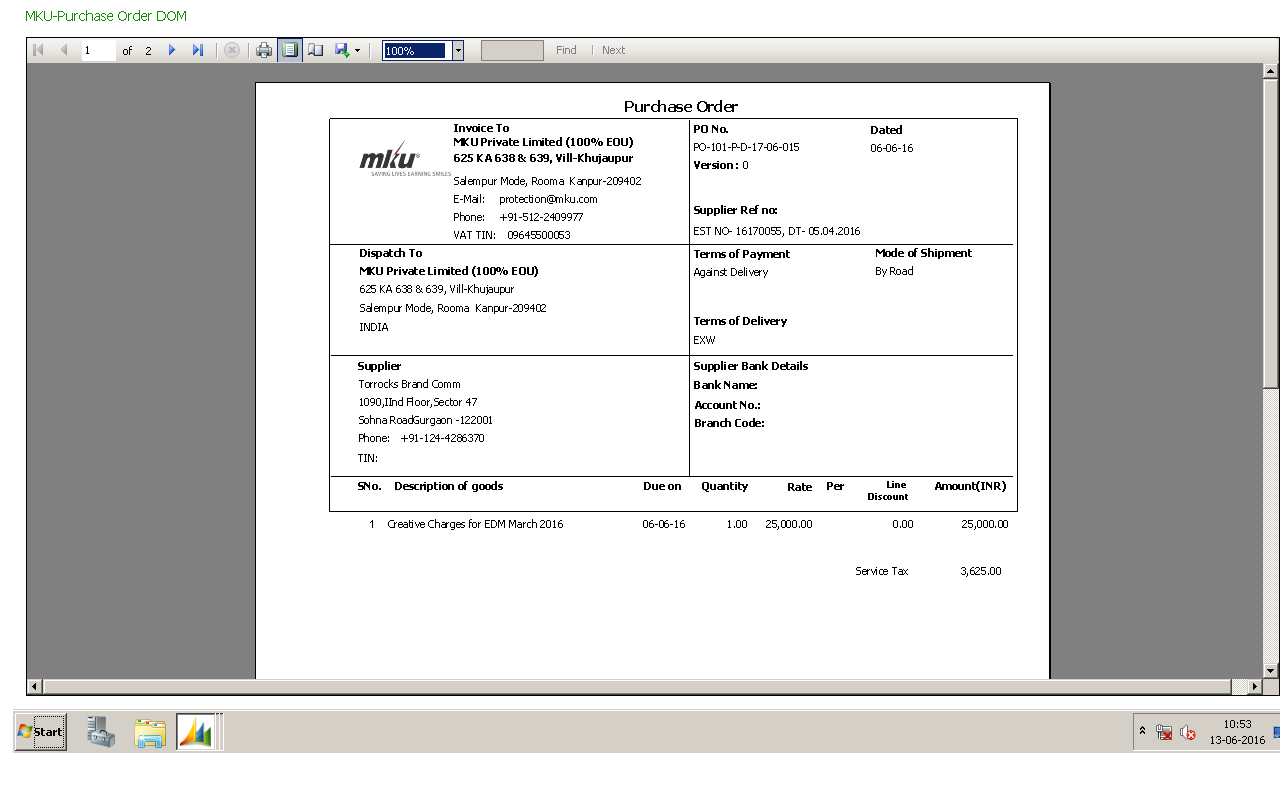
print011.png

print01.png

In sometimes printout must me printed in single page..but is always printing the two to three

pages..unnecessary. 


Best Regards,

Manish Yadav,,


*This post is locked for comments

I have the same question (0)
  • Suggested answer
    Nareshwar Raju Vaneshwar Profile Picture
    5,596 on at

    Hi Manish,

    Is it one report or three different reports?

    If it is three different reports,

    This is to adjust with the page size and margin.

    Open the page layout and right click -> Report Properties and adjust the margin and page sizes.

    Hope it helps.

  • Nareshwar Raju Vaneshwar Profile Picture
    5,596 on at

    Hi,

    You have created many threads with the same query. Delete the repeating threads.

    Thanks.

  • manish.yadav Profile Picture
    1,893 on at

    thank u for your fast reply...Report are same but templates are different s..so printout are

    not printing properly...

    why layout is always automatically changed for different templates.

    manish..

  • Verified answer
    Nareshwar Raju Vaneshwar Profile Picture
    5,596 on at

    Hi,

    If it is the same report, then check the fields which taking that additional space. Adjust your layout keeping in mind of three templates. Also remove unnecessary spacing, you should be good.

    Hope it helps

  • Verified answer
    Tharanga Chandrasekara Profile Picture
    23,118 on at

    Check if your report layout exceed the page width. Most of the time if the report layout exceed the default page width, report will automatically extended to new page. Therefore please do check the report layout.

    If you need additional help it would be great if you can post a screenshot of your dataset and report layout.

  • manish.yadav Profile Picture
    1,893 on at

    Thank you for your positive response. I have attached the screenshot of layout...

    plz find the attachment

    best regards,

    manish

    prin02.pngprin02.png

  • Verified answer
    Amol Salvi Profile Picture
    18,698 on at

    Hi Manish,

    If you see you report design there is so much space left out at right side and left side. Remove that space as well as adjust the fonts,fonts size etc.

    Check the Page setups also

    Regards

    Amol

Under review

Thank you for your reply! To ensure a great experience for everyone, your content is awaiting approval by our Community Managers. Please check back later.

Helpful resources

Quick Links

Introducing the 2026 Season 1 community Super Users

Congratulations to our 2026 Super Stars!

Meet the Microsoft Dynamics 365 Contact Center Champions

We are thrilled to have these Champions in our Community!

Congratulations to the March Top 10 Community Leaders

These are the community rock stars!

Leaderboard > 🔒一 Microsoft Dynamics NAV (Archived)

Last 30 days Overall leaderboard

Featured topics

Product updates

Dynamics 365 release plans
