web
You’re offline. This is a read only version of the page.
close
Skip to main content

Notifications

Announcements

No record found.

Community site session details

Community site session details

Session Id :
Finance | Project Operations, Human Resources, ...
Suggested Answer

Capture a receipt using OCR - Expense management

(0) ShareShare
ReportReport
Posted on by 978

Hello,

I have some concerns about the feature: Capture a receipt using OCR

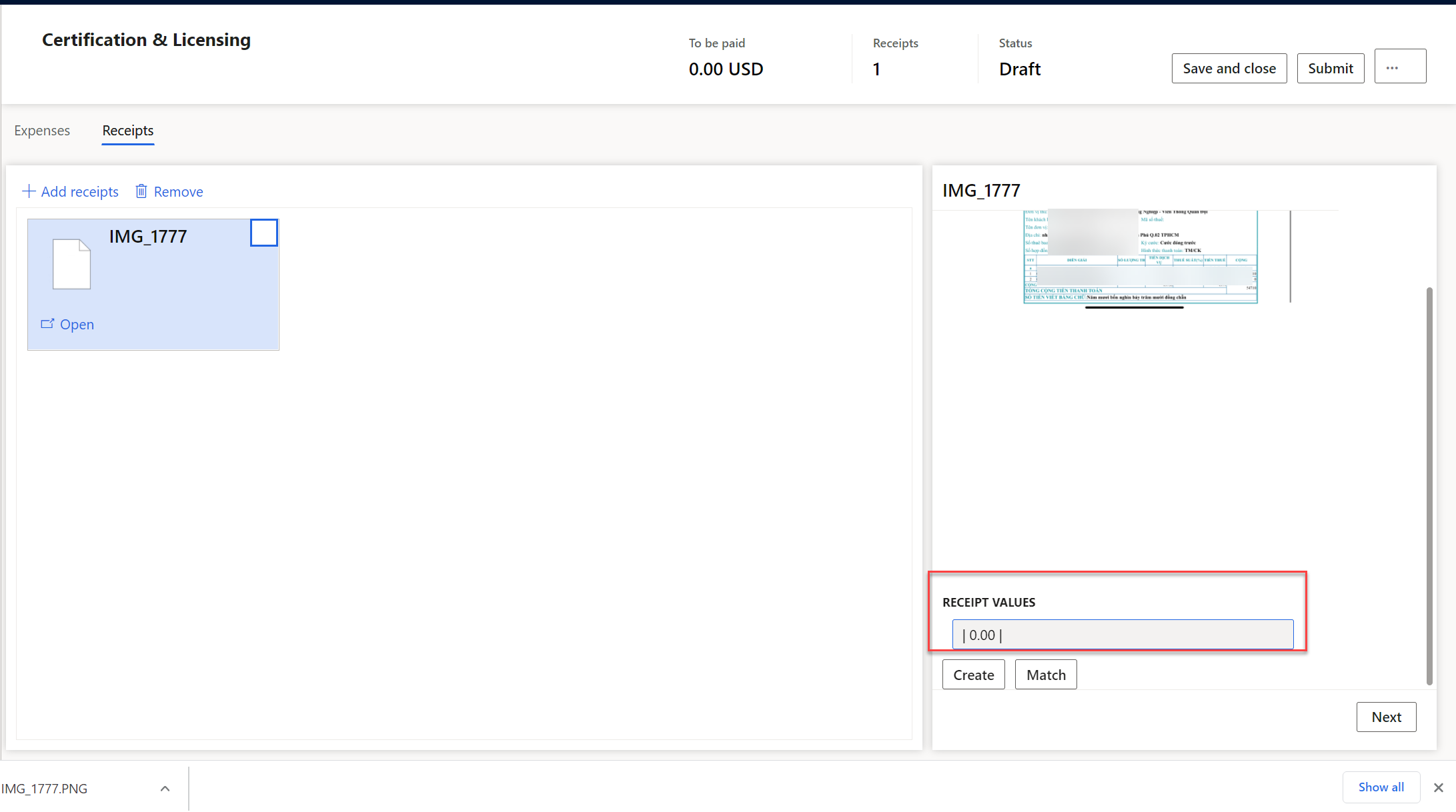
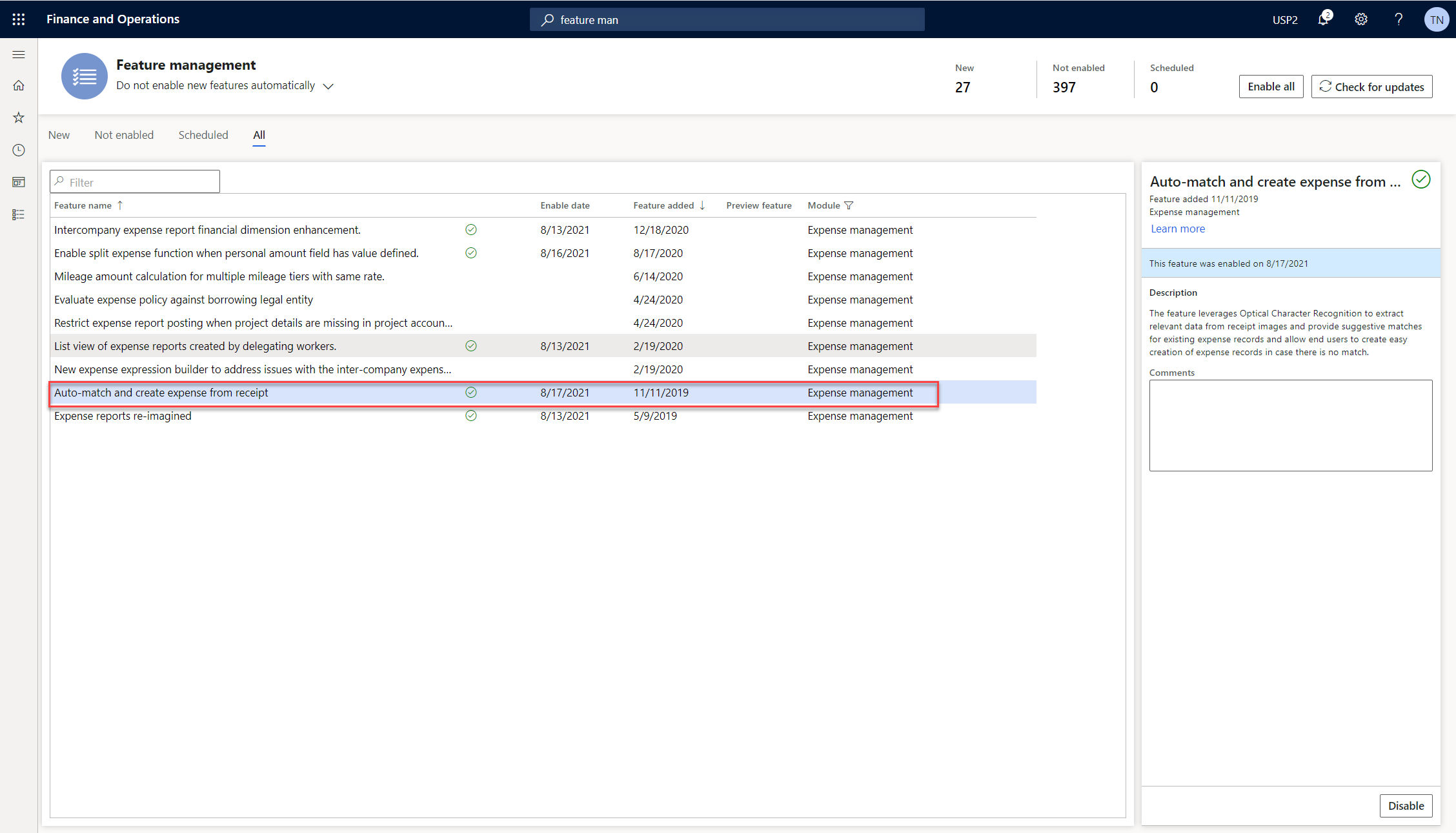
After i enable "Expense reports re-imagined" and "Auto-match and create expense from receipt" on D365FO, D365FO still cannot get the merchant name, date, and total amount from receipts.
pastedimage1629170928536v1.png

The value here is 0.00

pastedimage1629171110940v3.png

Is it because my LCS is missing "Expense Management Service add-in"? Currently i cannot log on LCS to check.

Please help me advice,

Thanks and best regards,

Thu,

I have the same question (0)
  • Suggested answer
    André Arnaud de Calavon Profile Picture
    300,846 Super User 2025 Season 2 on at

    Hi Thu,

    At least, you need to check if the Expense management service is installed on this environment. Note that this is only working for Tier2+ environments (not for local VM and development/demo machines).

    docs.microsoft.com/.../expense-receipt-processing

    If this is installed, the form might be too complex for the OCR capabilities.

  • Amitsb1980 Profile Picture
    251 on at

    Hi ThuNgo, did you manage to resolve this issue? Thanks,

  • ThuNgo Profile Picture
    978 on at

    Hi,

    So sorry.

    I did not, because i cannot check the LCS.

    Best regards,

    Thu,

  • VMP Profile Picture
    25 on at

    hi Thu,

    You should be able to see the messages after you upload the receipt. if you see "Expense service client add security token operation returned true status." it means the LCS Add-in is installed

    pastedimage1647119637141v1.png

    By the way i have LCS Add-in successfully installed but it still does not capture the details. There some constraints on the size and quality of the image and i have tried with almost 25 different variations and none of them was successfully captured. Will try sometime later.

    I checked the same receipt file with the AI Builder pre-built Model for extract information from receipts and it works fantastic, so i don't think in may case the file size or quality is an issue will log a support ticket with Microsoft and check.

    pastedimage1647120521424v1.png

  • Suggested answer
    Amitsb1980 Profile Picture
    251 on at

    Hello all,

    I can confirm that this issue was acknowledged as BUG by microsoft. A fix has just been approved to be back ported to 10.0.24 as quality update. Case worker suggested its availability in LCS by middle of this week.

    You can track this by clicking

    fix.lcs.dynamics.com/.../Details

    Looking forward to installing and testing to see if the fix works.

    Thanks,

    Amit

  • VMP Profile Picture
    25 on at

    Thanks Amit, it just saved my time to log support request. Could you let me know which version it is going to be available as it is not available in today's latest version of 10.0.24 [10.0.1084.136]

  • Suggested answer
    Amitsb1980 Profile Picture
    251 on at

    Hi Vaibhav,

    It is eminent. Should be added to the quality update by middle of this week according to the case worker helping me with this ticket.

    Thanks,

    Amit

  • Amitsb1980 Profile Picture
    251 on at

    Hi Vaibhav, did you update the environment with this quality fix? Did it work for you?

    I am still having same error message and functionality is not working.

    Regards,

    Amit

  • VMP Profile Picture
    25 on at

    Hi Amit,

    Yes still the same issue and have logged a support ticket. Just had a call with the support engineer and provided the trace to them.

    Strangely they cannot reproduced it and i used their receipts (which were used by them to test) they too don't work and it is 100% failure rate.

    I also tested this on 10.0.23 latest update and it fails there too.

    Hope they can fix it sooner.

    Will update if there is resolution provided but it seems they need take another quality update.

    Regards,

    Vaibhav

  • VMP Profile Picture
    25 on at

    Latest update Microsoft is working on the fix and currently planned for 10.0.28

    fix.lcs.dynamics.com/.../Details

Under review

Thank you for your reply! To ensure a great experience for everyone, your content is awaiting approval by our Community Managers. Please check back later.

Helpful resources

Quick Links

Responsible AI policies

As AI tools become more common, we’re introducing a Responsible AI Use…

Neeraj Kumar – Community Spotlight

We are honored to recognize Neeraj Kumar as our Community Spotlight honoree for…

Leaderboard > Finance | Project Operations, Human Resources, AX, GP, SL

#1
Martin Dráb Profile Picture

Martin Dráb 663 Most Valuable Professional

#2
André Arnaud de Calavon Profile Picture

André Arnaud de Cal... 540 Super User 2025 Season 2

#3
Sohaib Cheema Profile Picture

Sohaib Cheema 348 User Group Leader

Last 30 days Overall leaderboard

Product updates

Dynamics 365 release plans