web
You’re offline. This is a read only version of the page.
close
Skip to main content

Notifications

Announcements

No record found.

Community site session details

Community site session details

Session Id :
Finance | Project Operations, Human Resources, ...
Answered

Power BI on cloud hosted dev machine

(0) ShareShare
ReportReport
Posted on by

Hello,

I have a cloud hosted D365fo developer machine, my current version is: Installed product version : 10.0.15 (10.0.644.20002) and Installed platform version : Update39 (7.0.5816.41512)

I want to see the standard reports hosted by several workspaces like Cash Overview, which use power bi reports, but It's not working for me.
pastedimage1613729763575v4.png

Is this integration - between Power Bi and  D365Fo developer machine - possible in the first place ?

I've found an old post from 2017, Accessing Analytical Workspaces and Reports on 1Box environment

https://docs.microsoft.com/en-us/archive/blogs/dynamicsaxbi/accessing-analytical-workspaces-on-1box-environment

Is this still an issue 4 years later ?

I have a power BI account and I also configured the integration between D365FO developer machine and Power by following this link

https://docs.microsoft.com/en-us/dynamics365/fin-ops-core/dev-itpro/analytics/configure-power-bi-integration

I've used Power Bi App registration tool (https://app.powerbi.com/apps), to register D365Fo dev machine into Azure App Registration and this is the result:
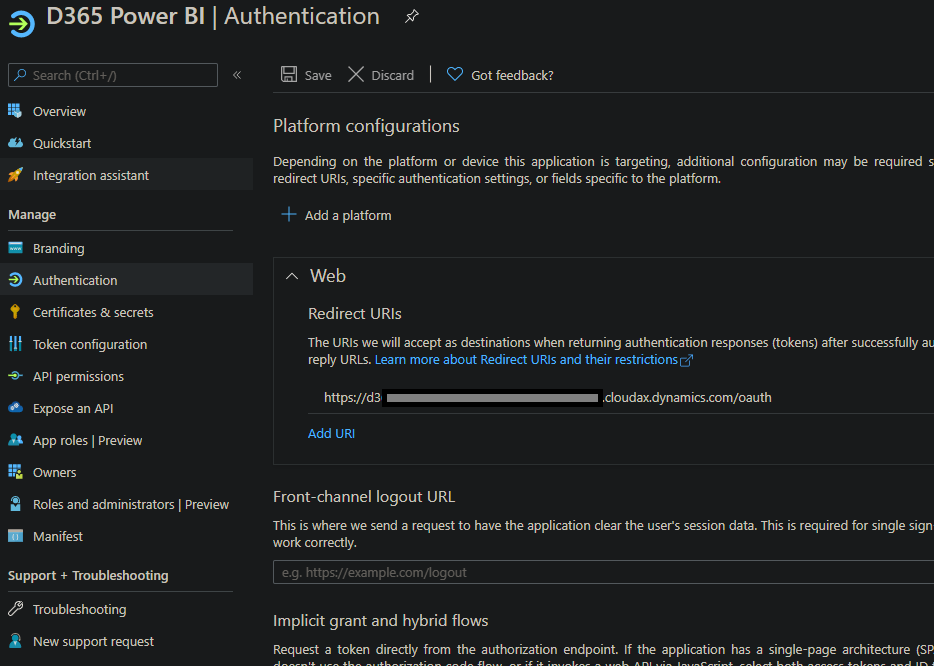
pastedimage1613729742804v3.png

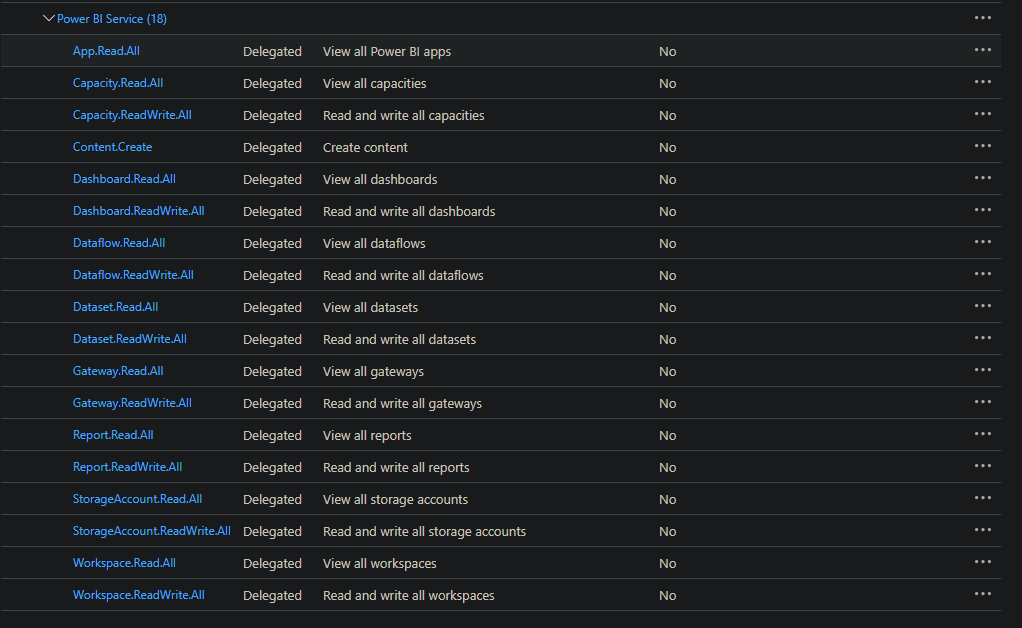
API permissions:

pastedimage1613729554712v2.png

In ax, System Administration > Power BI configuration I have this configuration and the authentication worked.
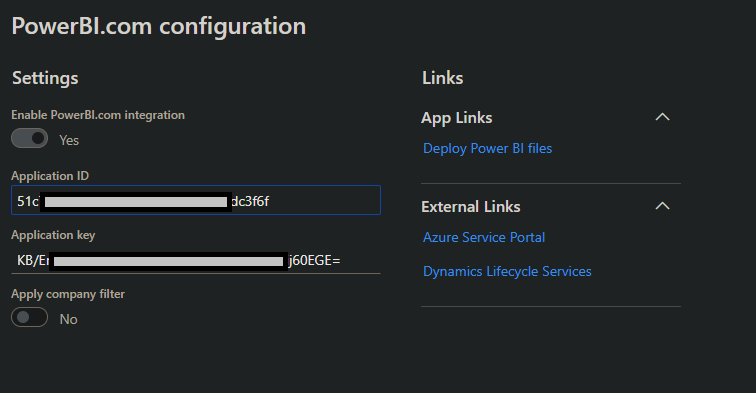
pastedimage1613729948947v5.png

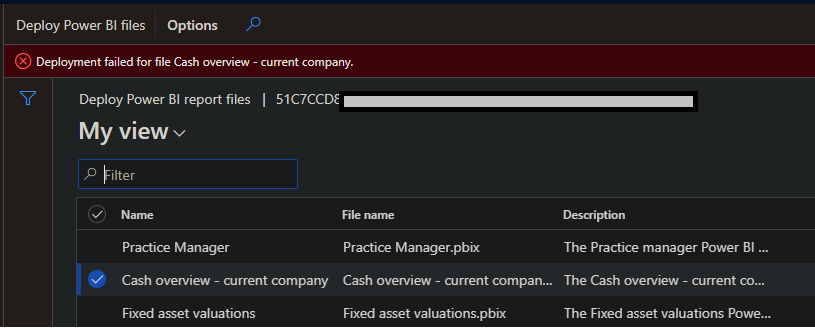
Then I've tried to publish the reports but I get a generic error, without much details :
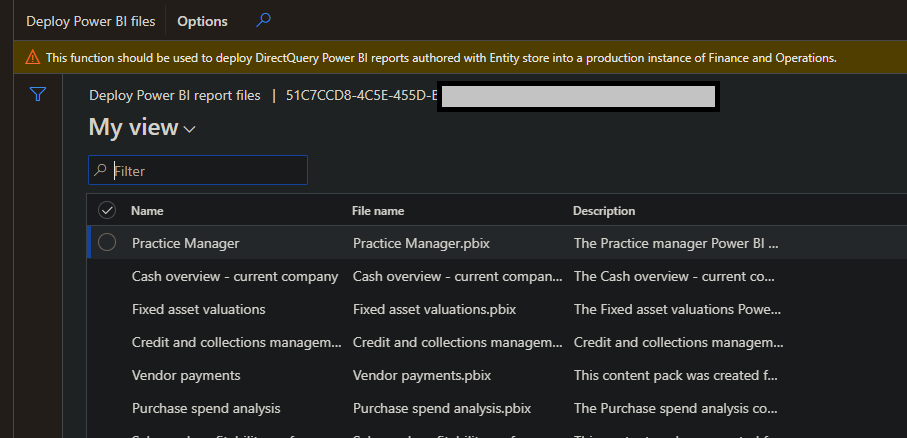
pastedimage1613730380980v6.png

The error:

pastedimage1613730515573v7.png

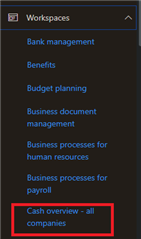
Also when I try to run the Cash Overview workspaces I get this:
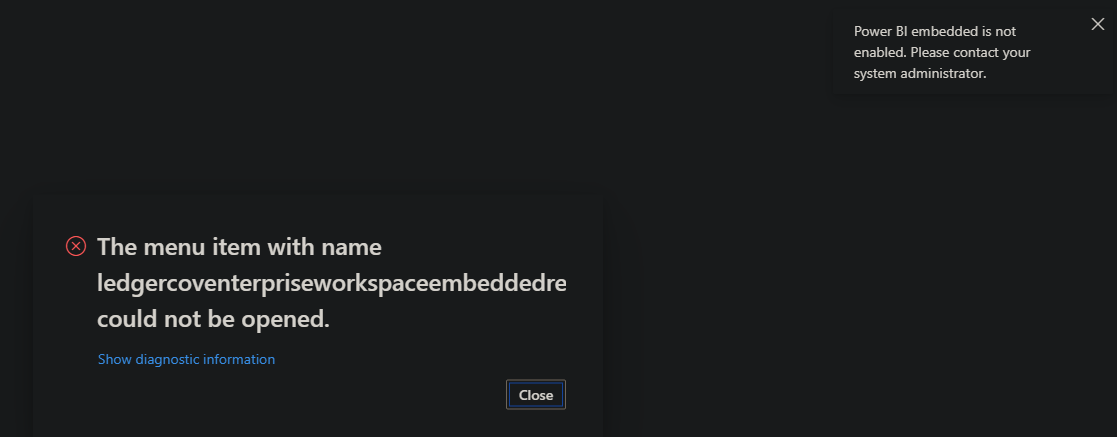
pastedimage1613730566550v8.png

So, what I'm missing here? How this integration between Power BI (which is an azure service) and d365fo actually works? As far I've understood, standard ax workspaces use power BI embedded in order to display the reports? How data is transfer between ax and power BI ? 

1- Embedded PowerBI Report (you can find it under workspace dashboard > Analytics) and you don't need to configure it on UAT and PROD  (what about dev machine ?)

2- Integrated PowerBI Reports (This type need the configuration in System Administration > Power BI configuration and then you need to deploy the reports to powerBI.com)

I guess that Integrated PowerBI Reports are external reports with multiple datasouces that you can pin them in AX. You can deploy the standard AX powerbi reports to powerbi.com and use them as integrated reports too..

For configuration I've also check with the steps shown here: https://www.youtube.com/watch?v=TAPRZmD1898

There is a video about how to setup power Bi on DEV machine (https://www.youtube.com/watch?v=tDDA58xJOUM) but it's a workaround about how add the standard power BI reports back into ax not executing embed the power BI reports

So, any ideas about how to make it work ?

I have the same question (0)
  • Suggested answer
    AR-01121610-0 Profile Picture
    4,967 Moderator on at

    Hy,

    this document works for me before a few weeks, may be you compare this with the steps you executed.

    For using PowerBI embedded you need not to use "deploy PowerBI" reports inside Dynamics. This is only required if you want to use standard or modified PowerBI reports with D365FO data outside Dynamics which mieans inside PowerBI Service.

    When the setup is correct and complete, the embedded PowerBI Reports will be deployed automatically by Dynamics the first time you call the report. Therefoe it takes a moment at the first call, not at the followinmg calls. 

    Hope this helps

  • Suggested answer
    Ajit Profile Picture
    8,755 on at

    PowerBI.com configuration is not required to get the Power BI Embedded work but for one box VM, you would have make some adjustments. Refer - onedrive.live.com/

  • FlorinF Profile Picture
    on at

    This document is from year 2017 and Workspace collections are deprecated .

    Anyway, the scenario presented in that document is to create a separate Azure sql database for AxDW which basically means

    to create a BYOD setup. The question is why I can not access the the power BI from AX ? The error is very generic as usual. No clue about what is wrong

  • Ajit Profile Picture
    8,755 on at

    As far as I know Power BI can't connect database on local VM,  it has to be on Azure. Did you try to open that workspace with Power BI in tier2?

  • FlorinF Profile Picture
    on at

    Which document are you referring to ? Did you manage to make it work on your dev machine ?

  • Ajit Profile Picture
    8,755 on at

    I did but long time back using the one I shared. But now I am using tier2 instance for all Power BI Embedded testing.

  • FlorinF Profile Picture
    on at

    You can connect power bi on a local machine by configuring a local gateway. Look at this one:  https://www.youtube.com/watch?v=tDDA58xJOUM.

    I've managed to connect from powerBI.com to AX ( powerbi => AX) to get data and execute reports but not from AX to BI. 

  • Ajit Profile Picture
    8,755 on at

    Video shows how to pin the power BI report not embed the power BI report. When you pin the power BI report that can connect to any DB using gateway. You can create a Power BI report with multiple sources using gateway and that also you can pin in F&O workspace.

  • FlorinF Profile Picture
    on at

    True. But the video shows that from AX you can see and browse the reports in the PowerBi workspace. My problem is that I can not access the powerbi workspace at all. It gives me an generic error when I try to browse existing reports.

    pastedimage1613758940303v1.png

  • FlorinF Profile Picture
    on at

    How do you develop embeded power bi reports if they are not supported on dev machine ?  I can't find any reference from Microsoft saying that embeded reports are not supported on dev machine.

Under review

Thank you for your reply! To ensure a great experience for everyone, your content is awaiting approval by our Community Managers. Please check back later.

Helpful resources

Quick Links

Responsible AI policies

As AI tools become more common, we’re introducing a Responsible AI Use…

Neeraj Kumar – Community Spotlight

We are honored to recognize Neeraj Kumar as our Community Spotlight honoree for…

Leaderboard > Finance | Project Operations, Human Resources, AX, GP, SL

#1
Martin Dráb Profile Picture

Martin Dráb 664 Most Valuable Professional

#2
André Arnaud de Calavon Profile Picture

André Arnaud de Cal... 522 Super User 2025 Season 2

#3
Sohaib Cheema Profile Picture

Sohaib Cheema 303 User Group Leader

Last 30 days Overall leaderboard

Product updates

Dynamics 365 release plans