web
You’re offline. This is a read only version of the page.
close
Skip to main content

Notifications

Announcements

No record found.

Community site session details

Community site session details

Session Id :
Small and medium business | Business Central, N...
Suggested Answer

Custom balance sheet report requirement

(0) ShareShare
ReportReport
Posted on by 20

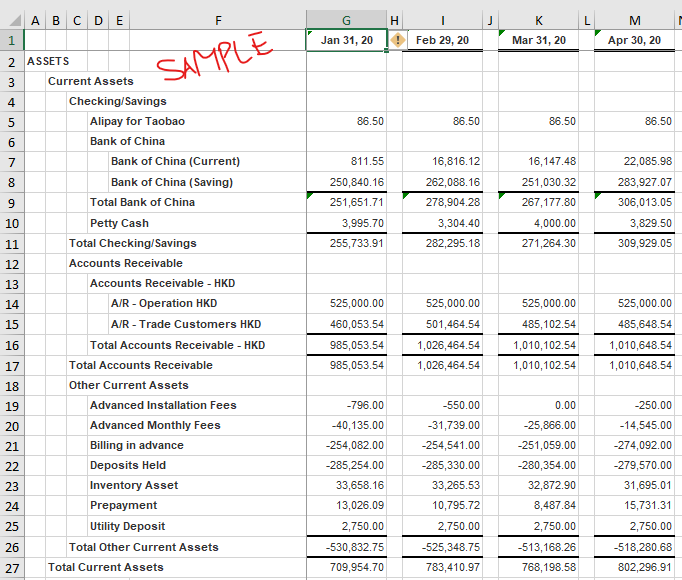
Hello, I have custom report request on Balance sheet. I would like to see the balance sheet report based on Start & End date defined in 'Request Filter' section

Say Jan 2021 - Mar 2021
pastedimage1619587279501v2.png

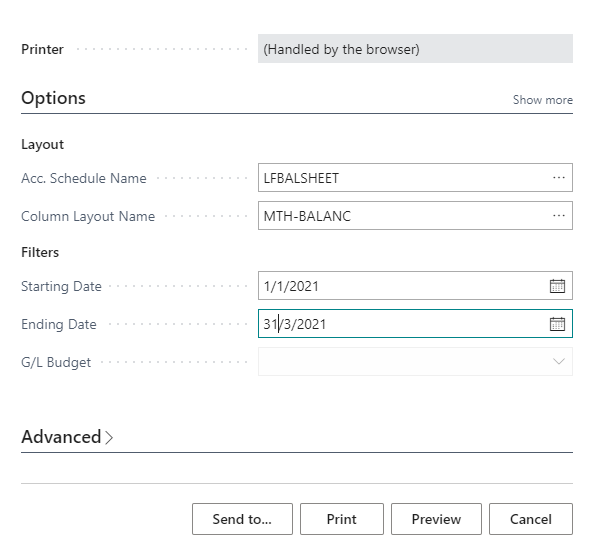
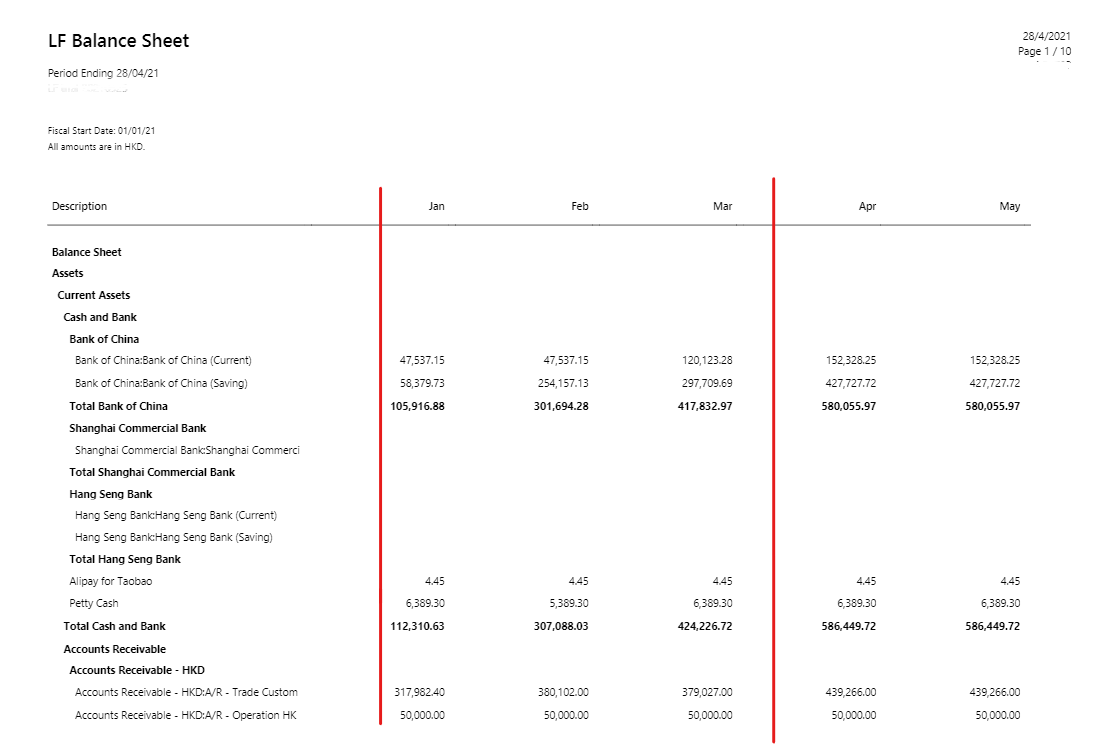
But when generate balance sheet report from dynamics by following Account Schedules -> Select balance sheet layouts -> Report  -> Print -> and try set Start Date 1/1/2021 and End Date as 31/03/2021 -> preview, it will give me report for the entire year. How to show only the selected period?

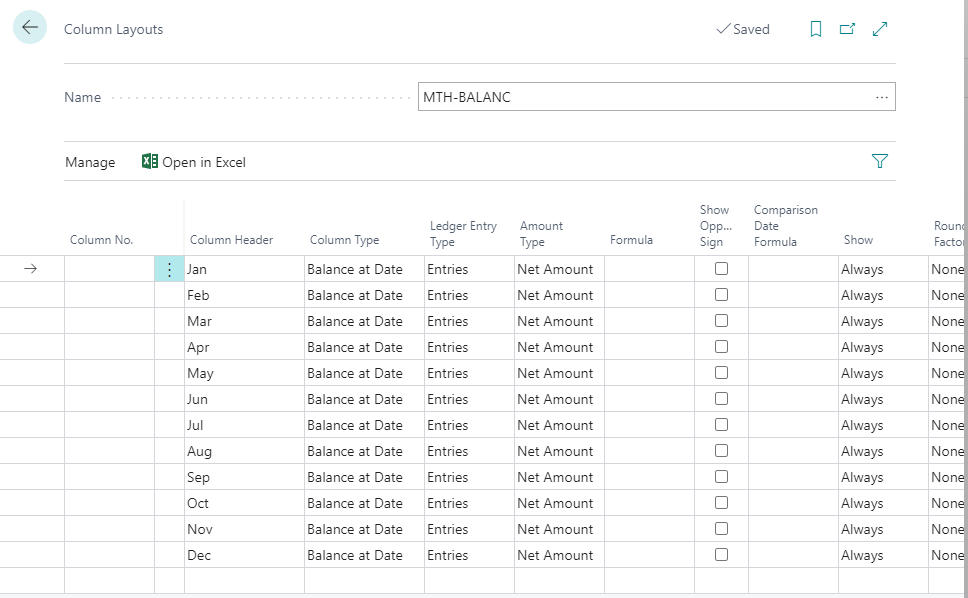
Please find my column layouts setting, report filters and printed report
pastedimage1619587615789v3.png

pastedimage1619587894053v5.png

pastedimage1619587856038v4.png

I need to see only the columns in between vertical lines(i.e: based on date selection). How to achieve this?

Many thanks,

Ahamed

I have the same question (0)
  • Suggested answer
    JAngle Profile Picture
    133 on at

    Have you considered Jet Reports? It would be the quickest way to achieve the requirement. Account schedules are dynamic for the date/value calculation but not for the layout.

    You could look at doing a custom layout for the report and conditionally hide columns. It might not be as clear and obvious but worth a try. Depends on whether the “Start Date” and “End Date” are passed to the layout. Will need to be a RDLC custom layout so you can do “column visibility.

  • Suggested answer
    Community Member Profile Picture
    on at

    Hello,

    Adding to Josh's reply... Jet Reports will met your requirements as it is dynamic to what you need. You can enter any Date Range and the columns will be dynamically added. www.jetreports.com

    In Account Schedules, your column layout drives the results. If you want a Quarter or 3 months, you can create the Column layout but again, it is not dynamic.

    Best to use Jet Reports:

    pastedimage1619641183904v1.png

    Hope this helps.

    Thanks,

    Steve

Under review

Thank you for your reply! To ensure a great experience for everyone, your content is awaiting approval by our Community Managers. Please check back later.

Helpful resources

Quick Links

Responsible AI policies

As AI tools become more common, we’re introducing a Responsible AI Use…

Neeraj Kumar – Community Spotlight

We are honored to recognize Neeraj Kumar as our Community Spotlight honoree for…

Leaderboard > Small and medium business | Business Central, NAV, RMS

#1
OussamaSabbouh Profile Picture

OussamaSabbouh 3,010

#2
Jainam M. Kothari Profile Picture

Jainam M. Kothari 1,270 Super User 2025 Season 2

#3
YUN ZHU Profile Picture

YUN ZHU 1,085 Super User 2025 Season 2

Last 30 days Overall leaderboard

Featured topics

Product updates

Dynamics 365 release plans