web
You’re offline. This is a read only version of the page.
close
Skip to main content

Announcements

No record found.

News and Announcements icon
Community site session details

Community site session details

Session Id :
Supply chain | Supply Chain Management, Commerce
Suggested Answer

Proxies.RetailProxy.Extensions.StoreHoursSample compilation

(0) ShareShare
ReportReport
Posted on by

Hi,

If I open the file StoreDayHoursManager.cs in visual studio from the Proxies.RetailProxy.Extensions.StoreHoursSample.csproj project: 

pastedimage1589214622868v1.png

In an untouched RetailSDK I will get an error:
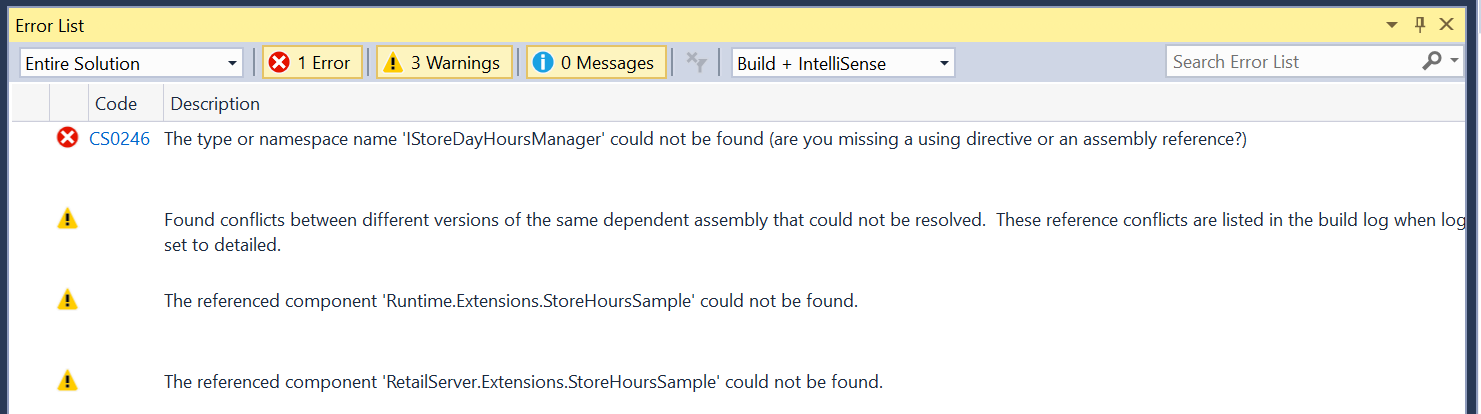
pastedimage1589214712480v2.png

I get the error because the IStoreDayHoursManager interface is declared in another auto generated file (interfaces.g.cs) that is not included in the project:
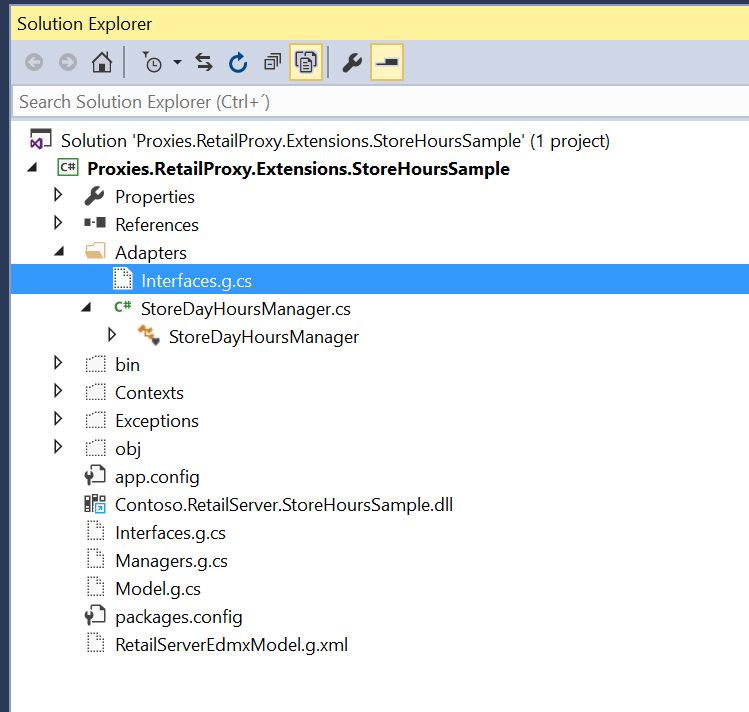
pastedimage1589215395030v5.png

But when I build the project, everything is fine:
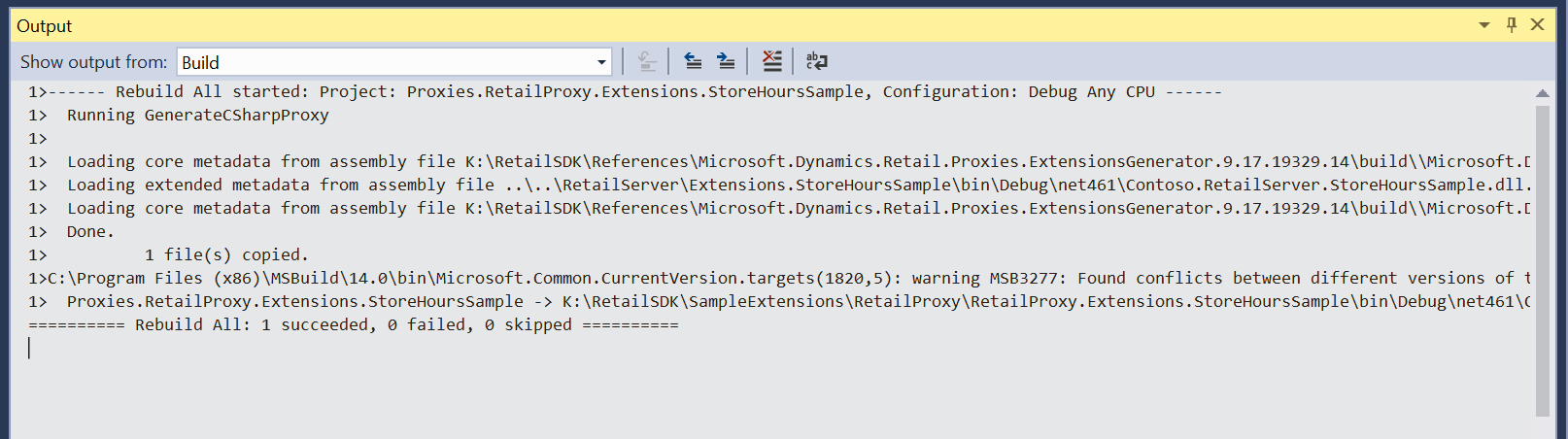
pastedimage1589214908402v3.png

Is there a switch or something on the project that ignores this compilation error?

The reason I'm asking is because I have a proxy extension of my own with the exact same error but it won't compile:

pastedimage1589215080693v4.png

  • Suggested answer
    Ramshenkar Profile Picture
    Microsoft Employee on at

    Hi

    Was it working before? If you are building it for the first time, you can try the following approach

    - Try generating typescript proxy o make sure your retail server EDM model and factory are correct.

    - You can still generate a c# proxy with the command line tool instead of the VS project.

    Ref: docs.microsoft.com/.../typescript-proxy-retail-pos

    If you can generate proxy with any of the above ways, we can say the customizations (retail server) are correct.  

    I do not see any switch that ignores compilation error.

  • Community Member Profile Picture
    on at

    Hi Ram,

    Thank you very much for your answer. I followed your instructions and the typescript proxies were created successfully. Having exhausted all avenues we had to elevate a ticket directly with the Microsoft product support team and they are investigating. The workaround that Microsoft suggested was to include the Interfaces.g.cs file into the project (I have a project where this file is not included and it compiles, and I thought since it's auto generated it might create problems with AzureDev ops). When I did that it started complaining about the return type. So the second thing I had to do is to fully qualify the return type:

       internal class RetailStoreTableEntityManager : IRetailStoreTableEntityManager

       {

           public Task<PagedResult<HF.CRT.Extensions.DataModel.RetailStoreTableEntity>> GetRetailStoreTableByStore(string storeNumber, string shiftId, string terminalId, QueryResultSettings queryResultSettings)

           {

               var request = new GetRetailStoreTableRequest(storeNumber, shiftId, terminalId) { QueryResultSettings = queryResultSettings };

               return Task.Run(() => CommerceRuntimeManager.Runtime.Execute<GetRetailStoreTableResponse>(request, null).retailStoreTableRecords);

           }

       }

    This happened to me in PU31 1.0.7.

  • Ramshenkar Profile Picture
    Microsoft Employee on at

    Does this resolved your issue ?

Under review

Thank you for your reply! To ensure a great experience for everyone, your content is awaiting approval by our Community Managers. Please check back later.

Helpful resources

Quick Links

Season of Sharing Community Challenge Winners!

Congratulations to our community stars!

Women in Power Builds Momentum

Expanding mentorship, skilling, and AI innovation

Leaderboard > Supply chain | Supply Chain Management, Commerce

#1
Laurens vd Tang Profile Picture

Laurens vd Tang 114 Super User 2026 Season 2

#2
André Arnaud de Calavon Profile Picture

André Arnaud de Cal... 94 Super User 2026 Season 2

#3
Aayush Tiwari Profile Picture

Aayush Tiwari 46

Last 30 days Overall leaderboard

Product updates

Dynamics 365 release plans
