Hi Dan,
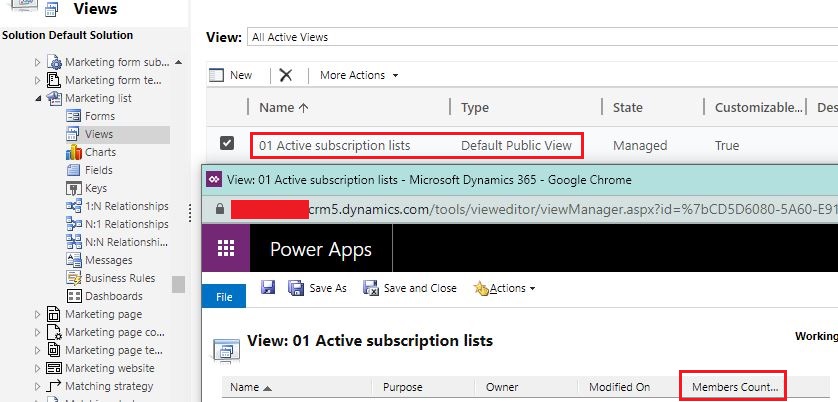
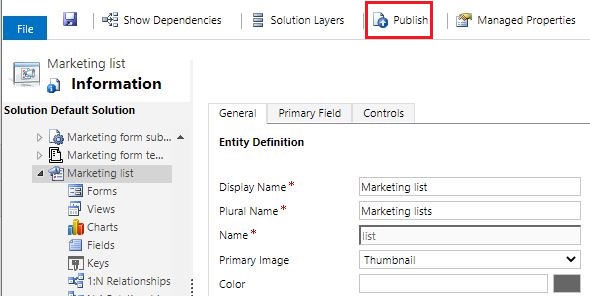
1. By default, there is a calculated field to count total members of the list, you can add it to "01 Active subscription lists" view manually, then publish the Marketing list entity to make change works.
Result

2. We have two options to search a specific contact.
Option 1:
In Members section, click ellipsis button > see associated records to expand the size of view to reveal the search box.
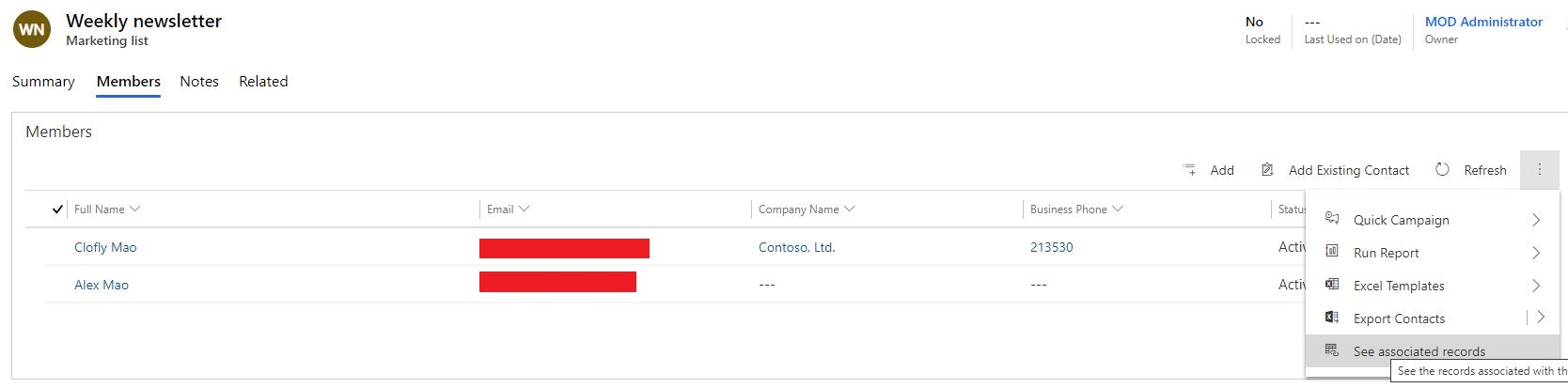
There are only two columns to the associated view by default, we can only search by name or business phone.

But we can add Email field to Contact Associated View of Contact entity, then it will enable email address as filter for search.

Option 2:
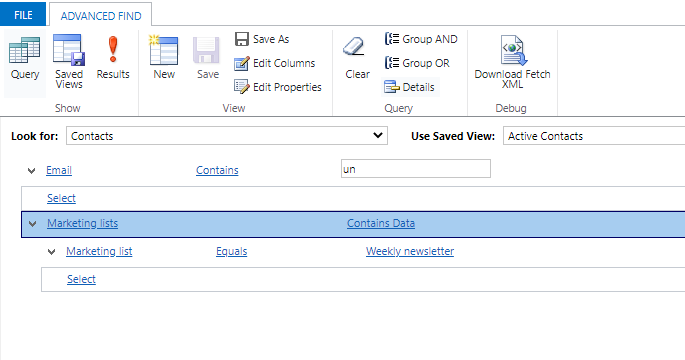
Use Advanced Find, it is capable for most of query requirements.
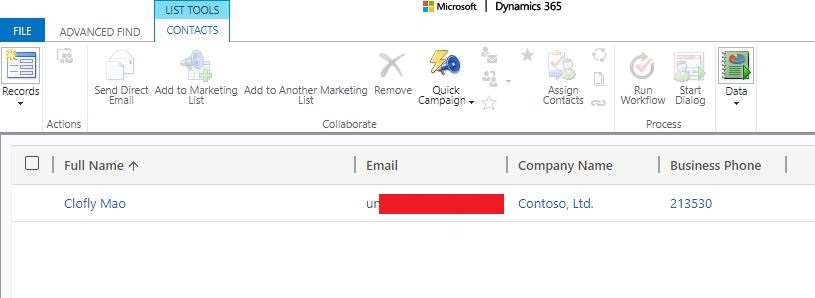
3. Personal settings only work for legacy web client, in UCI, we need to set the maximum value in form editor > corresponding subgrid.
Marketing list entity > Marketing list form(6.0.0.0)
Scroll down to Members section, open the first Contacts section:
The name of the section should be contactsUCI.
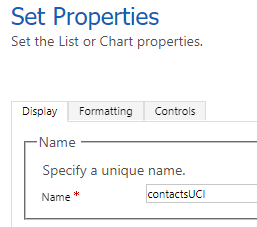
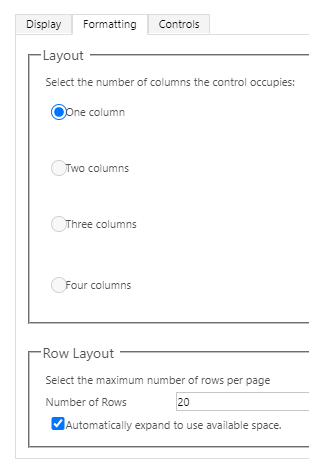
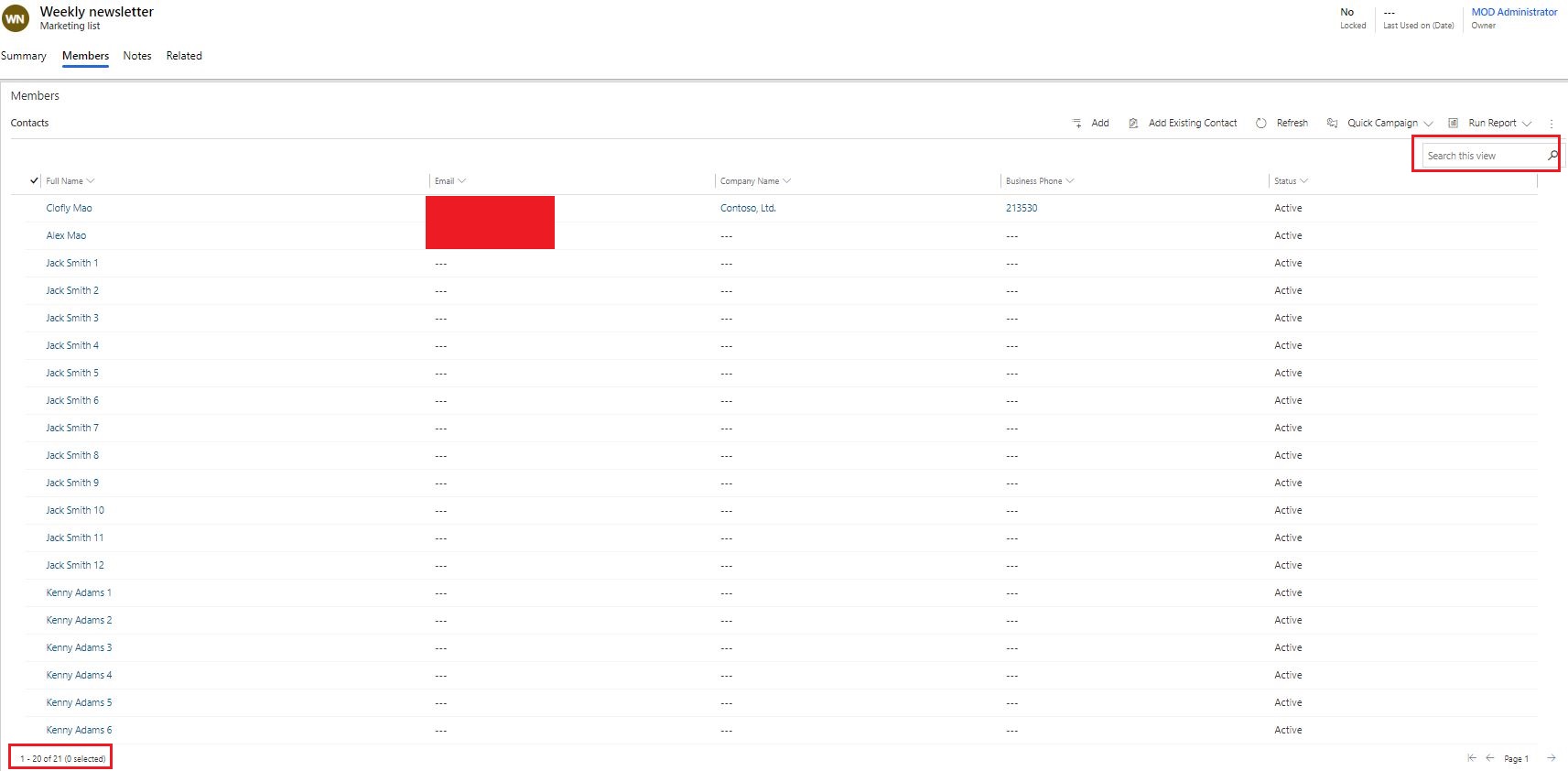
In Formatting tab, set the custom number to Number of Rows property, remember to check the "Automatically expand.." option.
(The acceptable range is from 2 to 250.)
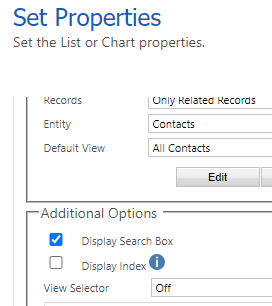
In addition, we can also enable the search box to the view as demand.
Save & Publish form.
Result:
Regards,
Clofly


