web
You’re offline. This is a read only version of the page.
close
Skip to main content

Notifications

Announcements

No record found.

Community site session details

Community site session details

Session Id :
Customer experience | Sales, Customer Insights,...
Suggested Answer

Cannot make team calls from Sales Professional dynamics

(0) ShareShare
ReportReport
Posted on by 47

Hello,

We have configured our teams calling for dynamics 365 sales professional, however when attempting to make a call from dynamics the browser asks the user to select an app.

They can then select teams however that then redirects the user to teams away from dynamics. We want to be able to make the call from within dynamics as indicated in the docs:
https://learn.microsoft.com/en-us/dynamics365/sales/call-using-microsoft-teams

Is this possible for sales professional users? Or is this only a functionality available to the Sales Hub (i.e. sales premium or enterprise)?

In other words we dont see the embedded teams dialer.

Here are our settings:
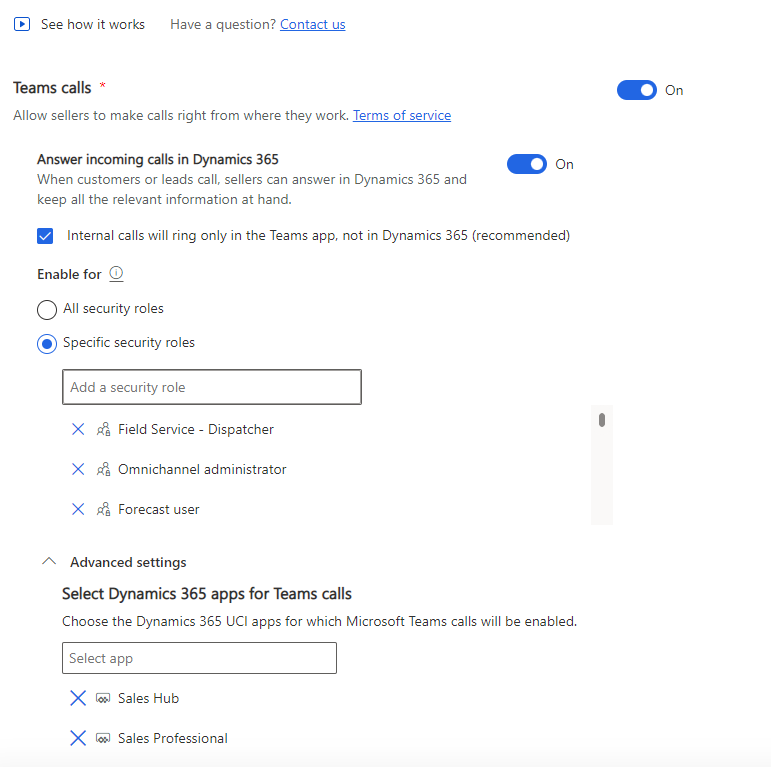
pastedimage1682404442233v1.png
Also the users have the correct requirements for team calling as they can already do it from the teams app.

Here is a screenshot of what happens when clicking on the call button for the lead:
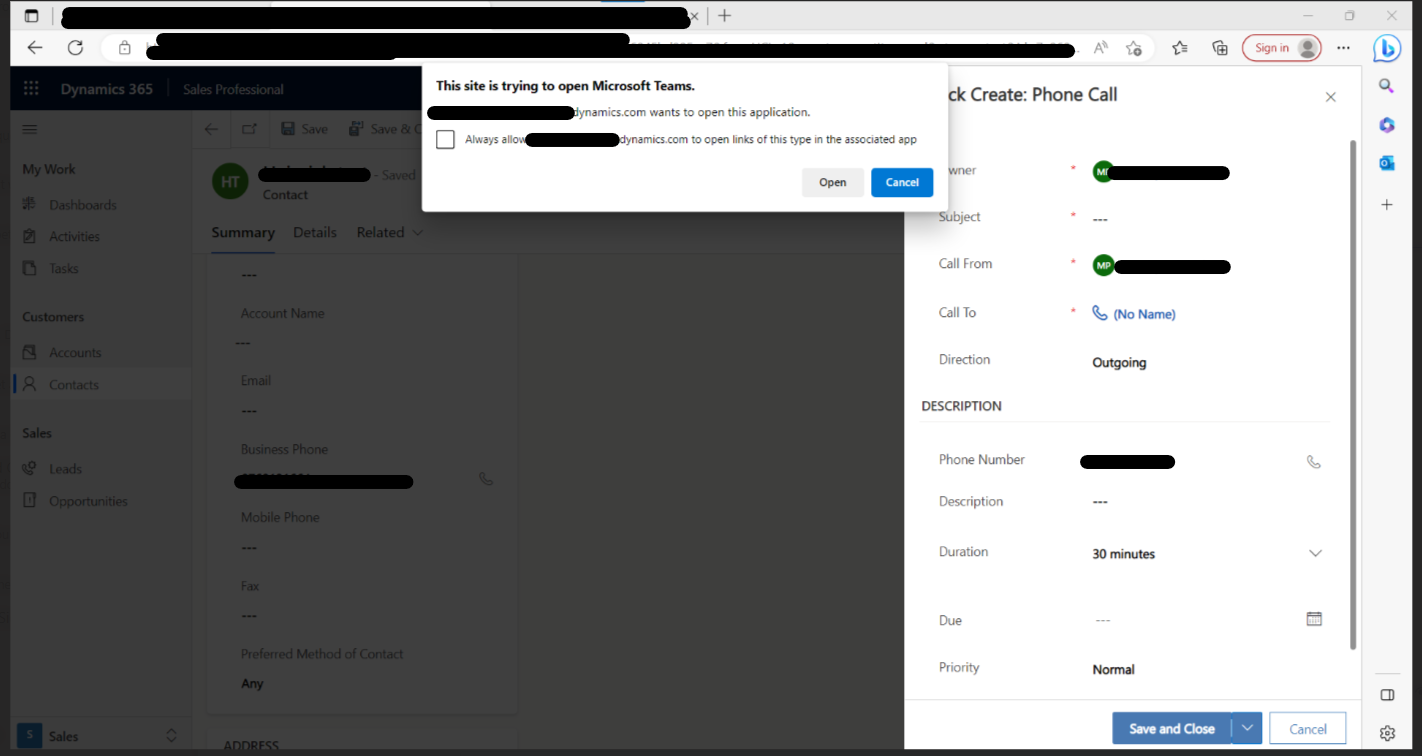
pastedimage1682343537422v1.png

Third-party cookies are also not blocked:
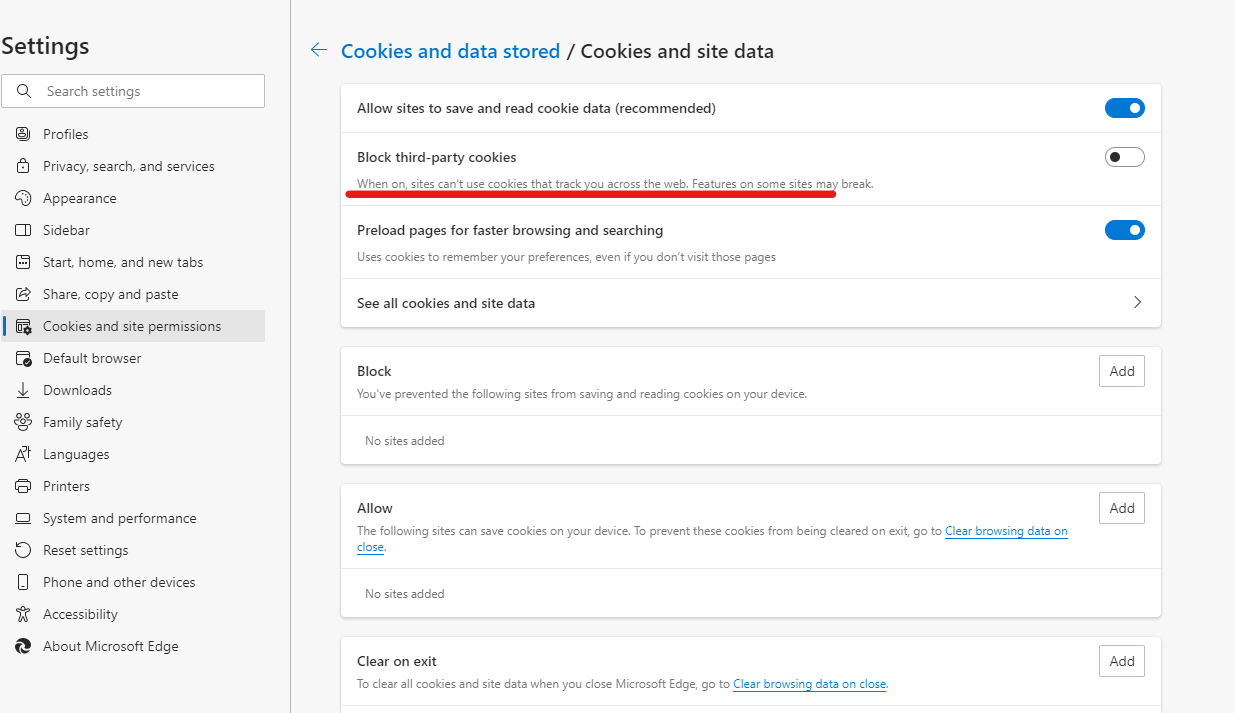
pastedimage1682404506984v2.png

Any guidance or help is greatly appreciated!

I have the same question (0)
  • Suggested answer
    Sayen Zhang Profile Picture
    on at

    Hi partner,

    Please confirm these settings you have done in Sales Professional dynamics:

    1. Add Sales Professional dynamics in advanced settings.

    pastedimage1682393797115v1.png

    2. Have you allowed cookies in Third-party cookie blocking icon in your browser?

    pastedimage1682394153353v2.png

    Here is a reference link: Configure Microsoft Teams dialer in Dynamics 365 Sales | Microsoft Learn

    Best Regards,

    Sayen Zhang

  • HeinrichDB Profile Picture
    47 on at

    Hi Sayen Zhang, thanks for the reply. All my settings are the same as indicated. I have updated the question to also indicate that we indeed have given access to Sales Professional as well as enabling third-party cookies.

    Any other recommendations on what i can troubleshoot?

    Regards

  • Sayen Zhang Profile Picture
    on at

    Hi partner,

    Thanks for your update.

    Is the issue only happening in one environment? 

    Do you configure Teams calls in this way?

    pastedimage1682407801813v1.png

    Best Regards,

    Sayen Zhang

  • HeinrichDB Profile Picture
    47 on at

    Hi Sayen, yes it is happening in our environment with dynamics installed. Also we do configure the app using the URL as displayed in your screenshot.

  • Suggested answer
    Sayen Zhang Profile Picture
    on at

    Hi partner,

    Please use another browser to sign in the app to test Teams Call.

    If the situation happens again, I suggest you create a support ticket for professional assistance following the below procedureGet Help + Support - Dynamics | Microsoft Docs 

    Best Regards,

    Sayen Zhang


Under review

Thank you for your reply! To ensure a great experience for everyone, your content is awaiting approval by our Community Managers. Please check back later.

Helpful resources

Quick Links

Responsible AI policies

As AI tools become more common, we’re introducing a Responsible AI Use…

Neeraj Kumar – Community Spotlight

We are honored to recognize Neeraj Kumar as our Community Spotlight honoree for…

Leaderboard > Customer experience | Sales, Customer Insights, CRM

#1
Tom_Gioielli Profile Picture

Tom_Gioielli 70 Super User 2025 Season 2

#2
Gerardo Rentería García Profile Picture

Gerardo Rentería Ga... 33 Most Valuable Professional

#3
Daniyal Khaleel Profile Picture

Daniyal Khaleel 32 Most Valuable Professional

Last 30 days Overall leaderboard

Product updates

Dynamics 365 release plans
