web
You’re offline. This is a read only version of the page.
close
Skip to main content

Notifications

Announcements

No record found.

Community site session details

Community site session details

Session Id :
Customer experience | Sales, Customer Insights,...
Answered

Template Data Import Duplicate error

(0) ShareShare
ReportReport
Posted on by

When I use the Template for Data Import and select Account, then I get an error message: A duplicate column heading exists.

For other records like Case or Contact all is working fine.

How can I resolve the error related to the account?

I have the same question (0)
  • Suggested answer
    LuHao Profile Picture
    40,892 on at

    Hi Marcel,

    This is because there are duplicate Display Names of Account fields.

    Note that the imported template cannot have duplicate column names, which is the Display Name of the fields.

    So we have to find out the duplicate Display Name.

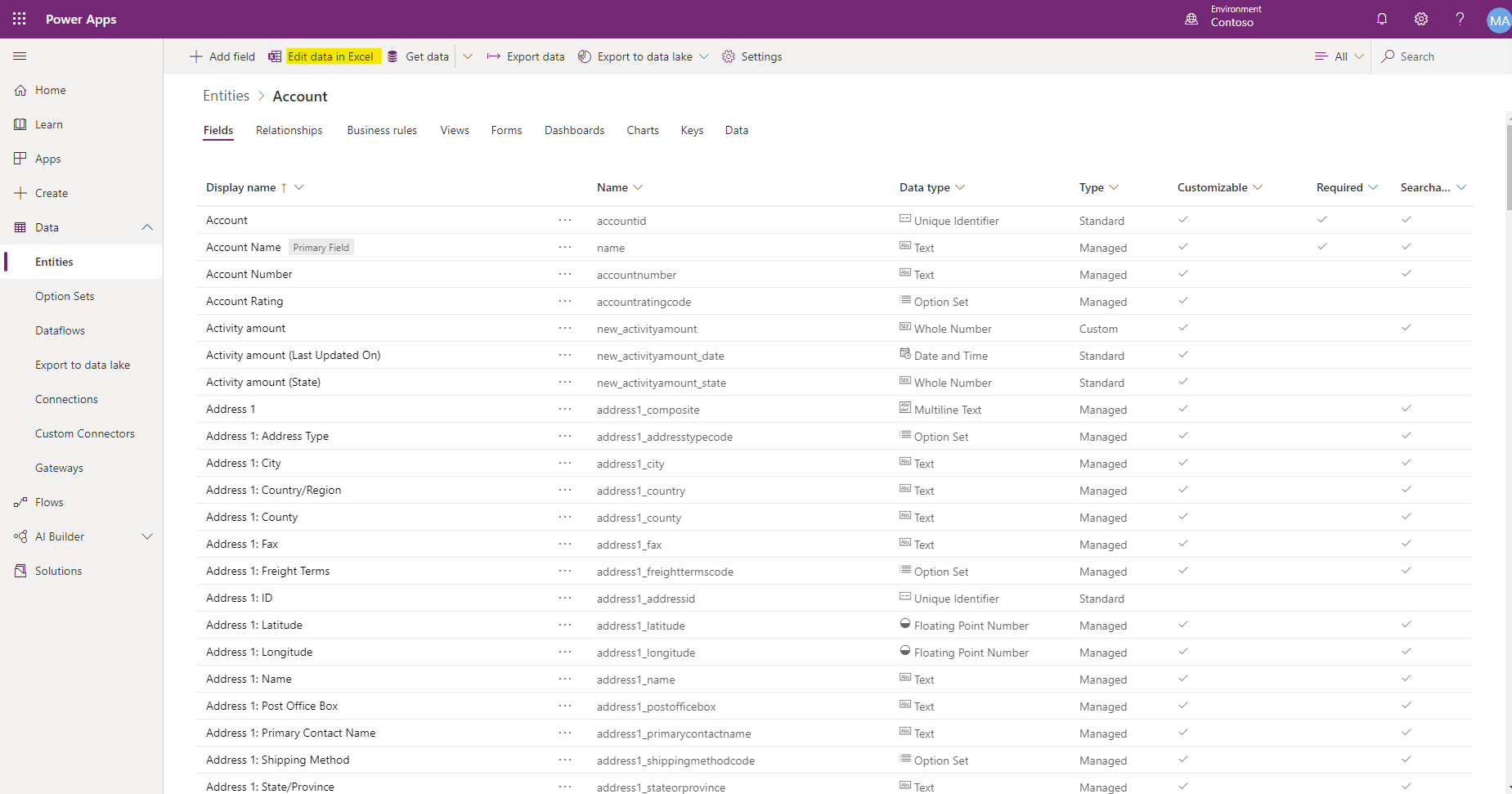
    Go to https://make.powerapps.com/, select the D365 environment and go to Data > Entities > Account > Fields, sort by Display name and try to find duplicate fields.
    8738.pastedimage1586227553729v4.png

    If there are too many fields, then you could click Edit data in Excel to download the Excel file.

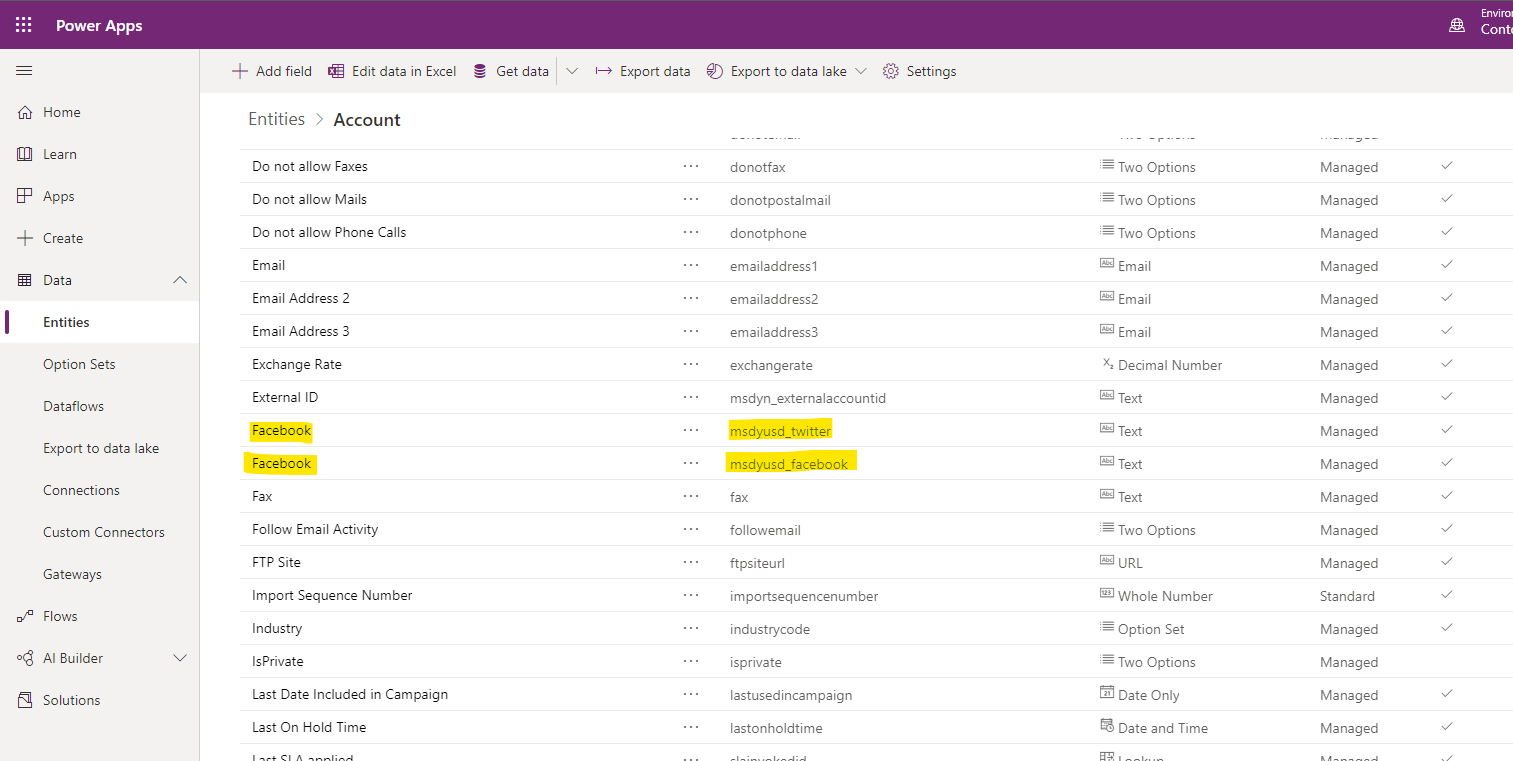
    Here is a demo, I changed the display name of the field "Twitter" to "Facebook", then there are two "Facebook".
    6012.pastedimage1586227373230v2.png

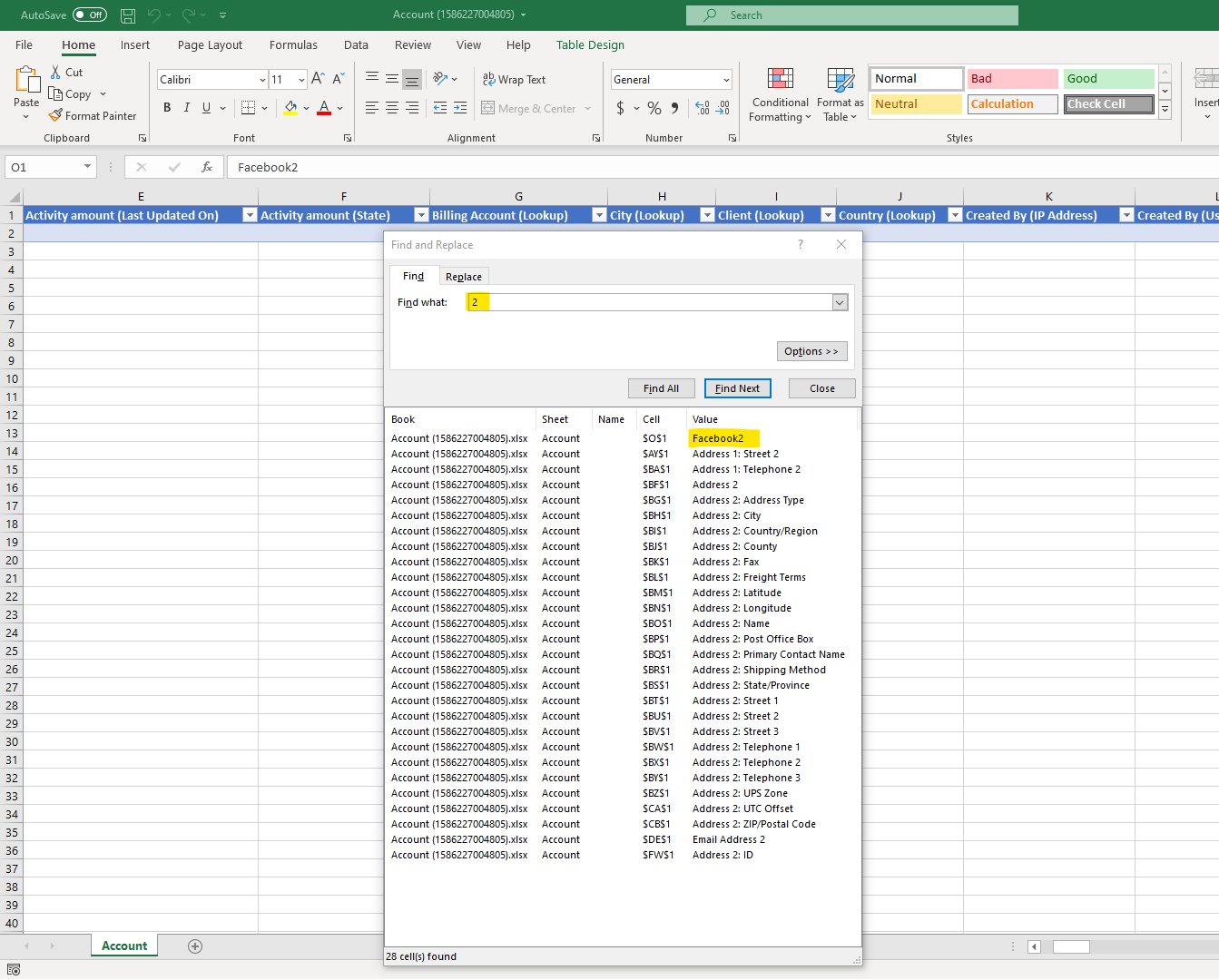
    In the Excel, these two fields are displayed as "Facebook" and "Facebook2".

    3632.pastedimage1586227467530v3.png

    Therefore, the column of the duplicate field will end with 2.

    So wo search "2" in the Excel and find all, we will see the duplicate field.
    0726.pastedimage1586227746075v5.png

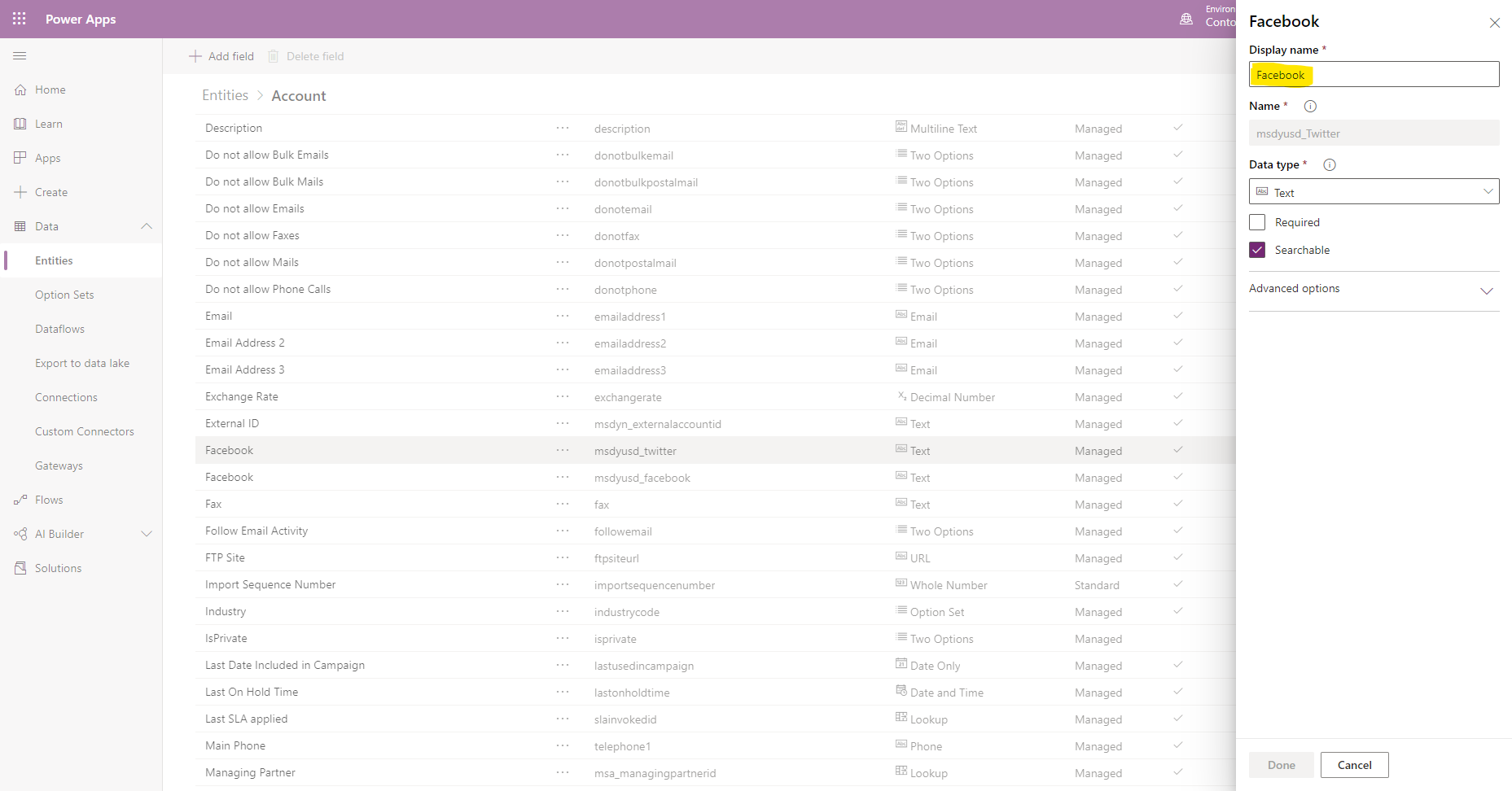
    Go back to power apps, edit the duplicate field and change its display name.
    2262.pastedimage1586227835578v6.png

  • Verified answer
    LuHao Profile Picture
    40,892 on at

    Hi Marcel,

    Please don't forget to click Yes under Did this answer your question? to close this thread.

    Thanks.  :)

  • Community Member Profile Picture
    on at

    Dear Lu Hao,

    Yes thank you, this was the root cause.

    Sorry for not responding.

    Kind regards,

    Marcel Kroon

  • LuHao Profile Picture
    40,892 on at

    Hi Marcel,

    Glad that your problem has been solved.

    Could you please click Yes to close this thread?  Thanks. 

    pastedimage1587536753088v1.png

  • Community Member Profile Picture
    on at

    done

Under review

Thank you for your reply! To ensure a great experience for everyone, your content is awaiting approval by our Community Managers. Please check back later.

Helpful resources

Quick Links

Responsible AI policies

As AI tools become more common, we’re introducing a Responsible AI Use…

Neeraj Kumar – Community Spotlight

We are honored to recognize Neeraj Kumar as our Community Spotlight honoree for…

Leaderboard > Customer experience | Sales, Customer Insights, CRM

#1
Tom_Gioielli Profile Picture

Tom_Gioielli 73 Super User 2025 Season 2

#2
Gerardo Rentería García Profile Picture

Gerardo Rentería Ga... 43 Most Valuable Professional

#3
Daniyal Khaleel Profile Picture

Daniyal Khaleel 32 Most Valuable Professional

Last 30 days Overall leaderboard

Product updates

Dynamics 365 release plans
