




 Share
Share Report
I have noticed that when I am trying to retrieve an option set using SOAP call, it is working fine in Chrome using below code from a HTML web resource.
RetrieveAttributeMetadata: function (entityLogicalName, logicalName, metadataId, retrieveAsIfPublished) {
//console.log(EntityLogicalName + "-" + " " + LogicalName);
var request = "<request i:type=\"a:RetrieveAttributeRequest\" xmlns:a=\"schemas.microsoft.com/.../Contracts\">";
request += "<a:Parameters xmlns:b=\"schemas.datacontract.org/.../System.Collections.Generic\">";
request += "<a:KeyValuePairOfstringanyType>";
request += "<b:key>EntityLogicalName</b:key>";
request += "<b:value i:type=\"c:string\" xmlns:c=\"www.w3.org/.../XMLSchema\">" + entityLogicalName + "</b:value>";
request += "</a:KeyValuePairOfstringanyType>";
if (metadataId == null) {
metadataId = "00000000-0000-0000-0000-000000000000";
}
request += "<a:KeyValuePairOfstringanyType>";
request += "<b:key>MetadataId</b:key>";
request += "<b:value i:type=\"ser:guid\" xmlns:ser=\"schemas.microsoft.com/.../Serialization\">" + metadataId + "</b:value>";
request += "</a:KeyValuePairOfstringanyType>";
request += "<a:KeyValuePairOfstringanyType>";
request += "<b:key>RetrieveAsIfPublished</b:key>";
request += "<b:value i:type=\"c:boolean\" xmlns:c=\"www.w3.org/.../XMLSchema\">" + retrieveAsIfPublished + "</b:value>";
request += "</a:KeyValuePairOfstringanyType>";
request += "<a:KeyValuePairOfstringanyType>";
request += "<b:key>LogicalName</b:key>";
request += "<b:value i:type=\"c:string\" xmlns:c=\"www.w3.org/.../XMLSchema\">" + logicalName + "</b:value>";
request += "</a:KeyValuePairOfstringanyType>";
request += "</a:Parameters>";
request += "<a:RequestId i:nil=\"true\" /><a:RequestName>RetrieveAttribute</a:RequestName></request>";
var res = XrmServiceToolkit.Soap.Execute(request);
var jsonOptions = $.xml2json(res);
return jsonOptions.Body.ExecuteResponse.ExecuteResult.Results.KeyValuePairOfstringanyType.value.OptionSet.Options.OptionMetadata;
}
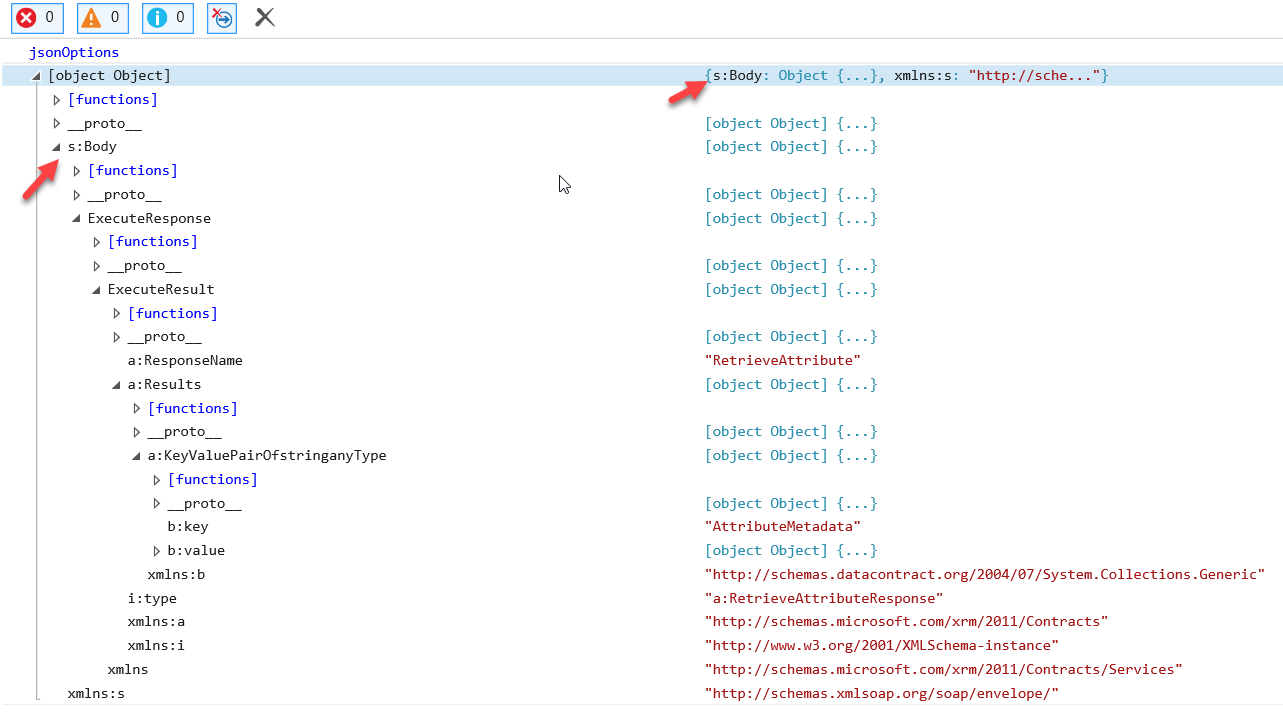
However when I execute same code in IE 11, it is giving an error that Body in jsonOptions.Body in undefined. IE F12 shows the issue that Body schema is coming as s:Body, and hence undefined in above function.
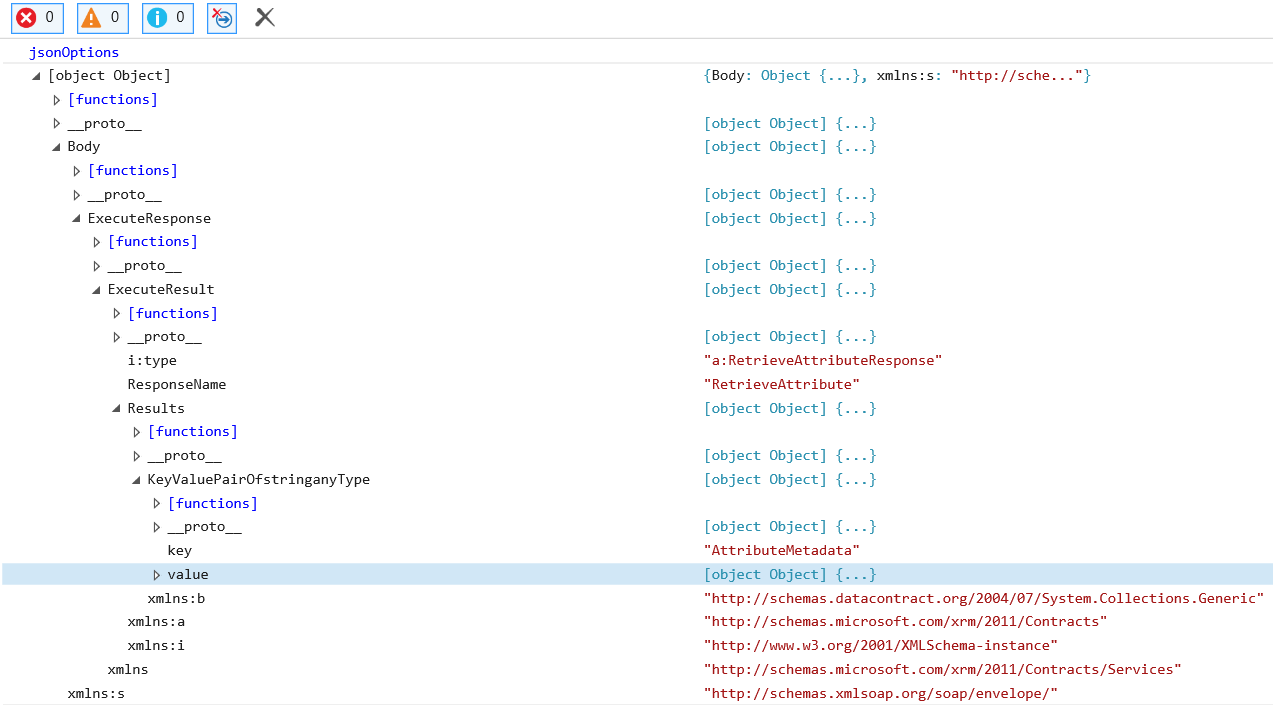
When I execute the same code in a different CRM instance in same IE, it working fine and Body in jasonOptions is coming without any prefix schema. Can some one help me, to how we can fix it.
Issue:
Working:
*This post is locked for comments
I have the same question (0) All responses (
 Answers (




