web
You’re offline. This is a read only version of the page.
close
Skip to main content

Notifications

Announcements

No record found.

Community site session details

Community site session details

Session Id :
Microsoft Dynamics GP (Archived)

What Security Role ID enables the Smartlist for Field Services

(0) ShareShare
ReportReport
Posted on by 125

Can someone please help me figure this out. I asked our main GP person to enable all the possible Role IDs for my log in that can open up visibility to the Field Service Smartlist but we have had no success. Does anyone know where the Field Service Smartlist is activated? What Security Role ID enables the Smartlist for Field Services? This would be a great help if anyon has an answer.

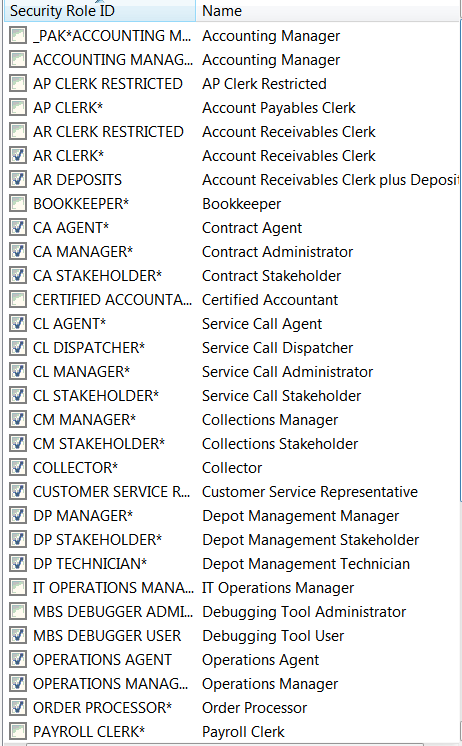
I've attached pictures of the current role ID I have enabled yet none of them allow me access to the Field Service Smartlist.

Also, maybe I am missing something and the settings we need to tweak are somewhere else. If so please advise.


Thank you very much

.

*This post is locked for comments

I have the same question (0)
  • Suggested answer
    Frank Hamelly | MVP, MCP, CSA Profile Picture
    46,625 Super User 2025 Season 2 on at

    It's not a security role issue.  Go Tools>>Utilities>>Project>>Service Utilities>>Add to SmartList.  In the FSS Smartlist Utility window (it may be hidden in the Smartlist window) click 'Add'.  The Field Service Smartlist objects will be added to Smartlist.

  • Maksim Mukha Profile Picture
    125 on at

    Frank,

    Thank you for the suggestion. I tried what you recommended and it does not seem like its working on my computer. After I click "Add", the Smartlist doesnt change for me. Thats why I was thinking it had something to do with security roles. When I tried this on my co-workers computer, she was able to get the Field Services smartlist visible.

    Do you have any other ideas I can try?

  • Verified answer
    Jonathan Fear Profile Picture
    on at

    If you are asking which Security role grants access to the Field Service smartlists in GP there isn't one by default. You need to create a new Security role and attach it to a Security role. On the Security role you need to check the Smartlists you want for the following:

    Product: Smartlist

    Type: Smartlist Object

    Series: Smartlist Objects

  • Maksim Mukha Profile Picture
    125 on at

    Jonathan, this is the answer I was looking for. Everything works great now. Thank you very much.

Under review

Thank you for your reply! To ensure a great experience for everyone, your content is awaiting approval by our Community Managers. Please check back later.

Helpful resources

Quick Links

Responsible AI policies

As AI tools become more common, we’re introducing a Responsible AI Use…

Neeraj Kumar – Community Spotlight

We are honored to recognize Neeraj Kumar as our Community Spotlight honoree for…

Leaderboard > 🔒一 Microsoft Dynamics GP (Archived)

#1
Community Member Profile Picture

Community Member 2

#2
mtabor Profile Picture

mtabor 1

#2
Victoria Yudin Profile Picture

Victoria Yudin 1

Last 30 days Overall leaderboard

Featured topics

Product updates

Dynamics 365 release plans