web
You’re offline. This is a read only version of the page.
close
Skip to main content

Announcements

No record found.

News and Announcements icon
Community site session details

Community site session details

Session Id :
Microsoft Dynamics AX (Archived)

Run master scheduling with sales order filter on AX 2012

(0) ShareShare
ReportReport
Posted on by

Hi Everyone

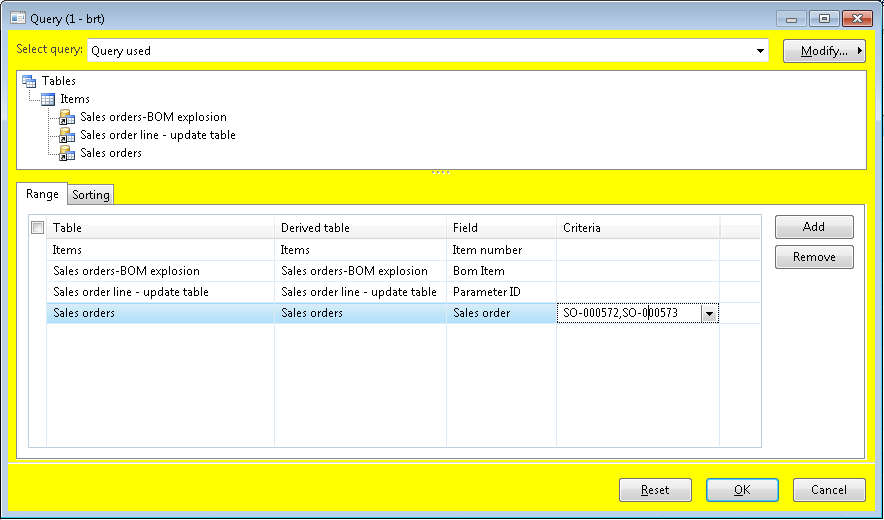
I want to run master scheduling as filtering with sales order filter. I want to have master plan results for the sales order which I choosed.  I tried to add tables to the query like could be seem below as right clicking to "Items" and "1:n" 
 MasSch.PNG

There are 3 lines as you can see above related with "sales order" and I added criteria to the "Sales Order" but result is nothing.

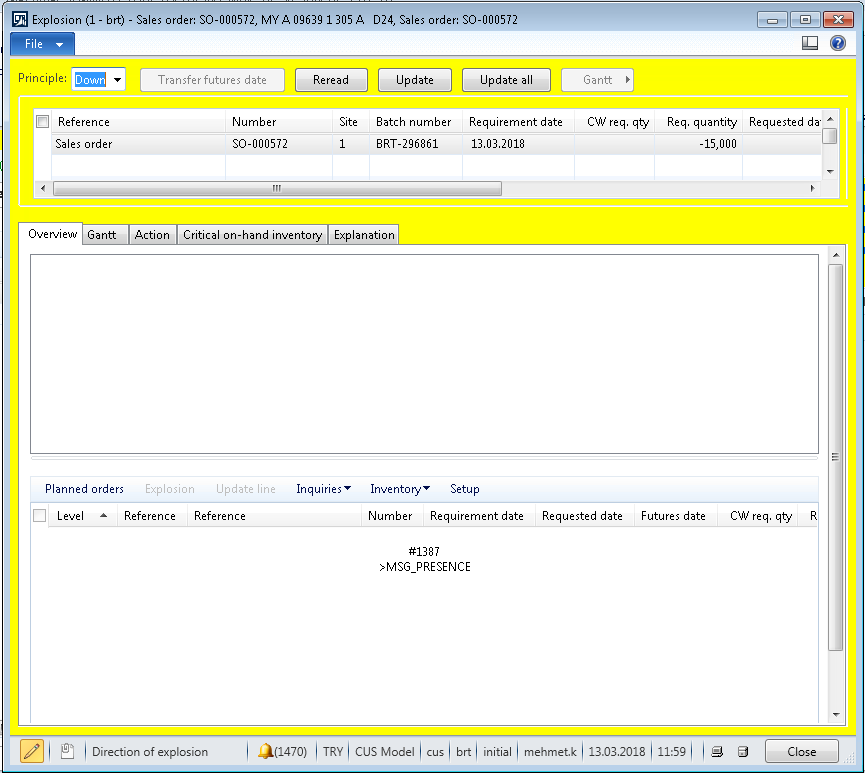
Also it is not possible to make explosion for more than one sales order line at once. 

Both way could help me. Please make your comment.  
exp.PNG

*This post is locked for comments

I have the same question (0)
  • Yohann Rolland Axcible Profile Picture
    3,111 on at

    Hi,

    Why don't you try to use the local master scheduling directly on the SO line (Product and Supply > Net Requirement)?

  • Community Member Profile Picture
    on at

    Hi Yohann

    Thanks for your answer, my question is right that, I don't want to use one single sales order line; I want to explode more than one sales order line at once. Like bunch of sales orders which I defined and all lines that they are included.

    Thanks

  • Ismail Mohamed Profile Picture
    576 on at

    Any answer

  • Ismail Mohamed Profile Picture
    576 on at

    Mehmet Kılıç

    what is the name of query that you added the sales order table ?

  • fatihgork Profile Picture
    3,817 on at

    Hi Mehmet,

    I would like to shed some light on this advanced filter screen.

    Sorry but, long story short, this won't run for your sales orders only.

    It will filter items, which are on these sales orders, and run the master planning for all requirements for these items. If there is a forth sales order, it will be processed as well.

  • Community Member Profile Picture
    on at

    Hi Fatih

    Thanks for your answer. Actually we have done a customisation. On back-order lines, after selecting multiple sales lines; we have set "explosion"  feature to work with all lines which is selected. After work is done, we got only planned orders for the desired sales lines.

    So that is not a standart feature but could be done with customisation.  bol.PNG

  • Jim Bonnie Profile Picture
    60 on at

    Hi Mehmet,

    Can you share your customized solution or at least part of the design :)

    Thanks, Jim

  • @NoMe Profile Picture
    217 on at

    Hi Jim, 

    Did u get solution for this? I have got similar requirement

Under review

Thank you for your reply! To ensure a great experience for everyone, your content is awaiting approval by our Community Managers. Please check back later.

Helpful resources

Quick Links

Introducing the 2026 Season 1 community Super Users

Congratulations to our 2026 Super Stars!

Meet the Microsoft Dynamics 365 Contact Center Champions

We are thrilled to have these Champions in our Community!

Congratulations to the April Top 10 Community Leaders

These are the community rock stars!

Leaderboard > 🔒一 Microsoft Dynamics AX (Archived)

#1
CP04-islander Profile Picture

CP04-islander 39

#2
Michel ROY Profile Picture

Michel ROY 14

#3
imran ul haq Profile Picture

imran ul haq 8

Last 30 days Overall leaderboard

Featured topics

Product updates

Dynamics 365 release plans
