web
You’re offline. This is a read only version of the page.
close
Skip to main content

Announcements

No record found.

News and Announcements icon
Community site session details

Community site session details

Session Id :
Microsoft Dynamics AX (Archived)

Blocking locations

(0) ShareShare
ReportReport
Posted on by

Hi all. This is my firs question on this post. I need to block some specific location in WAX warehouse and in not. I can't find any option to do it . I'm working in Ax 2012 R3.

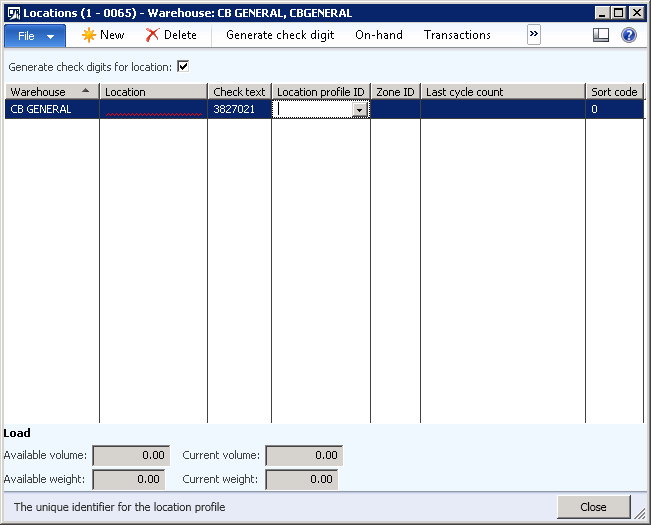
Options in non WAX controlled:
224548.Untitled.png

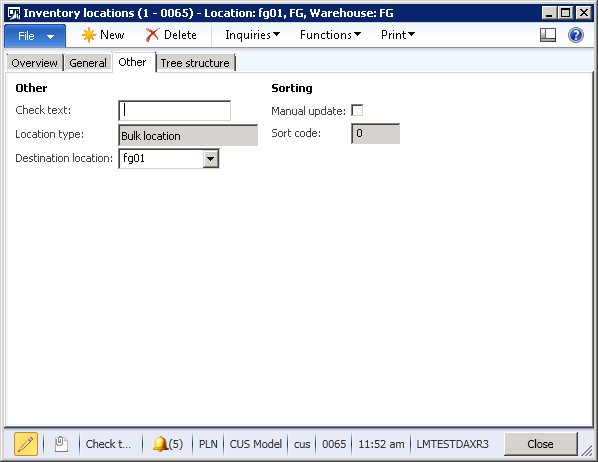
Options in WAX controlled:

5126.Untitled2.png

*This post is locked for comments

I have the same question (0)
  • Suggested answer
    Mahmoud Hakim Profile Picture
    17,887 on at

    You need some customization

    You can check this thread

    community.dynamics.com/.../151342

  • Guy Terry Profile Picture
    28,972 Moderator on at

    It's not possible in R3 WAX like it was in R2.

    You can vote up this idea if you think it important!

    ideas.dynamics.com/.../ID0003937

    Meanwhile, you have to adjust the Location directives to not use 'Blocked' locations. Perhaps you could give 'Blocked' locations a special Location profile, which you could set to be excluded from your Location Directives. Alternatively, if you are running one of the newer versions of D365, you might find 'Blocking' fields on the Location form itself. I've read that these do not have any functionality linked to them, but you can use them in your Location Directives.

  • Suggested answer
    JII SAADUDDIN Profile Picture
    1,832 on at

    Go to your License Configurations. check fields,

    Since the WMS is locked. remove the licensekey, and start picking new locations as is

Under review

Thank you for your reply! To ensure a great experience for everyone, your content is awaiting approval by our Community Managers. Please check back later.

Helpful resources

Quick Links

Introducing the 2026 Season 1 community Super Users

Congratulations to our 2026 Super Stars!

Meet the Microsoft Dynamics 365 Contact Center Champions

We are thrilled to have these Champions in our Community!

Congratulations to the March Top 10 Community Leaders

These are the community rock stars!

Leaderboard > 🔒一 Microsoft Dynamics AX (Archived)

#1
CP04-islander Profile Picture

CP04-islander 39

#2
Michel ROY Profile Picture

Michel ROY 14

#3
imran ul haq Profile Picture

imran ul haq 8

Last 30 days Overall leaderboard

Featured topics

Product updates

Dynamics 365 release plans