web
You’re offline. This is a read only version of the page.
close
Skip to main content

Announcements

No record found.

News and Announcements icon
Community site session details

Community site session details

Session Id :
Microsoft Dynamics CRM (Archived)

Appointments entity, is it a table of tables?

(0) ShareShare
ReportReport
Posted on by

Im importing Appointments from CRM Online into PowerBI.
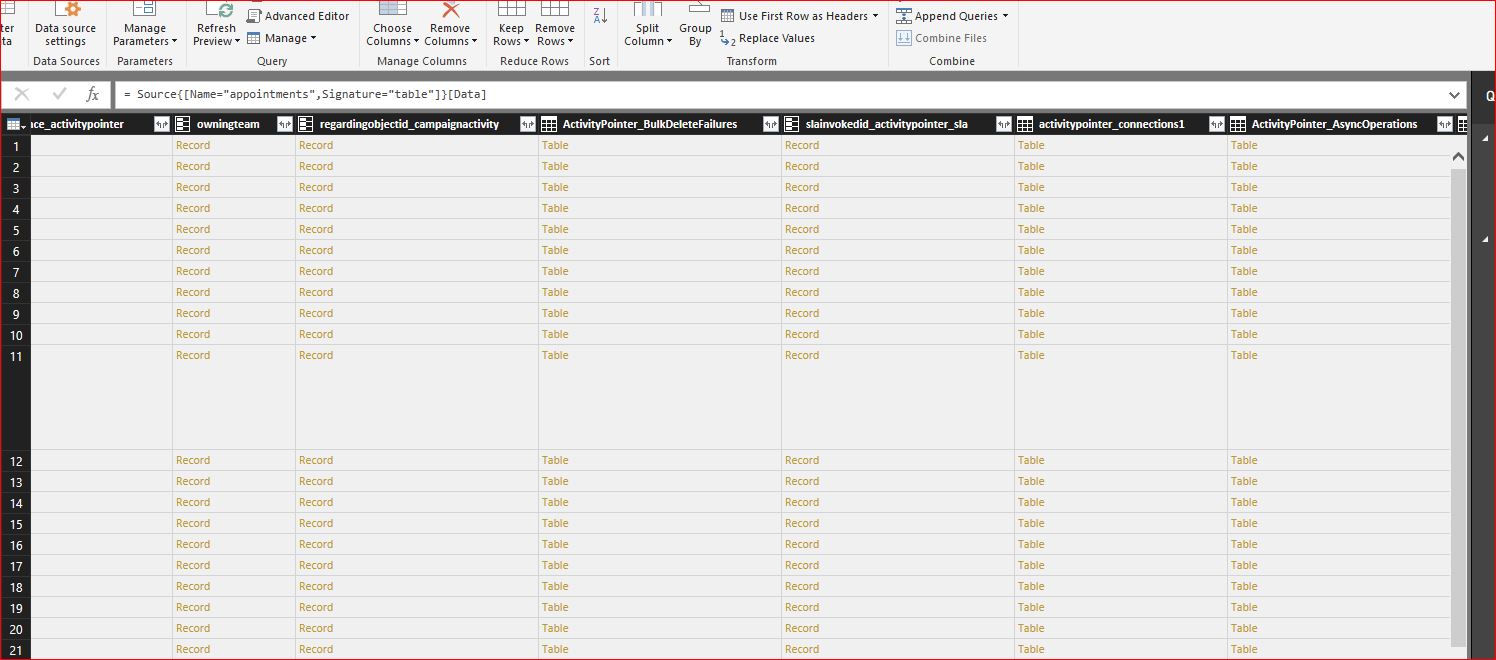
Each row is very long, and looks like a row that contains multiple records and tables(see screenshot).


Can anyone explain the exact structure of the Appointments entity, and why its made up of multiple tables, instead of simply relating to the data in other entities?

e.g. if i want to show appointments and required attendees, shouldnt that just link to the contacts or attendees entity via a bridge table?


Im not really sure how to handle this entity in PowerBI
3034.Capture.JPG

*This post is locked for comments

I have the same question (0)
  • David Jennaway Profile Picture
    14,065 on at

    There are 2 complexities to the Appointment entity (and any other activity entity)

    1. The main appointment data comprises of some fields in the activitypointer table (which are shared by all activity entities) and some in the appointment table. These should appear as a combined set of fields in PowerBI
    2. The linked data (e.g. attendees) and stored separately in an activityparty table, and the partyid is used to link to the corresponding record (contact, lead etc.). The participationtypemask field indicates whether the activityparty is e.g. a required attendee, optional attendee. The activityparty table may have several records for one appointment (one record per attendee, plus others - e.g. the owner and organiser) 
  • wilson_smyth Profile Picture
    on at

    Very useful information, thank you!

    Is there a way that i can see what the fields in appointment are linked to, from within the CRM UI? If not its kind of guesswork.

    This architecture really limits the ability of PowerBI to just sit ontop of CRM Online and report. To get the data into a format PowerBI requires would mean a bit of ETL and storing it outside of CRM in a datamart.

    Such a pitty that Microsoft chose this route as it really limits what could be a great relationship between the two products.

Under review

Thank you for your reply! To ensure a great experience for everyone, your content is awaiting approval by our Community Managers. Please check back later.

Helpful resources

Quick Links

Introducing the 2026 Season 1 community Super Users

Congratulations to our 2026 Super Stars!

Meet the Microsoft Dynamics 365 Contact Center Champions

We are thrilled to have these Champions in our Community!

Congratulations to the March Top 10 Community Leaders

These are the community rock stars!

Leaderboard > 🔒一 Microsoft Dynamics CRM (Archived)

Last 30 days Overall leaderboard

Featured topics

Product updates

Dynamics 365 release plans
