web
You’re offline. This is a read only version of the page.
close
Skip to main content

Announcements

No record found.

News and Announcements icon
Community site session details

Community site session details

Session Id :
Microsoft Dynamics AX (Archived)

Bills of material journals posting error

(0) ShareShare
ReportReport
Posted on by

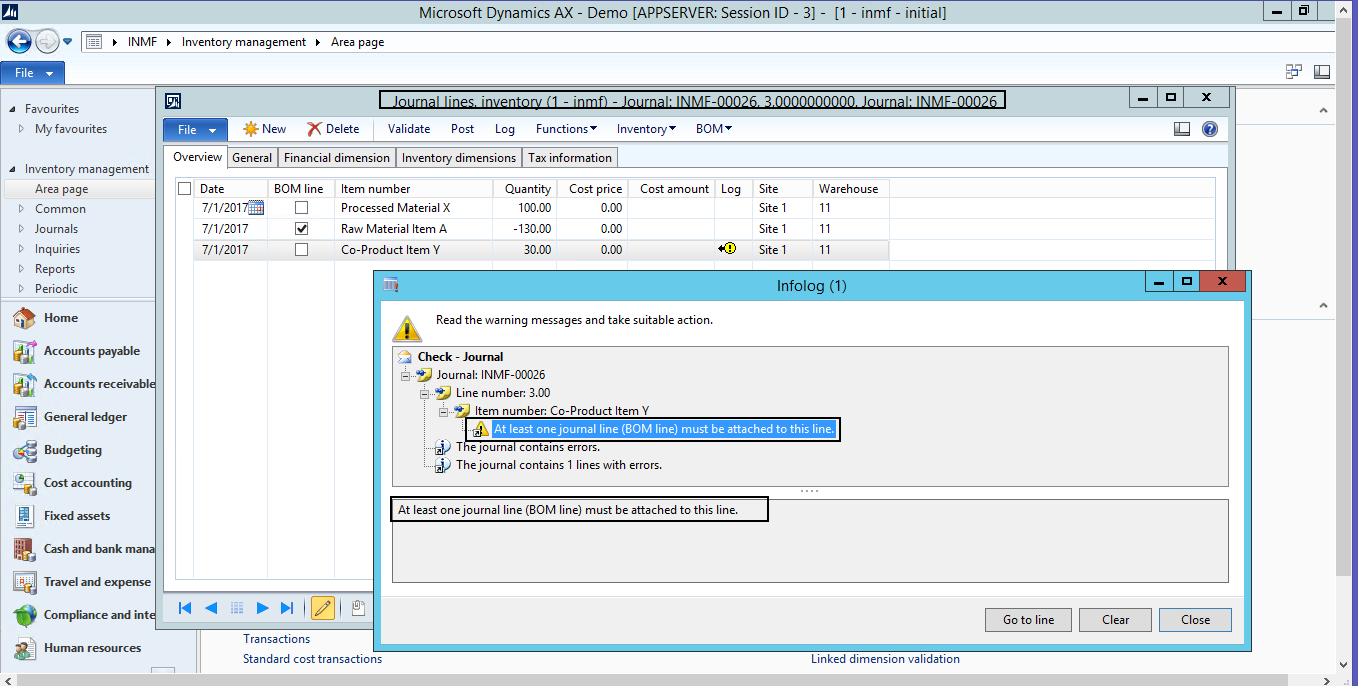
At time of validate bills of material journals system getting infolog message as "At least one journal line (BOM line) must be attached to this line." 

This infolog comes in that case where one BOM line item consume and more than one processed / finished product / co-products comes out.

Details information and example are as under :

Product Configuration :

Raw Material - Item A : Engineer tab > Formula planning section > production type set as "Formula"

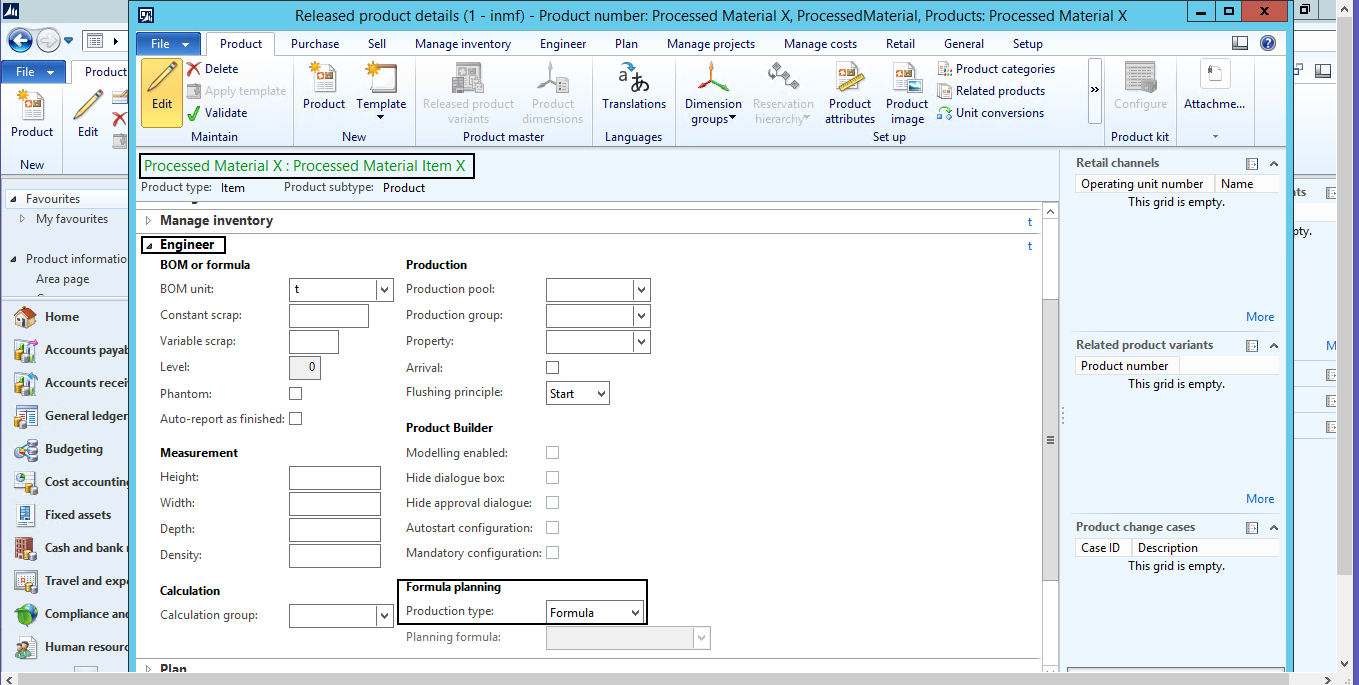
Processed Material - Item X : Engineer tab > Formula planning section > production type set as "Formula"

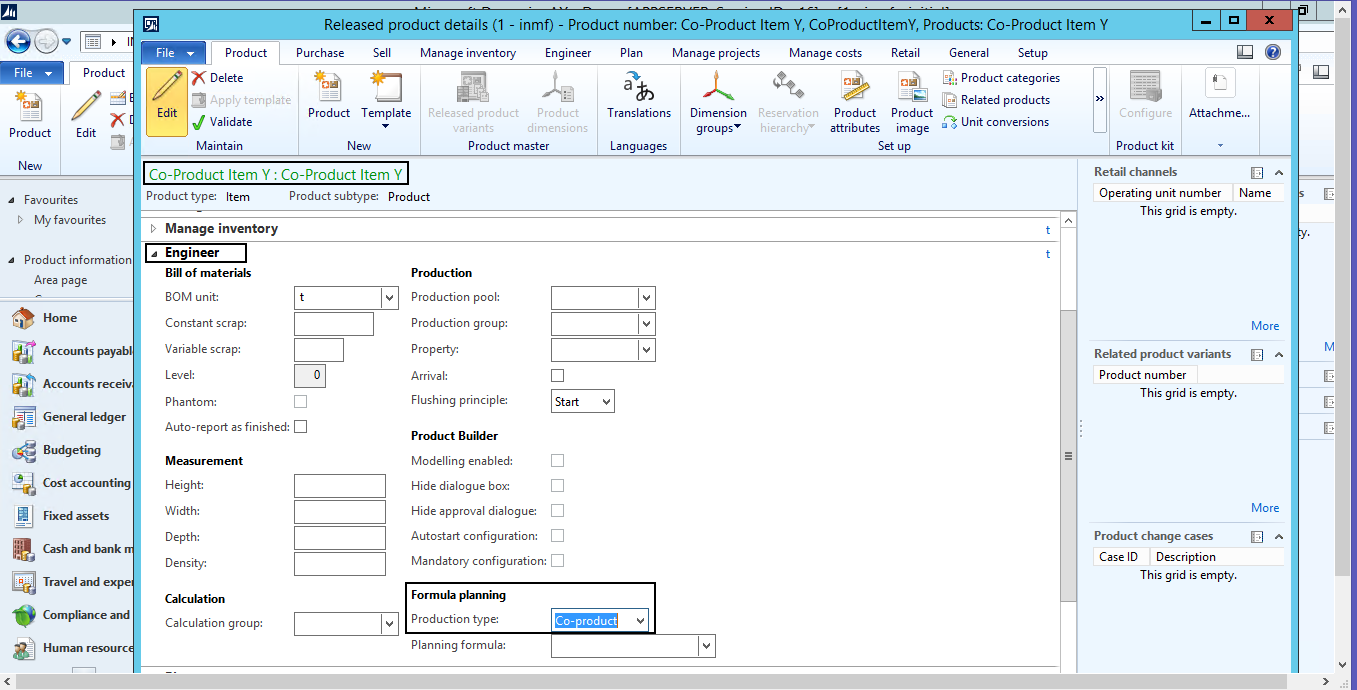
Co-Product Material - Item Y : Engineer tab > Formula planning section > production type set as "Co-Product"

On-Hand :

Raw Material - Item A - 10 MT 1000 Cost 

Transactions : Bills of material journals

Using bills of material journals needs to manage production / job work as per below.

Consumption - (BOM line tick)

Raw Material : Item A - 10 MT 

Production - (BOM line not tick)

Processed Material : Item X - 9 MT 

Co-Product Material : Item Y - 1 MT

Reference screen of issues...
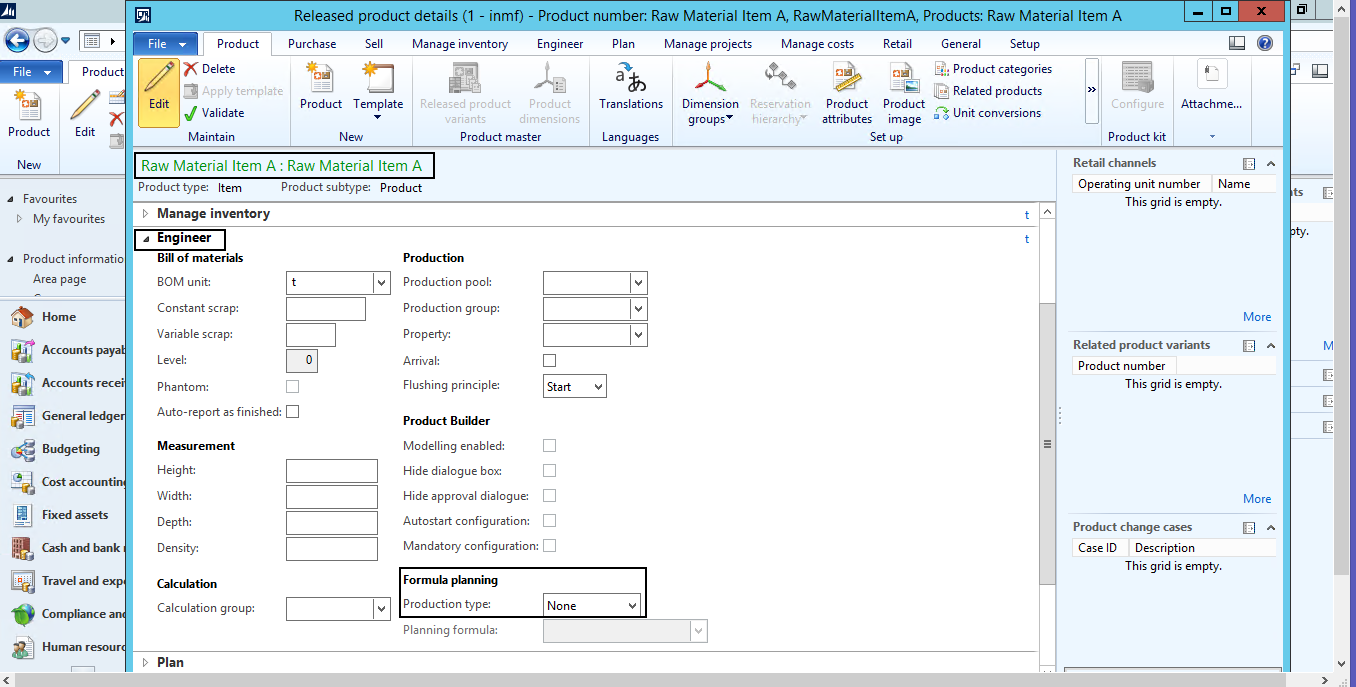
Raw-Material-Item-A.pngProcessed-Material-Item-X.pngCo_2D00_Product-Item.pngBills-of-material-journal-error.png

*This post is locked for comments

I have the same question (0)
  • Community Member Profile Picture
    on at

    Hi Pratik,

    I'm not completly sure if it is possible to use BOM journals with formula and co-product items. I think it is only possible if you use "Batch orders", but I'm not absolutely sure. Why are you using BOM journals instead of Batch orders?

    I think it would be useful in order to help you if you can attach following print-screens:

    - BOM journal.

    - Formula setup of your Item X (the finished product).

    With that I think I would have a better idea.

    Regards.

  • Community Member Profile Picture
    on at

    Mr. Nick print screen has been attached for reference, kindly review and confirm of it.

  • Community Member Profile Picture
    on at

    Hi Pratik,

    I'm afraid that what you are trying to do it's not possible. A BOM journal is supposed to do a positive movement (the finished product) and one or more negative movements (the raw materials).

    The best way to achive your aim is to use "Batch orders". You can check further information here: technet.microsoft.com/.../hh352208.aspx.

    I have found another option, but I'm not sure if applies to your scenario: you can create a BOM journal where the "not BOM line" had a negative quantity and the BOM lines had positive quantities. So in this scenario you consume ONE line and do positive movements to one or more lines.

    Your formula configuration should be as follows:

    - Your "finished product" will be your raw material item.

    - Your "raw material lines" will be your finished item and your co-product item.

    As you can see, your formula will be setup on your raw material item.

    I hope I had explained myself.

    Regards.

  • Community Member Profile Picture
    on at

    Ok Thanks...

  • Ludwig Reinhard Profile Picture
    Microsoft Employee on at

    Hi Pratik Suthar,

    Has your question been answered? If this is the case, it would be great if you could verify the answer(s) to let also other users know what to do in case they experience a similar issue.

    Many thanks,

    Ludwig

  • Community Member Profile Picture
    on at

    No....

    I want to use inventory journals only to meet my requirement mentioned as above...

Under review

Thank you for your reply! To ensure a great experience for everyone, your content is awaiting approval by our Community Managers. Please check back later.

Helpful resources

Quick Links

Introducing the 2026 Season 1 community Super Users

Congratulations to our 2026 Super Stars!

Meet the Microsoft Dynamics 365 Contact Center Champions

We are thrilled to have these Champions in our Community!

Congratulations to the March Top 10 Community Leaders

These are the community rock stars!

Leaderboard > 🔒一 Microsoft Dynamics AX (Archived)

#1
Basit Profile Picture

Basit 1

#1
GL-01081504-0 Profile Picture

GL-01081504-0 1

#1
Roya Profile Picture

Roya 1

Last 30 days Overall leaderboard

Featured topics

Product updates

Dynamics 365 release plans