web
You’re offline. This is a read only version of the page.
close
Skip to main content

Announcements

No record found.

News and Announcements icon
Community site session details

Community site session details

Session Id :
Finance | Project Operations, Human Resources, ...
Suggested Answer

Data entity error when importing by code -- with no meaningful error

(0) ShareShare
ReportReport
Posted on by 1,979

Hi,

I created an import project for a single entity (it contains CatVendorCatalogMaintenaceRequest inner joined with CatVendorCatalog and outer join with CatVendorProdcutCandidate)
I imported an empty excel file manually that is empty in it. and the file contains some fields like (product number, Action type, ProductSubType, product category name, product category hirerachy name, etc..)
but without the field Upload date time  -- as if we use standard functionality, we import XML file without upload date time.  -- we fill this field by code.   -- and import for the empty file was successfull.


I uploaded a new excel file (not empty) with data (I made sure data is unique) and also without uploadDateTime field  -- this upload was done from vend catalog form (customized button)

Then I did the following:

protected void preProcessCatalogMaintenanceRequestXML()
{
    System.Exception ex;
    try
    {
        CatVendorDateTime uploadDateTime = CatVendorCatalogMaintenanceRequest::findRecId(catVendorCatalogMaintenanceRecId).UploadDateTime;

        using(ExcelPackage package = new ExcelPackage(this.fileStream))
        {

            int rowCount,columnCount, rowIterator, columnIterator;

            package.Load(this.fileStream);

            ExcelWorksheet worksheet = package.get_workbook().get_worksheets().get_Item(1);

            OfficeOpenXml.ExcelRange range = worksheet.Cells;

            rowCount = worksheet.Dimension.End.Row - worksheet.Dimension.Start.Row   1;
            columnCount = worksheet.Dimension.End.Column - worksheet.Dimension.Start.Column   1;

            int extraColumn= columnCount  1;
            var range1 = range.get_Item(1, extraColumn);
            System.String value = "UPLOADDATETIME";
            range1.set_Value(value);

       
            for(rowIterator = 2; rowIterator <= rowCount; rowIterator  )
            {
                range1 = range.get_Item(rowIterator, extraColumn);
                range1.set_Value(datetime2Str(uploadDateTime));

            }


            package.Save();


            fileId = this.uploadFileToTempStorage(this.fileStream, fullFileName);
        } 
    }
}

private str uploadFileToTempStorage(System.IO.Stream _outputStream, str _fullFileName)
    {
        try
        {
            FileUploadTemporaryStorageStrategy fileUploadStrategy = new FileUploadTemporaryStorageStrategy();
            FileUploadTemporaryStorageResult fileUploadResult = fileUploadStrategy.uploadFile(_outputStream, _fullFileName);
            if (fileUploadResult == null || !fileUploadResult.getUploadStatus())
            {
                warning("@ApplicationPlatform:FileUploadFailed");
            }
            else
            {
                if (fileUploadResult.getFileId() == "")
                {
                    throw Exception::Error;
                }

                return fileUploadResult.getFileId();
            }
        }
        catch(Exception::Error)
        {
            warning("@ApplicationPlatform:FileUploadFailed");
        }
        return "";
    }


then the import


The import failed, when I went to the data entity execution details, I got this:
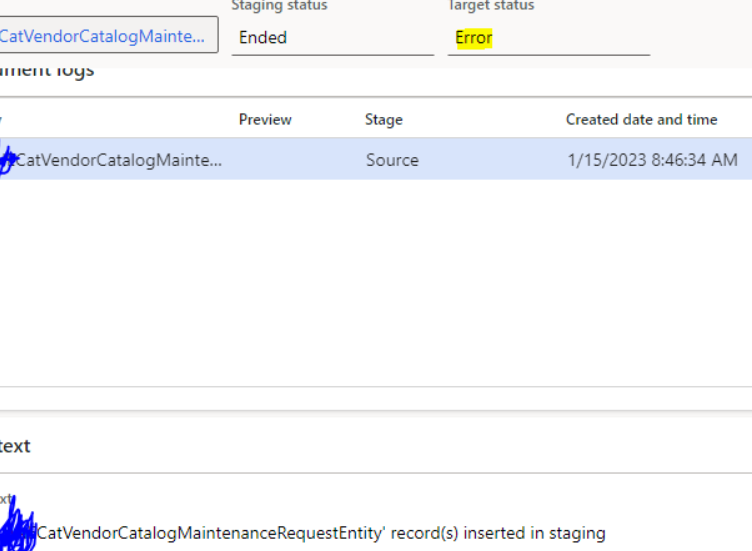
pastedimage1673772685563v1.png

I clicked view staging data:  -- why upload date is empty??
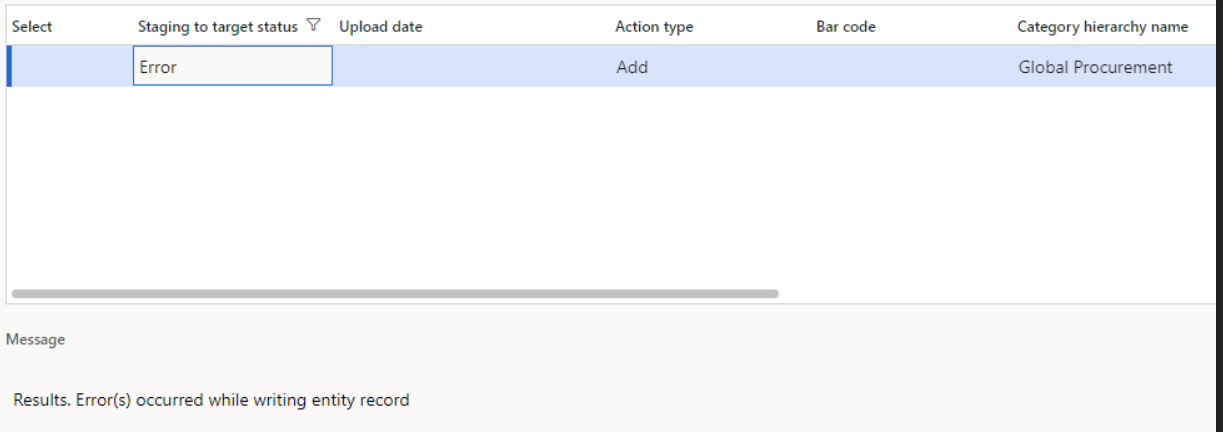
pastedimage1673772728373v2.png

I clicked validate all, but I still can't see any meaningful error:
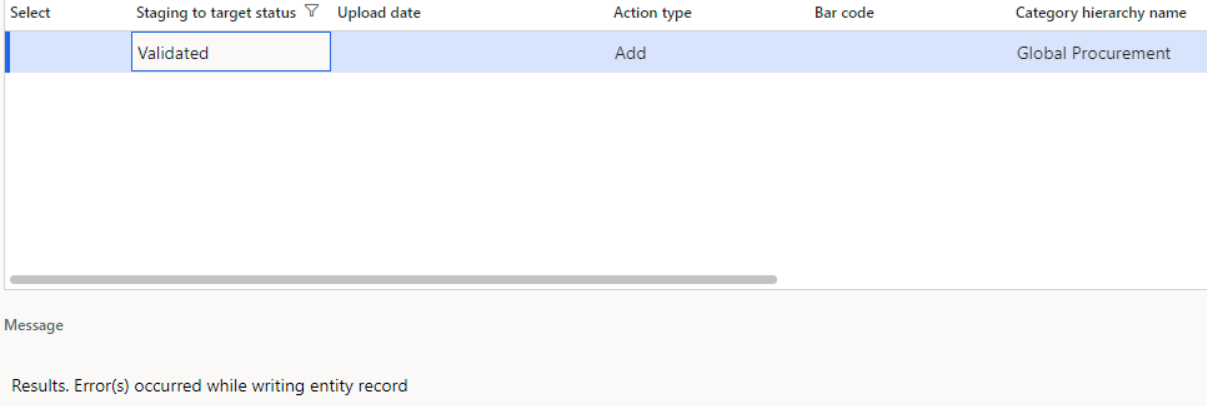
pastedimage1673772765139v3.png

How can I find the error?


I also, tried to import the excel file manually, with uploadDateTime field I got the same result, it failed with no meaningful error (but here upload date is filled)
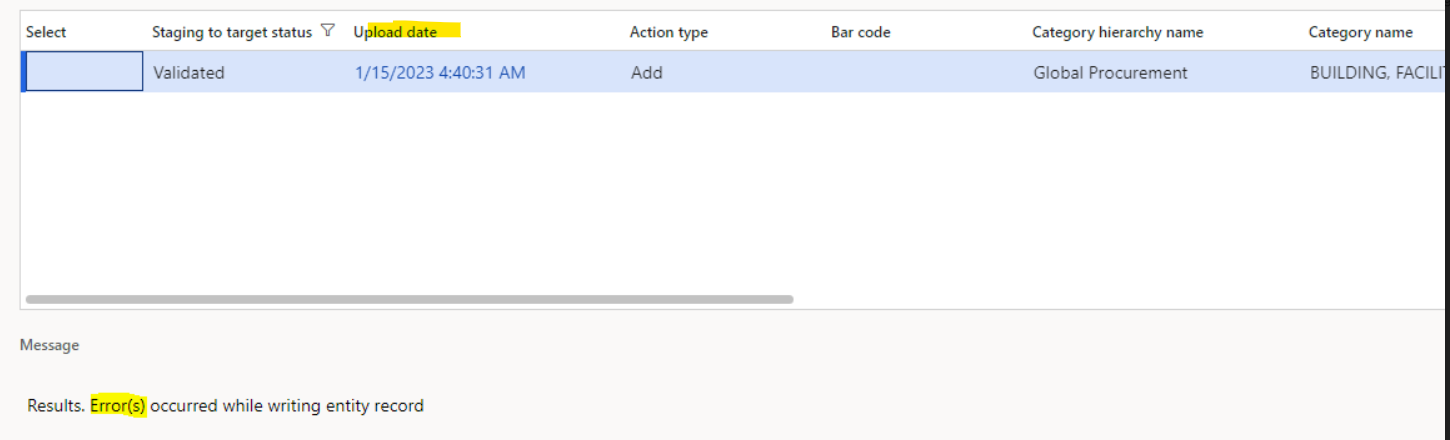
pastedimage1673773492514v4.png

I have the same question (0)
  • André Arnaud de Calavon Profile Picture
    303,349 Super User 2026 Season 1 on at

    Hi IntegrationBeginner,

    Did you perform any debugging yourself to find the curprit?

    You had another question on this forum which might be related or a duplicate. Invalid CMR - There are no valid products to import - Dynamics 365 Finance Forum Community Forum

    Can you provide an update on the other question? I think you should first make sure you can import the file with standard options before thinking of customizations. What are the differences between the standard catalog import and your custom entity?

  • Martin Dráb Profile Picture
    238,763 Most Valuable Professional on at

    Go to staging data - you'll likely see details there.

    You mentioned a mapping error in your other thread, but not here. Does it mean that you're not getting any mapping error anymore? Or you were able to see details before but not now?

    Also, what value(s) did you put to uploadDateTime field?

  • .. Profile Picture
    1,979 on at

    Hi Martin,

    I went to staging data there are no errors...there is a screenshot in the question itself that shows what the staging data returned to me. ( I can't see details)

    And yes I'm not getting any mapping errors..because I removed the uploadDateTime from the entity in the data project. I fill upload date time by code as I showed you.

    CatVendorDateTime uploadDateTime = CatVendorCatalogMaintenanceRequest::findRecId(catVendorCatalogMaintenanceRecId).UploadDateTime;

    When I tried to import manually and got the same result...the uploadDateTime field in excel contained this

    1/15/2023 4:40:31 AM (format is general)

    Hi Andre,

    That's a different question, the other question was related to xml and xml is working fine. The difference between customization and standard is that I'm using single entity with excel and not xml with composite

  • Martin Dráb Profile Picture
    238,763 Most Valuable Professional on at

    You can't data to be imported if you removed mapping for the field. Setting up mapping correctly should be your first step.

    Please use the debugger to find out more about the error (after fixing the missing mapping).

    I would definitely test other date formats. The first thing I would try is the format corresponding to your regional settings.

  • .. Profile Picture
    1,979 on at

    Hi Martin,

    But this is how standard works.

    First, they create an import project and upload an empty XML file where the uploadDateTime node is not there but other nodes are there like product number etc..

    Then when they upload the vendor catalog they fill all xml nodes without the uploadDateTime node.

    And they depend on the code to fill uploadDateTime

    And this is what I did exactly.

    I created import excel project where I upload an empty file with fields but without uploadDateTime

    Then I uploaded the vendor catalog by filling excel fields with values but without the uploadDateTime filed(I didn't have it in the file)

    Then I filled uploadDateTime by code.

    I didn't remove mappings I only removed field from the uploaded file. So is this correct?

  • .. Profile Picture
    1,979 on at

    Hi Martin,

    Sorry when we create the import excel project then we need to upload a file with uploadDateTime field

    However when we upload the file with data in vendor catalog then it shouldn't contain this field and we should fill it by code.

    I'm back now to the error that says:

    "Import failed because the input column specified was not found in the entity mapping, the input column UPLOADDATETIME was not found in the input column collection"

    What do you mean by change format of upload date time in the excel like my regional settings?

  • Suggested answer
    Alireza Eshaghzadeh Profile Picture
    14,839 Super User 2026 Season 1 on at

    Hi IntegrationBeginner,

    Have you tried to add data manually to provided entity and check if you can export data to format type Excel?

    You can export data, you can try to manipulate the excel file with new row (i.e. Not duplicate) and test the import. This may help to troubleshoot the issue.

  • Martin Dráb Profile Picture
    238,763 Most Valuable Professional on at

    You need to decide - you either want to import the field from the file or not.

    If not, then you don't need the source mapping, but your code makes no sense, because it's just6 about changing the file. You'd need different code, such as code inside the the entity adding the value automatically on import.

    If you do want to modify the file and import the file, you need the mapping, otherwise the field added to the file will be ignored.

  • .. Profile Picture
    1,979 on at

    Hi Alireza,

    I exported the excel project successfully, and amended it to import one line ( I made sure it's unique)

    At first I got that product number in excel needs to be text..so I went to this field and formatted it to be text.

    I imported again and it failed but with no meaningful error..is because of the uploadDateTime but what should I do with it?

  • .. Profile Picture
    1,979 on at

    Hi Martin,

    I want to add uploadDateTime field by code.

    That's why in the project I uploaded an Empty file with uploadDateTime field.

    But when I uploaded the file in vendor catalog..the field(uploadDateTime) wasn't in the file and I added it by code.

    But I'm getting the error I specified before

    Which is import failed because UPLOADDATETIME was not found

Under review

Thank you for your reply! To ensure a great experience for everyone, your content is awaiting approval by our Community Managers. Please check back later.

Helpful resources

Quick Links

Introducing the 2026 Season 1 community Super Users

Congratulations to our 2026 Super Stars!

Congratulations to our 2025 Community Spotlights

Thanks to all of our 2025 Community Spotlight stars!

Leaderboard > Finance | Project Operations, Human Resources, AX, GP, SL

#1
André Arnaud de Calavon Profile Picture

André Arnaud de Cal... 509 Super User 2026 Season 1

#2
Giorgio Bonacorsi Profile Picture

Giorgio Bonacorsi 375

#3
Adis Profile Picture

Adis 268 Super User 2026 Season 1

Last 30 days Overall leaderboard

Product updates

Dynamics 365 release plans
