web
You’re offline. This is a read only version of the page.
close
Skip to main content

Notifications

Announcements

No record found.

Community site session details

Community site session details

Session Id :
Finance | Project Operations, Human Resources, ...
Suggested Answer

Data Lake - Exporting custom entities

(0) ShareShare
ReportReport
Posted on by 20

Good morning,

 Nor sure if this question is a D365FO or a Azure Data Lake question so apologies if in the wrong place.

Within our test environment we have successfully set up a Gen2 Data lake and I have managed to get 2 entities that I created (which we are already pusihing to a BYOD via the data management) to also start pushing the data into the DL:
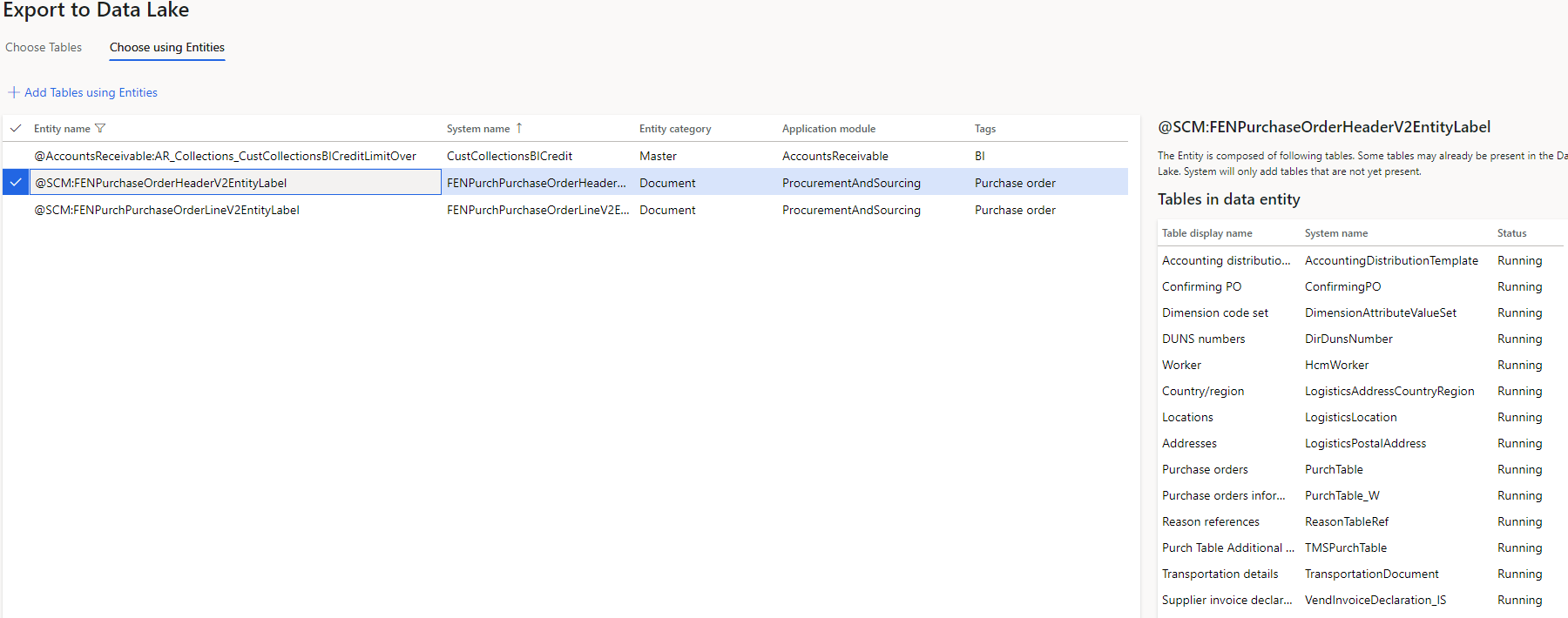
pastedimage1623146303609v1.png

Now I understand when the data is in the DL it is stored as CDM e.g.:
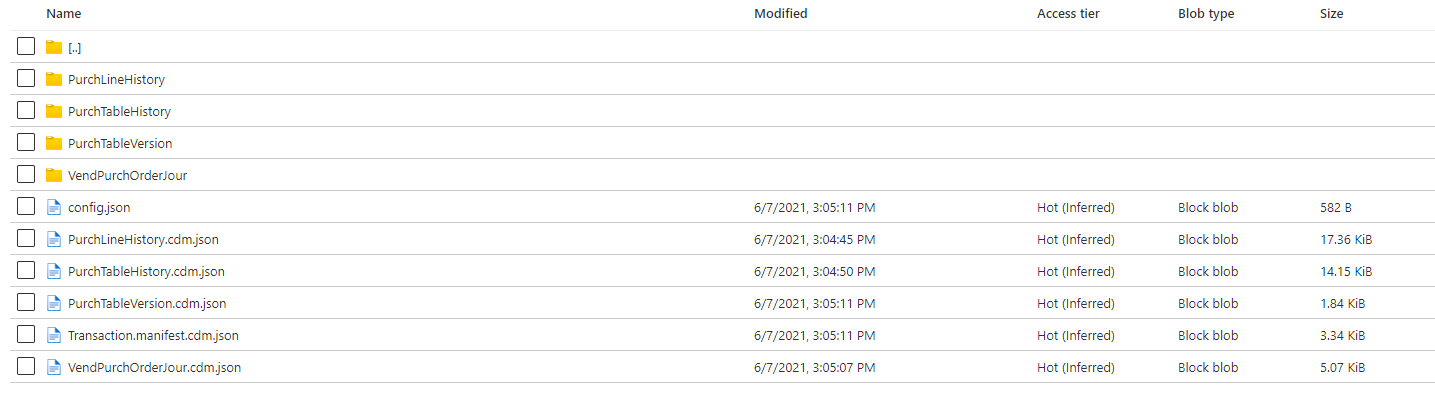
pastedimage1623146362629v2.png

But what I am trying to understand is if I wanted to then say have exactly the same entity push from the DL into a DW or report is that easily done or do I need to somehow recreate the entity structure in the DL ?

Any help is appreciated.

Ash

I have the same question (0)
  • WillWU Profile Picture
    22,361 on at

    Hi AshB,

    Data Lake is designed to store large amounts of data: hundreds of terabytes (TB) or more. It takes advantage of Azure Blob storage, which is inexpensive storage technology that many underlying services of Azure use.

    Data lakes are designed for big data analytics. You can bring your historical data and earlier data from your own systems into Data Lake. This data can consist of scanned documents in addition to business data. You can then apply machine learning models to the documents to make sense of the content and the opinions that the document authors expressed. You can also collect signals from devices and vehicles or machines on the shop floor, and store the data in data lakes. You can then apply machine learning models to detect anomalies and patterns in the signals, and you can join the results with business data to take proactive action.

    Data Lake has many associated services that enable analytics, data transformation, and the application of AI and machine learning. Azure services from Microsoft, partners, and open-source tools can be used to reason over the data.

    Instead of downloading Finance and Operations data from a data lake into your on-premises data warehouses, you can bring your on-premises data into a data lake. Microsoft refers to this transformation as modernization of data warehouses.

    Refer to:docs.microsoft.com/.../azure-data-lake-overview

  • AshB Profile Picture
    20 on at

    Hi,

    Thanks for that info, but my question still is , if I have entity X in D365FO, I select all its underlying tables, etc to go into the DL, how do I then get entity X from out of the data from the DL? Later on we may not need it like that but for now we want to see a mirror of entity extraction via DL

    Ash

  • Suggested answer
    Ajit Profile Picture
    8,755 on at

    You would have to create a view same as entity using base tables you exported in data lake and you can use Azure Synapse and create views there.

  • JAlegre_FF21 Profile Picture
    5 on at

    Is Azure Synapse the only way? these are only csv files. isn't there a way to use SSIS and get these csv into a SQL Server database for instance?

  • SaxMan Profile Picture
    15 on at

    This is my dilemma as well.  The issue is this is CDM in datalake where the metadata is in different Json files that describe what's in the csv files via the common model manifest.  The PowerBI adapter knows how to navigate this model to access the csv files.  We need the same thing for SSIS.  Datalake adapters won't know about CDM metadata.  You can enable polybase via the whole Synapse view capability and there's a github application you can install to generate those views for you.  Then it's just matter of reading those views via SSIS - hopefully.  That's probably the route we will try.  

Under review

Thank you for your reply! To ensure a great experience for everyone, your content is awaiting approval by our Community Managers. Please check back later.

Helpful resources

Quick Links

Responsible AI policies

As AI tools become more common, we’re introducing a Responsible AI Use…

Neeraj Kumar – Community Spotlight

We are honored to recognize Neeraj Kumar as our Community Spotlight honoree for…

Leaderboard > Finance | Project Operations, Human Resources, AX, GP, SL

#1
Martin Dráb Profile Picture

Martin Dráb 559 Most Valuable Professional

#2
André Arnaud de Calavon Profile Picture

André Arnaud de Cal... 464 Super User 2025 Season 2

#3
Sohaib Cheema Profile Picture

Sohaib Cheema 250 User Group Leader

Last 30 days Overall leaderboard

Product updates

Dynamics 365 release plans
