web
You’re offline. This is a read only version of the page.
close
Skip to main content

Announcements

No record found.

News and Announcements icon
Community site session details

Community site session details

Session Id :
Microsoft Dynamics AX (Archived)

Can't upload ledger dimension fields using Data Import/Export Framework

(0) ShareShare
ReportReport
Posted on by 132

Dear all friends,

I have a trouble that i don't know why.

If the fields have simple properties. I can upload success into system AX.

But I can't upload success if the fields have specially properties (as field Account "OffsetLedgerDimension" picture below). System not allow upload.
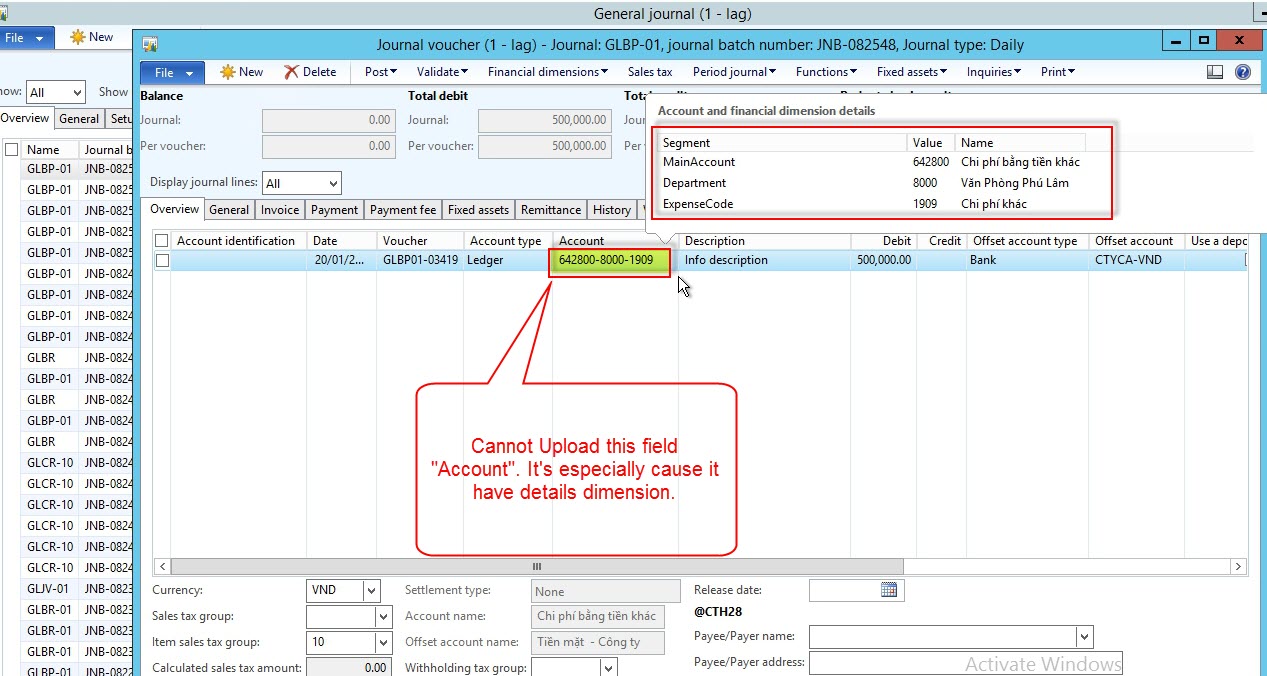
screenshot.190.jpg

Although I tried to change info data in *.csv file (as *.csv file below) but it still not work. I don't know how to Upload with above fields.
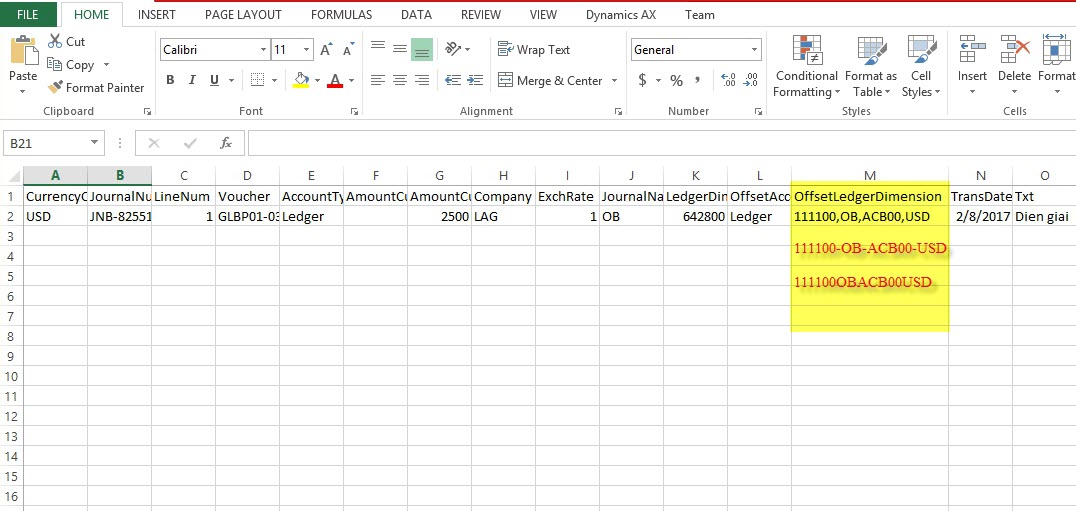
screenshot.191.jpg


Anybody know the way please help. Many many thanks.

Regards.

*This post is locked for comments

I have the same question (0)
  • Martin Dráb Profile Picture
    239,602 Most Valuable Professional on at

    Can you please elaborate what happened? "System not allow upload" isn't very detailed. Did you get an error message, for instance?

  • Suggested answer
    André Arnaud de Calavon Profile Picture
    305,125 Super User 2026 Season 1 on at

    Hi Huy,

    In the source data format you have to define the Chart of accounts separator and which dimensions will be enabled for data import/export.

  • Living Color Profile Picture
    132 on at

    Dear Martin,
    This is detailed error:

    screenshot.200.jpg

    Dear André,
    I tried to define the Chart of accounts separator in Source Data Format but still not work.

    Anh this is all steps i did.

    1.Validate Shared folder success

    screenshot.193.jpg

    2.Config Target Entities

    screenshot.194a.jpg

    3.Config Source Data Format

    screenshot.195.jpg

    screenshot.196.jpg

    4.Generate Source File

    screenshot.198a.jpg

    5.Check Mapping Success and Preview Source File

    screenshot.199.jpg

    screenshot.200.jpg

    6.Get Staging Data Success

    screenshot.201.jpg7.Copy Data to Target and Upload Error.

    screenshot.200.jpg

    Please help to troubleshoot. Thanks

  • Martin Dráb Profile Picture
    239,602 Most Valuable Professional on at

    Can you please compile SysInfoAction_MenuFunction, or ideally the whole application?

Under review

Thank you for your reply! To ensure a great experience for everyone, your content is awaiting approval by our Community Managers. Please check back later.

Helpful resources

Quick Links

Introducing the 2026 Season 1 community Super Users

Congratulations to our 2026 Super Stars!

Meet the Microsoft Dynamics 365 Contact Center Champions

We are thrilled to have these Champions in our Community!

Congratulations to the April Top 10 Community Leaders

These are the community rock stars!

Leaderboard > 🔒一 Microsoft Dynamics AX (Archived)

#1
CP04-islander Profile Picture

CP04-islander 24

#2
Michel ROY Profile Picture

Michel ROY 14

#3
imran ul haq Profile Picture

imran ul haq 8

Last 30 days Overall leaderboard

Featured topics

Product updates

Dynamics 365 release plans
