web
You’re offline. This is a read only version of the page.
close
Skip to main content

Announcements

No record found.

News and Announcements icon
Community site session details

Community site session details

Session Id :
Small and medium business | Business Central, N...
Answered

Gen. Prod. Posting Group must have a value in Purchase Line for empty line

(0) ShareShare
ReportReport
Posted on by 247

Hi, 

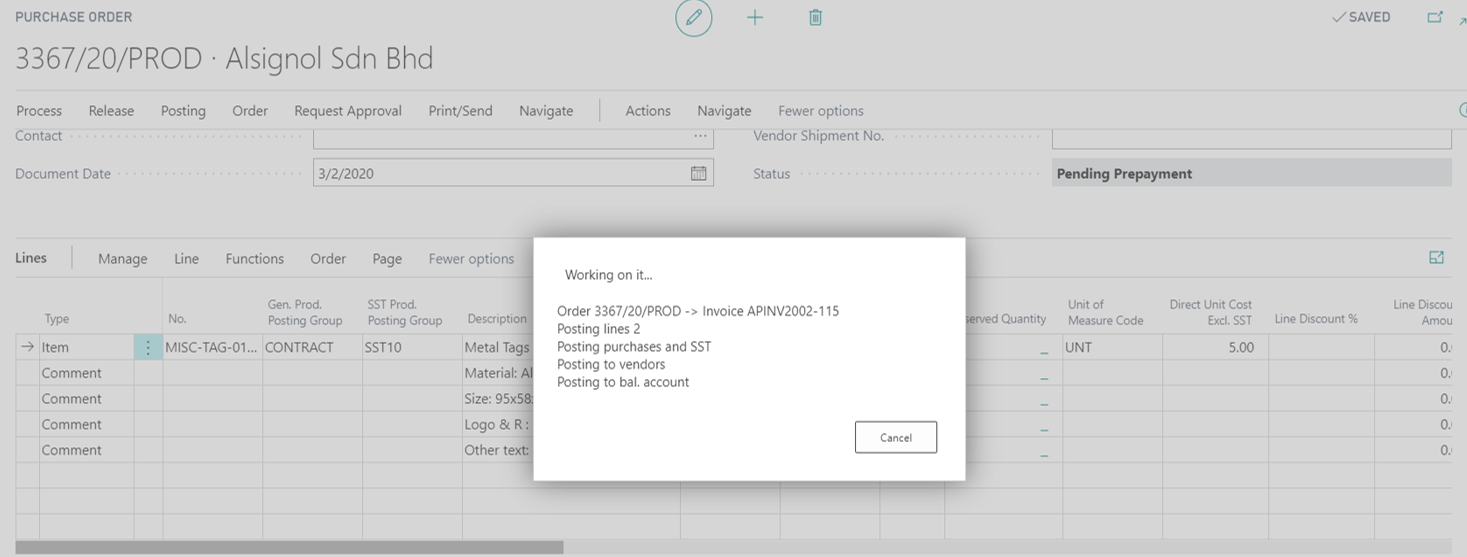
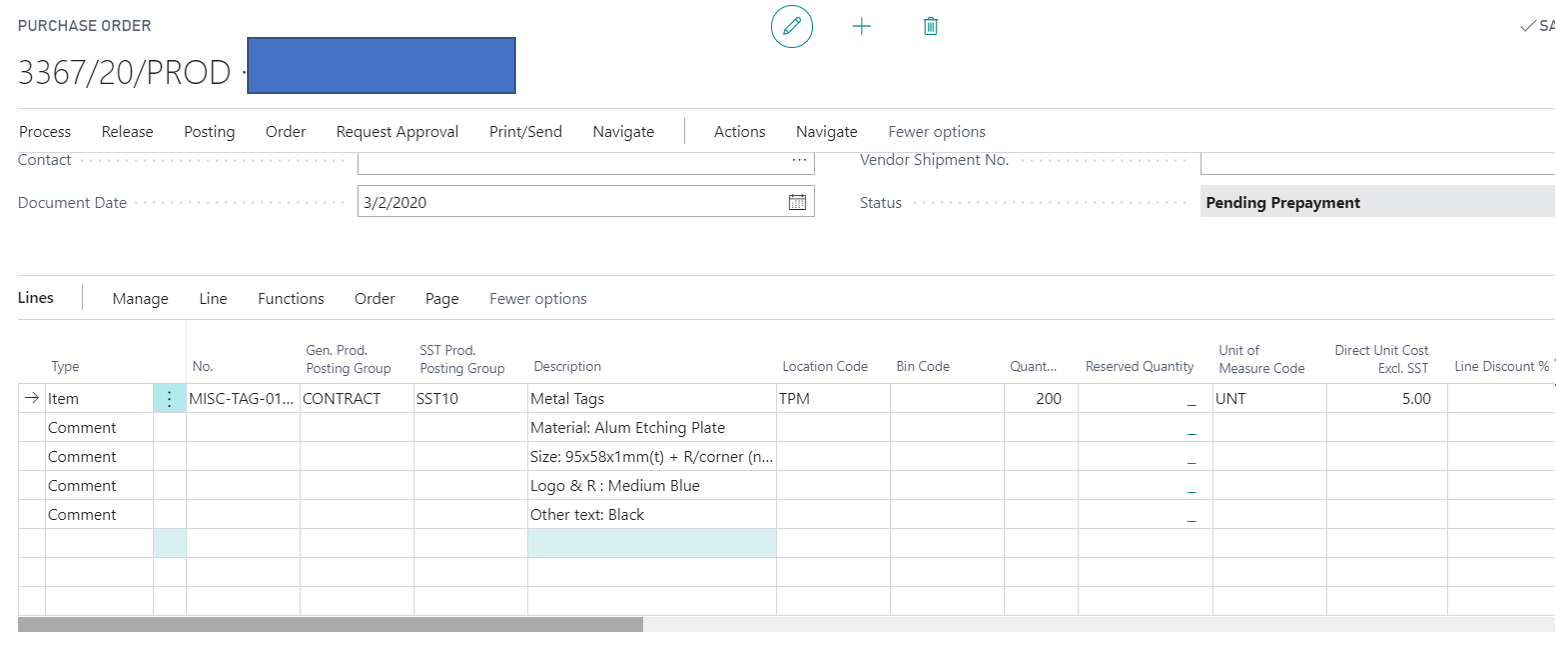
The PO only consist 1 posting line, but when posting it deducted 2 Posting Lines.

Thus, the additional encounter error due to the "Gen. Prod. Posting Group must have a value in Purchase Line: Document Type=Order, Document No.=3367/20/PROD, Line No.=60000. It cannot be zero or empty."

I tried to delete all comment line only consist Item Line and the error will be "Gen. Prod. Posting Group must have a value in Purchase Line: Document Type=Order, Document No.=3367/20/PROD, Line No.=20000. It cannot be zero or empty."

Before post to shipment and invoice, I had posted prepayment invoice.

Anyone encounter the same issue ? Any Solution ? Seek for advice, you advice are highly appreciated. 

Enclosed herewith the Screenshot attached :- 
pastedimage1595991102316v1.png

pastedimage1595991394486v2.png

I have the same question (0)
  • Verified answer
    I Gusti Made Ari Profile Picture
    3,608 on at

    Go to General Posting Setup, then take note the account of Purch. Prepayment Account  , then go to G/L Account card for that account.

    Make sure Gen. Prod. Posting Group is filled.

    pastedimage1595994899469v1.png

  • Suggested answer
    Hasnain Ali Profile Picture
    136 on at

    The problem was solved by assigning a Gen. Prod. Posting Group code to the G/L Account that I was using for Sales Prepayment, as defined in General Posting Setup.

    pastedimage1624431874414v1.png

    pastedimage1624431902544v2.png

  • Atif Shafique Profile Picture
    5 on at

    Thanks for sharing

Under review

Thank you for your reply! To ensure a great experience for everyone, your content is awaiting approval by our Community Managers. Please check back later.

Helpful resources

Quick Links

Introducing the 2026 Season 1 community Super Users

Congratulations to our 2026 Super Stars!

Meet the Microsoft Dynamics 365 Contact Center Champions

We are thrilled to have these Champions in our Community!

Congratulations to the April Top 10 Community Leaders

These are the community rock stars!

Leaderboard > Small and medium business | Business Central, NAV, RMS

#1
OussamaSabbouh Profile Picture

OussamaSabbouh 2,012 Super User 2026 Season 1

#2
YUN ZHU Profile Picture

YUN ZHU 986 Super User 2026 Season 1

#3
Teagen Boll Profile Picture

Teagen Boll 659 Super User 2026 Season 1

Last 30 days Overall leaderboard

Featured topics

Product updates

Dynamics 365 release plans